Visual Testing comparison methods
Katalon True offers visual testing with three image comparison methods: pixel-based, layout-based, and content-based comparison.
Pixel-based comparison
This method compares pixel-by-pixel differences between the baseline and checkpoint images:
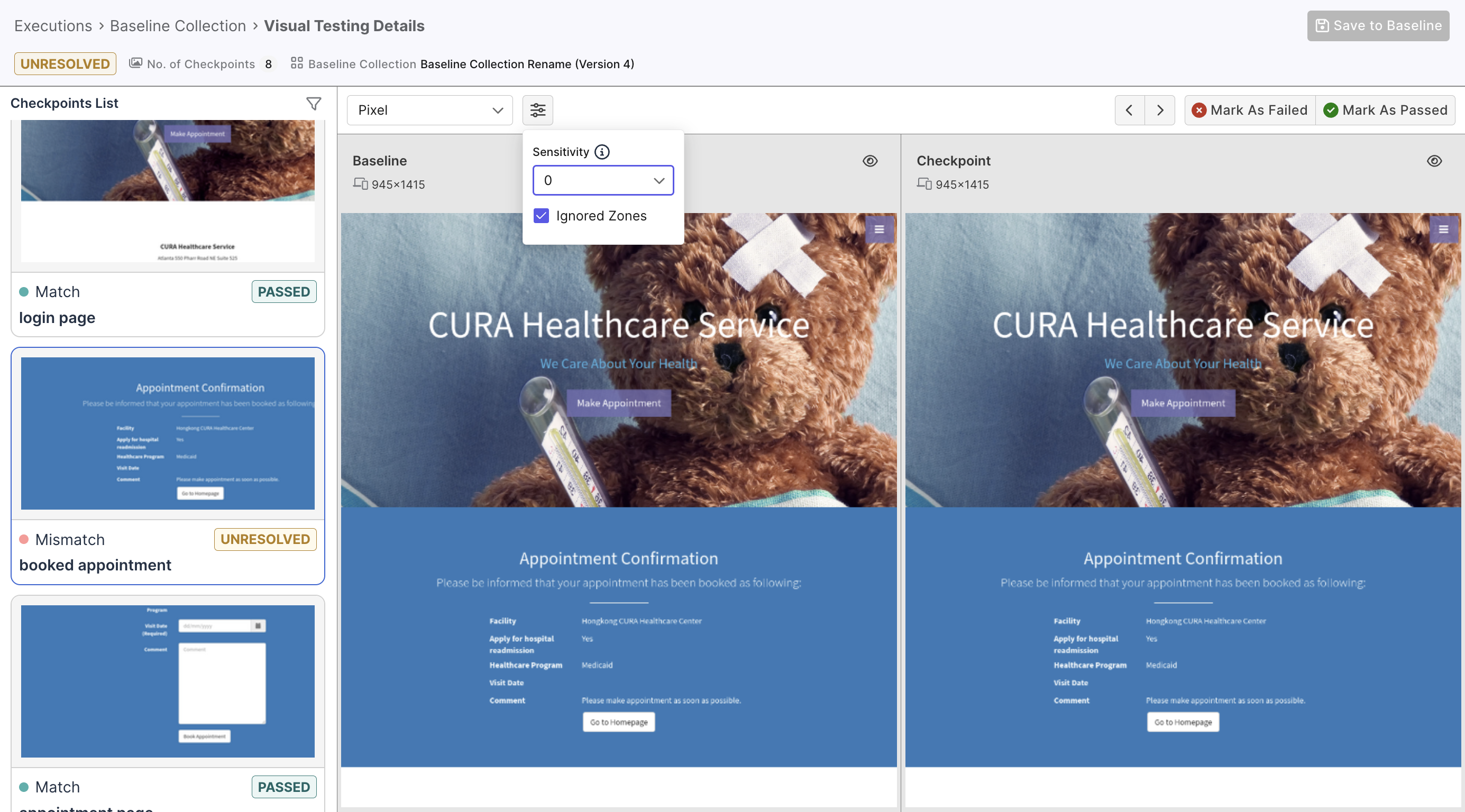
This method's advantage is simplicity: it identifies pixel differences and picks up minor changes that otherwise seem trivial.
Layout-based comparison
This method highlights layout differences between the baseline and checkpoint images. It does so by identifying similar zones between the two, with the help of our AI engine:
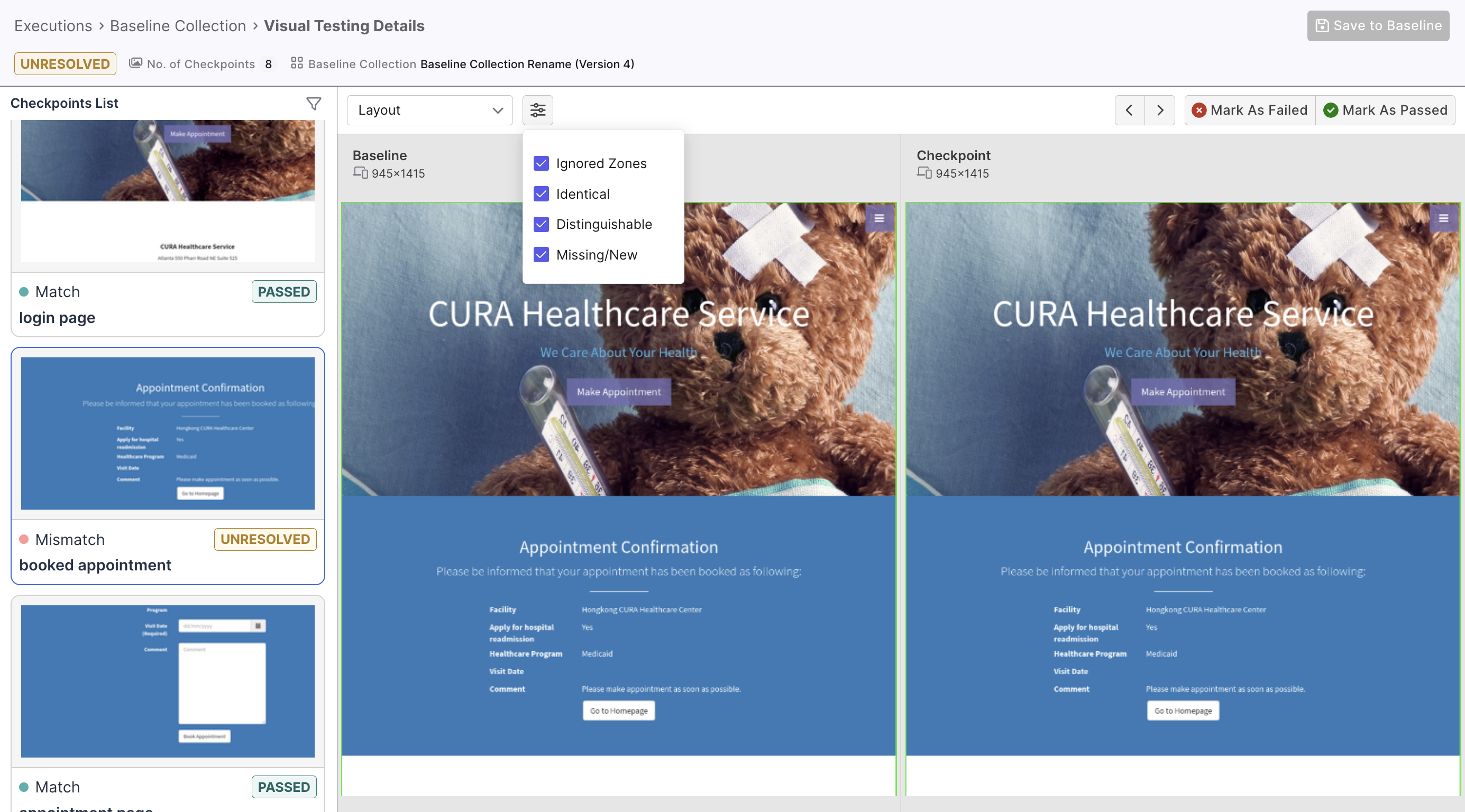
You can choose to view specific zones, marked by color-coded grades of difference:
| Label | Color | Description |
|---|---|---|
| Identical | Green border | UI zones identically rendered in both images. |
| Distinguishable | Red border | UI zones that look identical for the most parts but have some recognizable distinctions. |
| Missing/New | Pink border | UI zones that exist in one image but not in the other. |
Content-based comparison
This method looks at differences in the text contents:
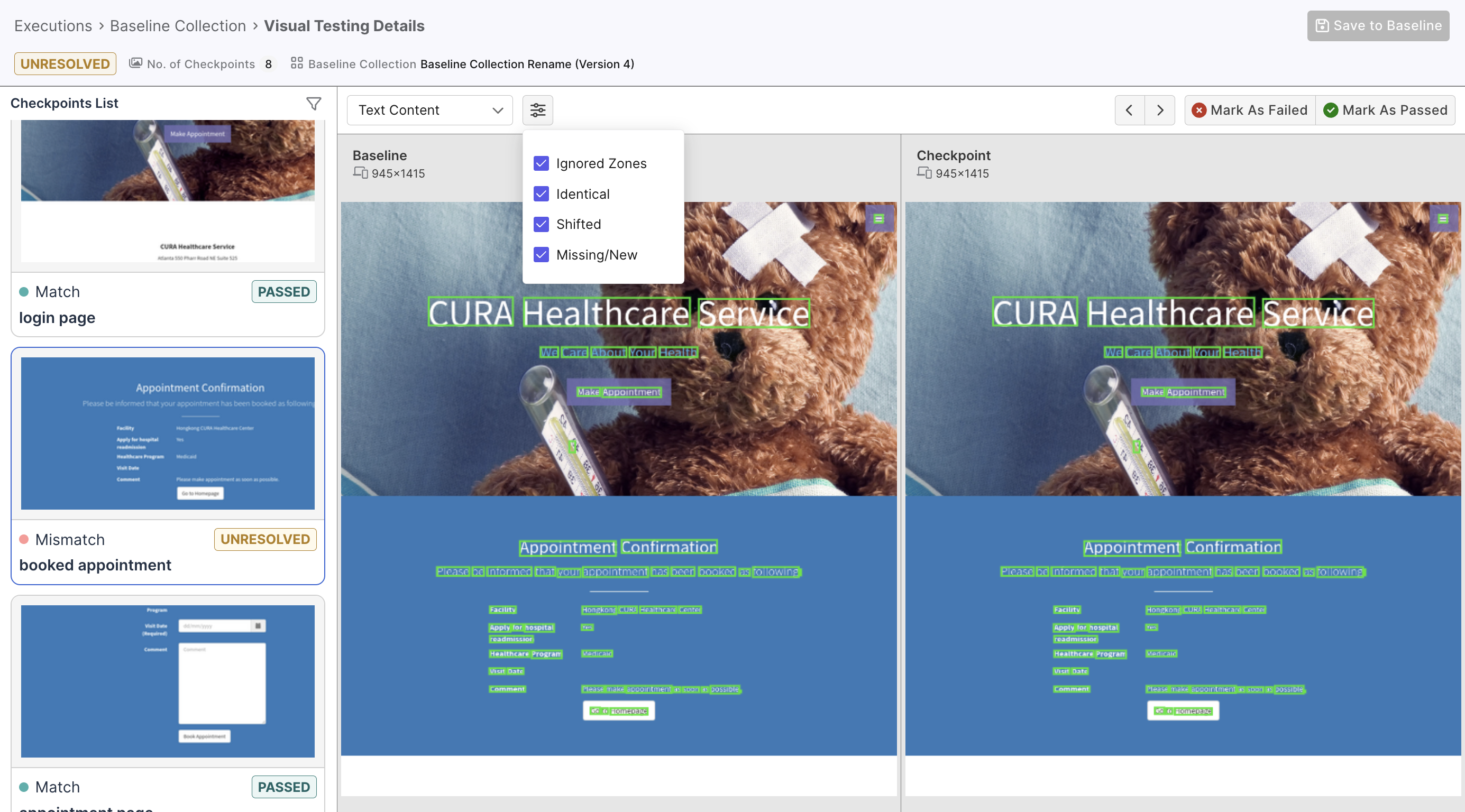
Text differences are also categorized and color-coded:
| Label | Color | Description |
|---|---|---|
| Identical | Green border | Shows text-look-like zones identically rendered in both images |
| Shifted | Red border | Shows text-look-like zones with identical but shifted positions |
| Missing/New | Pink border | Shows text-look-like zones in one image but not in the other. |
This method is useful when the snapshot contains lots of text content, enabling quick review and prioritizing of critical text changes.