Manage oversize generated test cases
TrueTest warns you when selected flows may generate oversize test cases. Before generating, you can review the suggested split, adjust breakpoints, and rename sub test cases.
- oversize generated test case splitting is enabled for your organization or customer environment.
- You have selected one or more user journey map flows for test case generation.
Review oversize flow warnings
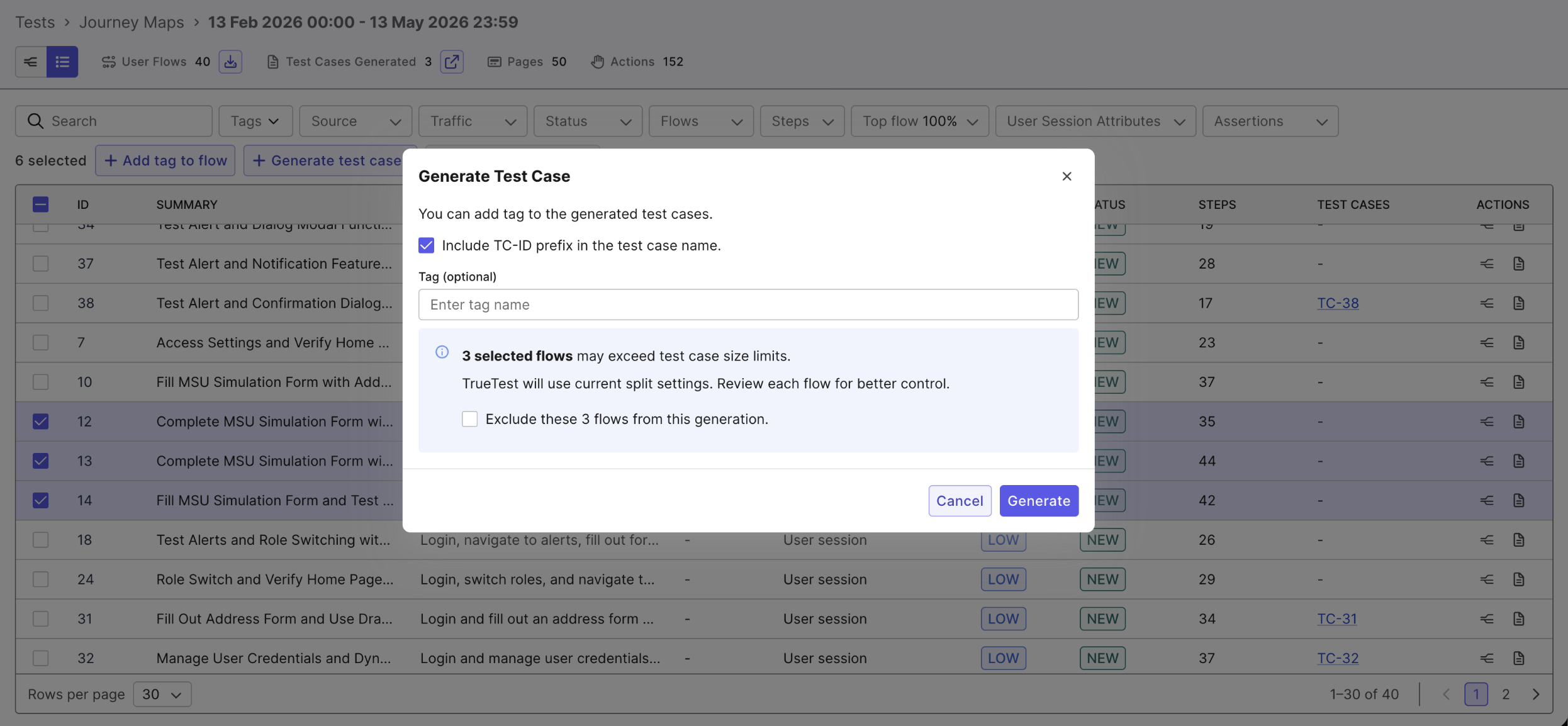
When one or more selected flows may exceed the test case size limit, a warning appears in the Generate Test Case dialog, for example: 3 selected flows may exceed test case size limits.
From here, you can:
- Generate test cases with the current split settings.
- Review each risky flow before generation.
- Exclude risky flows from the current generation.
Review suggested breakpoints
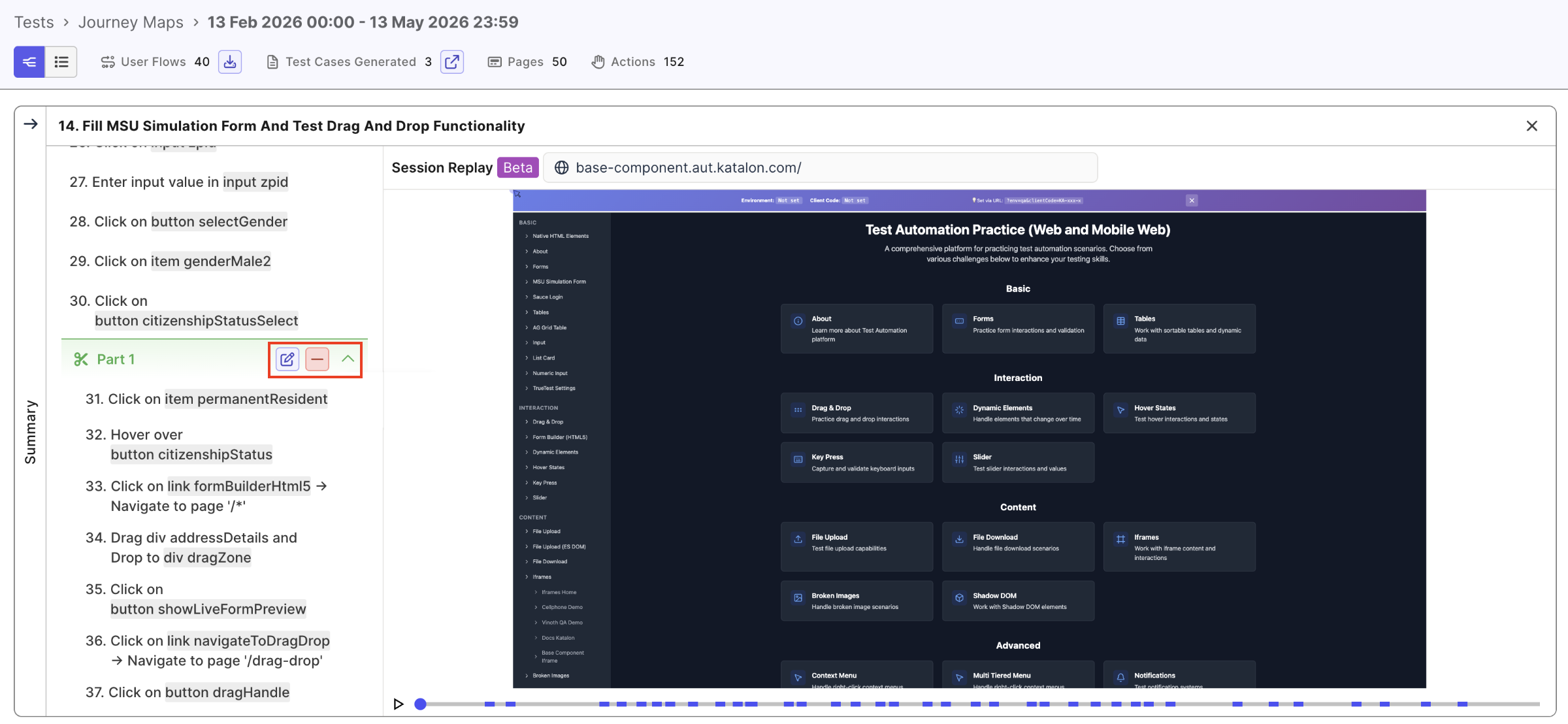
TrueTest suggests breakpoints based on flow length. In the flow detail view, a split marker appears between steps to show where a new sub test case begins. The section label shows the part name, such as Part 1.
Hover over a split part to show the edit, remove, and collapse controls.
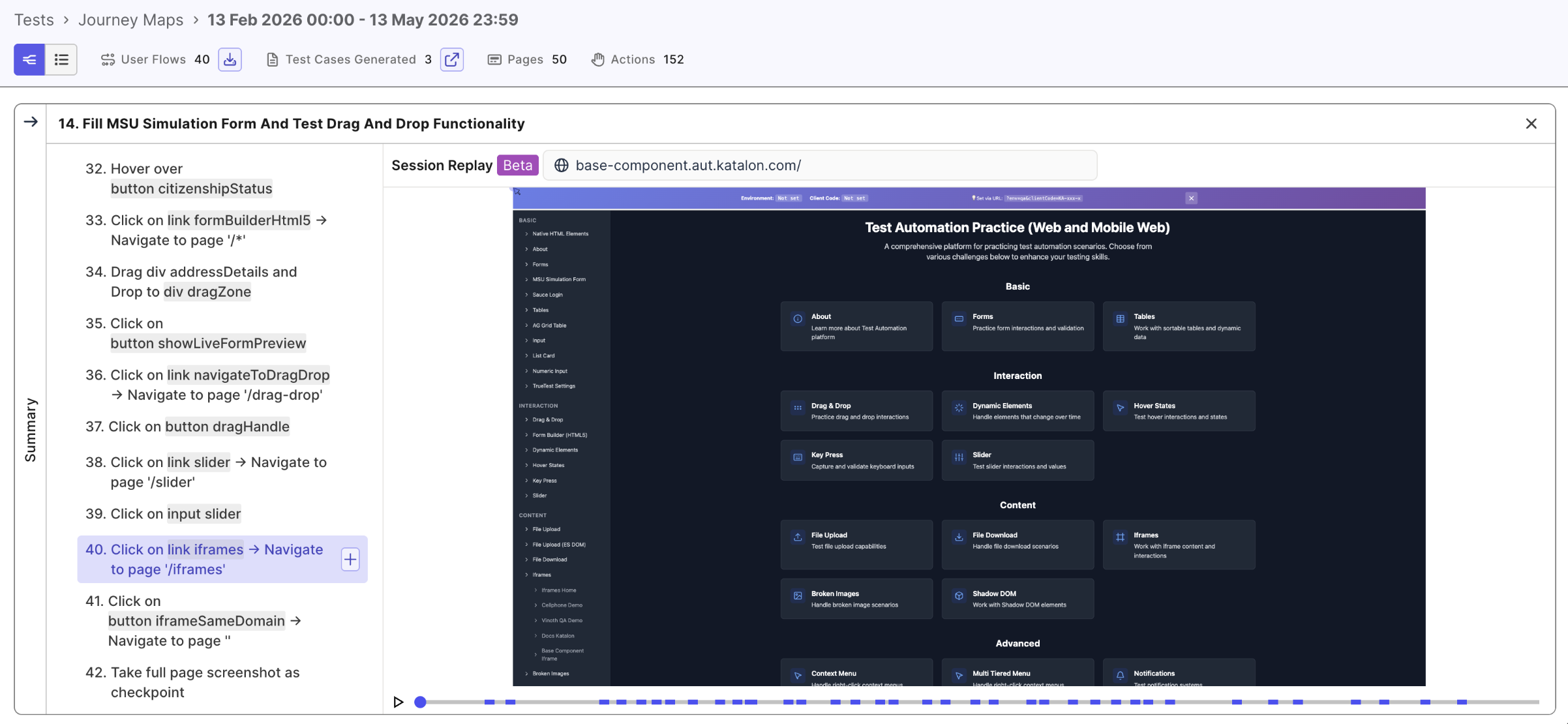
Add a breakpoint
- Hover over the step where the new sub test case should begin.
- Click the
+icon to add. - In the Add sub test case dialog, enter a name or keep the default.
- Click Save.
Rename a sub test case
Use names that describe the business action or page transition. For example, Manage user credentials is clearer than Part 1.
- Hover over the split part.
- Click the
edit penicon. - In the Rename sub test case dialog, enter the new name.
- Click Save.
Remove a breakpoint
- Hover over the split part.
- Click the
-icon. - In the confirmation dialog, click Remove.
Removing breakpoints increases execution risk for oversize test cases.
Review the generated folder structure
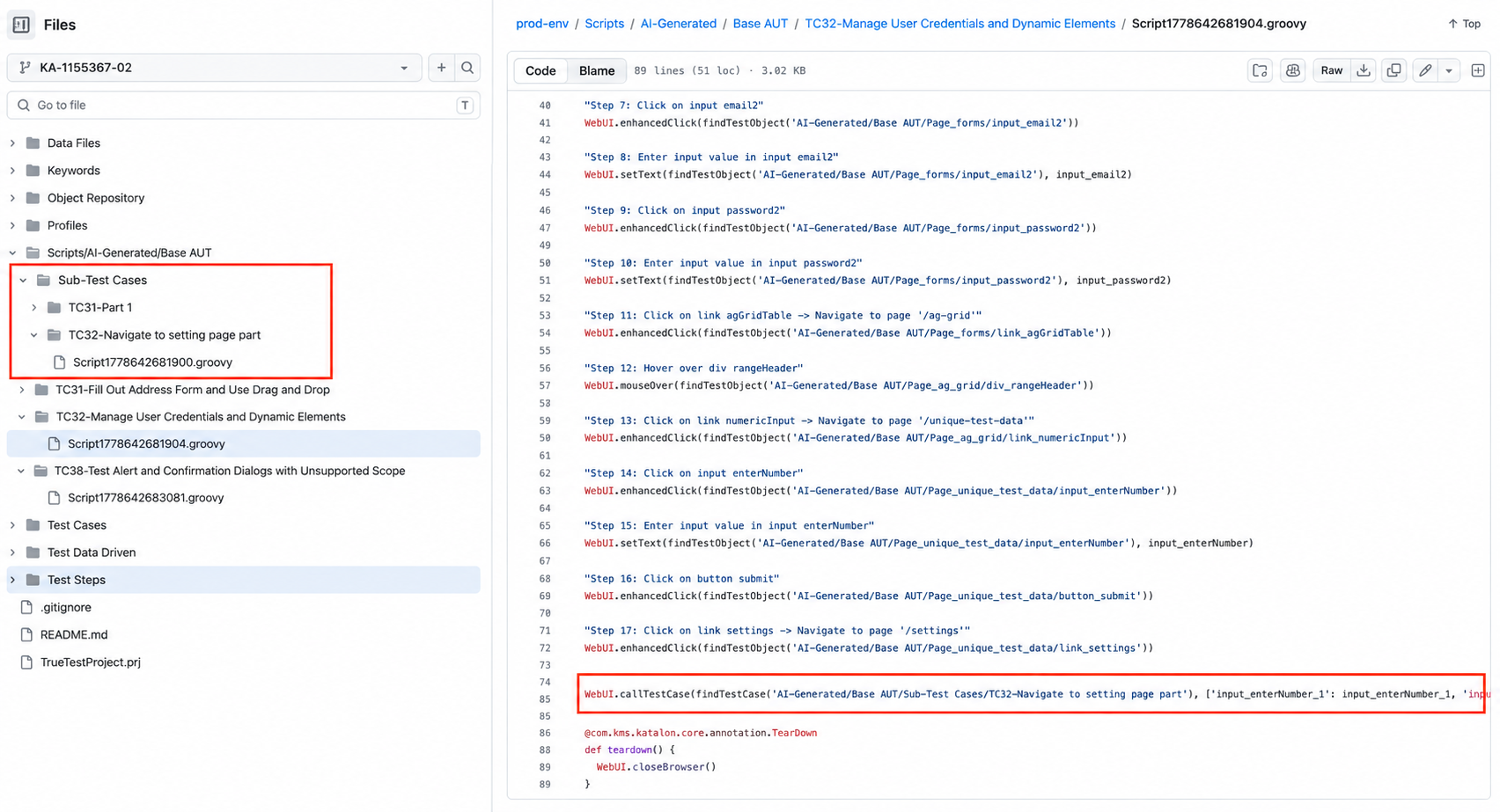
After generation, sub test cases appear under the Sub-Test Cases folder in your Katalon Studio project.
The parent script calls that sub test case using the WebUI.callTestCase keyword. This will ensure the full business flow is included in the parent test case with long sections being moved into smaller scripts.
Limitations
- The Split test case feature is controlled by feature flag. If you do not see the controls, the feature may not be enabled for your environment.
- This feature applies only to test cases generated from user journey map flows, not to existing Katalon Studio scripts.