Record related browser tabs in one flow
TrueTest can record actions across related browser tabs as one continuous session and preserve the tab transitions in the generated flow. Use this capability when an action in a tracked web application opens another tab that remains part of the same task.
- You have purchased the TrueTest add-on.
- You have configured TrueTest Agent for the application under test (AUT). See Configure TrueTest Agent.
- Related-tab recording is enabled for the AUT. Contact Katalon Support if this capability is not available for an existing AUT.
- The primary domain and each related-tab domain are included in the data tracking environment configuration. You can add other required domains to Additional Domains.
Understand which tabs belong to a flow
TrueTest treats a browser tab as related when the tracked application opens it as part of the recorded workflow and its domain matches the AUT configuration. Activity from an independently opened or duplicated tab remains in a separate session.
The supported flow follows this pattern:
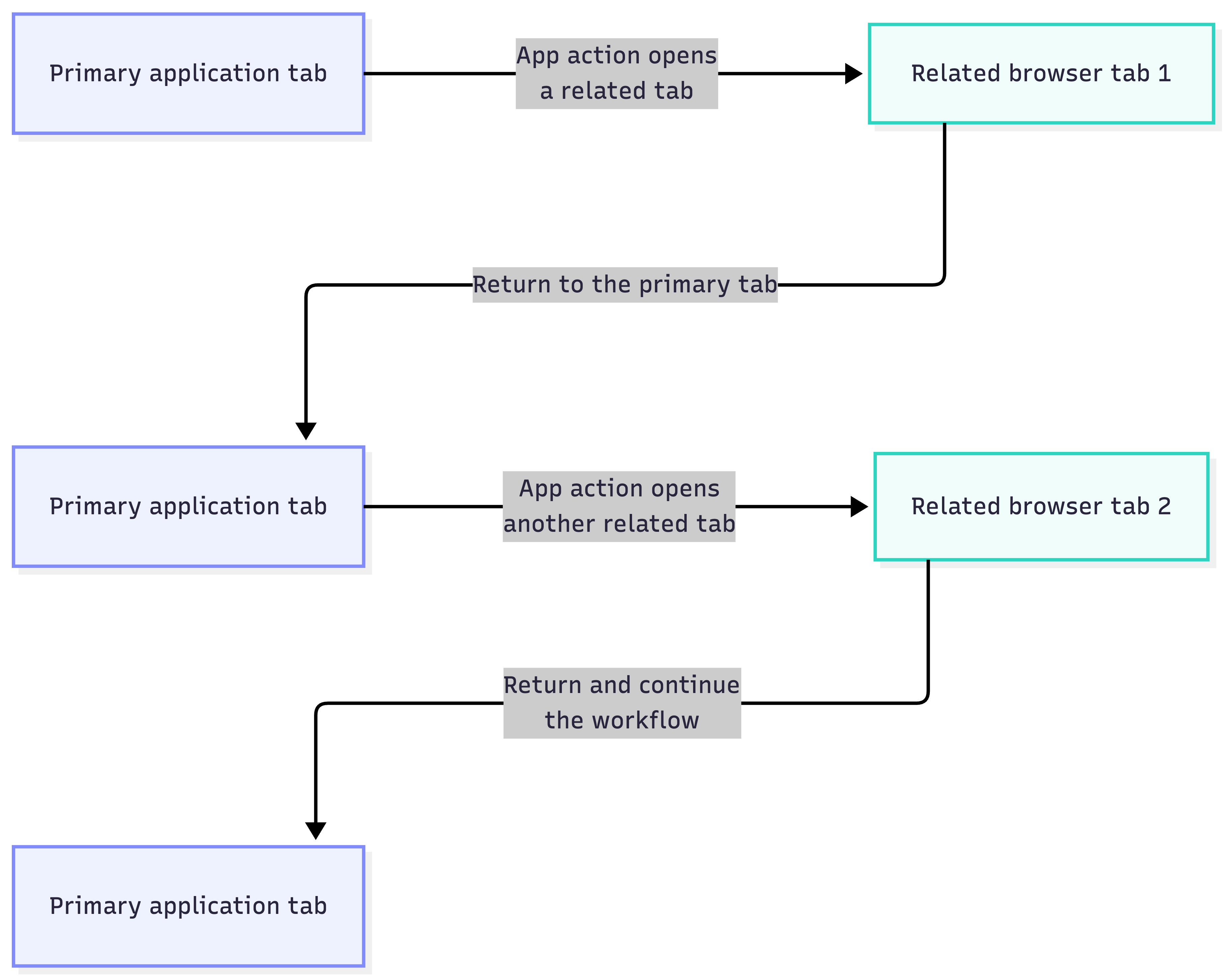
Record a related-tab journey
- Start the tracked workflow in the primary application tab.
- Click the application control that opens the related browser tab.
- Complete the actions in the related tab.
- Return to the main tab.
- Repeat steps 2–4 when the workflow opens another related tab from the main tab.
- Complete the remaining actions in the main tab.
TrueTest records the actions as one session and preserves each transition between the main tab and its related tabs. When you generate a journey map, the session appears as one end-to-end flow instead of separate disconnected flows.
Example: review an insurance claim across related tabs
Consider an insurance case-management application that keeps a claim in the primary tab and opens policy and document records in related tabs.
Browser actions
- Open a claim in the primary Claim details tab.
- Click Review policy. The application opens the policy record in a related tab.
- Expand Coverage details.
- Click Confirm coverage.
- Return to the primary Claim details tab.
- Click Review documents. The application opens the claim documents in another related tab.
- Open Proof of loss.
- Click Mark reviewed.
- Return to the primary Claim details tab.
- Click Submit for approval.
Generated TrueTest flow
TrueTest preserves the application actions and tab transitions as one ordered flow:
Primary tab: Open Claim details
Primary tab: Click Review policy
Switch to related tab 1
Related tab 1: Expand Coverage details
Related tab 1: Click Confirm coverage
Switch to primary tab
Primary tab: Click Review documents
Switch to related tab 2
Related tab 2: Open Proof of loss
Related tab 2: Click Mark reviewed
Switch to primary tab
Primary tab: Click Submit for approval
This example illustrates the expected ordering of actions and tab transitions. The actual generated step descriptions use the actions and element labels captured from the application.
Review the recorded flow
- Generate a journey map that includes the recording period. See Generate a new user journey map.
- Open the journey map and locate the related-tab flow.
- Click View test steps to review the actions and tab transitions.
- Click Replay session (beta) to review the recorded session when replay data is available.
Session Replay shows the screen from the active tab at each point in the recording. It does not display multiple tabs at the same time.
Limitations
- TrueTest merges only tabs opened by a tracked application action, such as clicking a button or link that opens a new tab. Manually opened or duplicated tabs are recorded as separate sessions.
- Each related-tab domain must match the domain configuration for the tracked application.
- TrueTest supports linear flows in which each related tab opens from the main tab and the journey returns to the main tab before opening another related tab.
- Nested tabs opened from another related tab and switching to an arbitrary previously opened tab are not supported.