Configure Katalon Runtime Engine version for TestCloud execution on TestOps
TestCloud uses Katalon Runtime Engine to execute test scripts created in Katalon Studio. When scheduling a test run on TestOps, you can specify which Katalon Runtime Engine version to use to ensure compatibility with your scripts and browser requirements.
In the Create Automated Test Run page, expand the Advanced Settings panel and to configure the Katalon Runtime Engine version. When you set the Katalon Runtime Engine version to Latest, the scheduler will select the most recent Katalon Runtime Engine version that is compatible with TestCloud to execute.
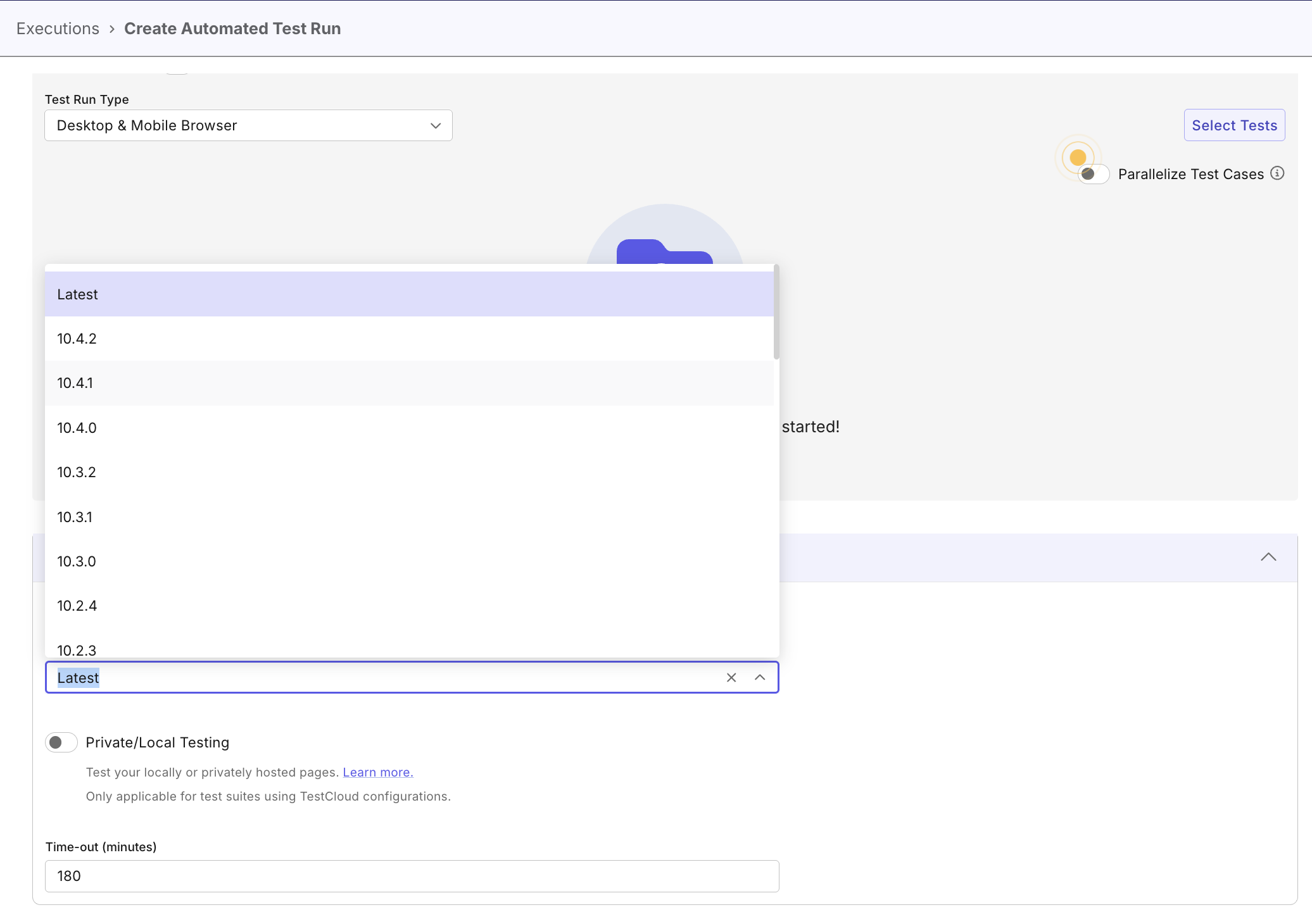
For TestCloud environments, Latest uses the newest configured KRE version that is compatible with the selected browser. Latest 11.x, Latest 10.x, and Latest 9.x use the same compatibility check, limited to the selected major version or an earlier compatible major version.
Supported KRE and browser versions
The current default major version is 11. With a Chrome or Firefox version of 140 or later, Latest and Latest 11.x resolve to KRE 11.3.0. With Chrome or Firefox 119–139, Latest resolves to KRE 10.4.3 instead.
Use the following table to see which KRE version TestCloud uses for each selected version tag and which browser versions are supported:
| Selected KRE version | KRE version used by TestCloud | Supported browser versions |
|---|---|---|
| Latest or Latest 11.x | 11.3.0 | Chrome, Chrome headless: 140 or later Firefox, Firefox headless: 140 or later Edge Chromium: 119 or later Safari: 16 or later |
| 11.0.0, 11.0.1, 11.1.1, 11.1.2, 11.1.3, 11.2.0, 11.3.0 | Corresponding selected version | |
| Latest 10.x | 10.4.3 | Chrome, Chrome headless: 119 or later Firefox, Firefox headless: 119 or later Edge Chromium: 119 or later Safari: 16 or later |
| Latest 9.x | 9.7.7 | |
| 10.4.3 – 10.0.0 | Corresponding selected version | |
| 9.7.7 – 9.0.0 | Corresponding selected version |