Use Cloud private mobile devices
- You Account has the Private Dedicated Device subscription.
Test Execution - Cloud provides you with a wide range of real mobile devices, in both iOS and Android, to execute mobile tests. With Test Execution - Cloud private mobile devices, you can have more control over your test devices compared to shared devices:
- Non-shared environment: Private devices are dedicated to your organization, ensuring high availability and consistent performance.
- Enhanced data privacy: With complete control over the data stored on the device, you reduce the risk of exposing this data to other users or third parties.
- Session retention: Private devices come with longer session retention, allow you first configure device functionalities and later perform multiple tests without having to reconfigure from scratch.
With a Test Execution - Cloud private device subscription, you can perform tests on private mobile devices just as you would on shared devices:
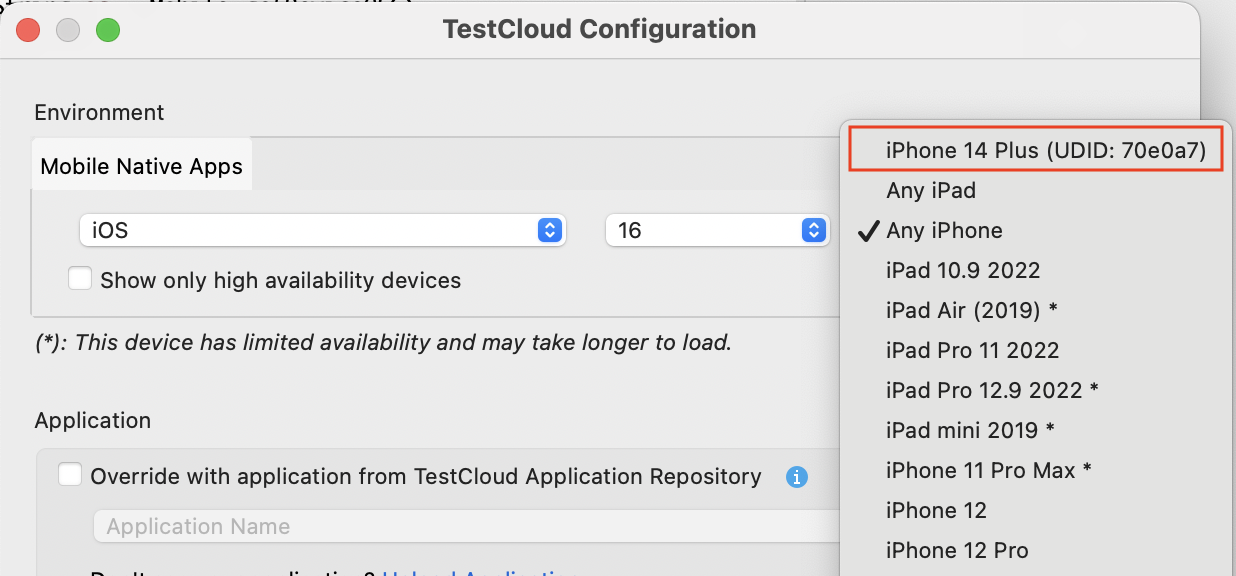
In Katalon Studio, when selecting device in the Test Execution - Cloud Configuration dialog, you can find the private device at the top of the list with the UDID.
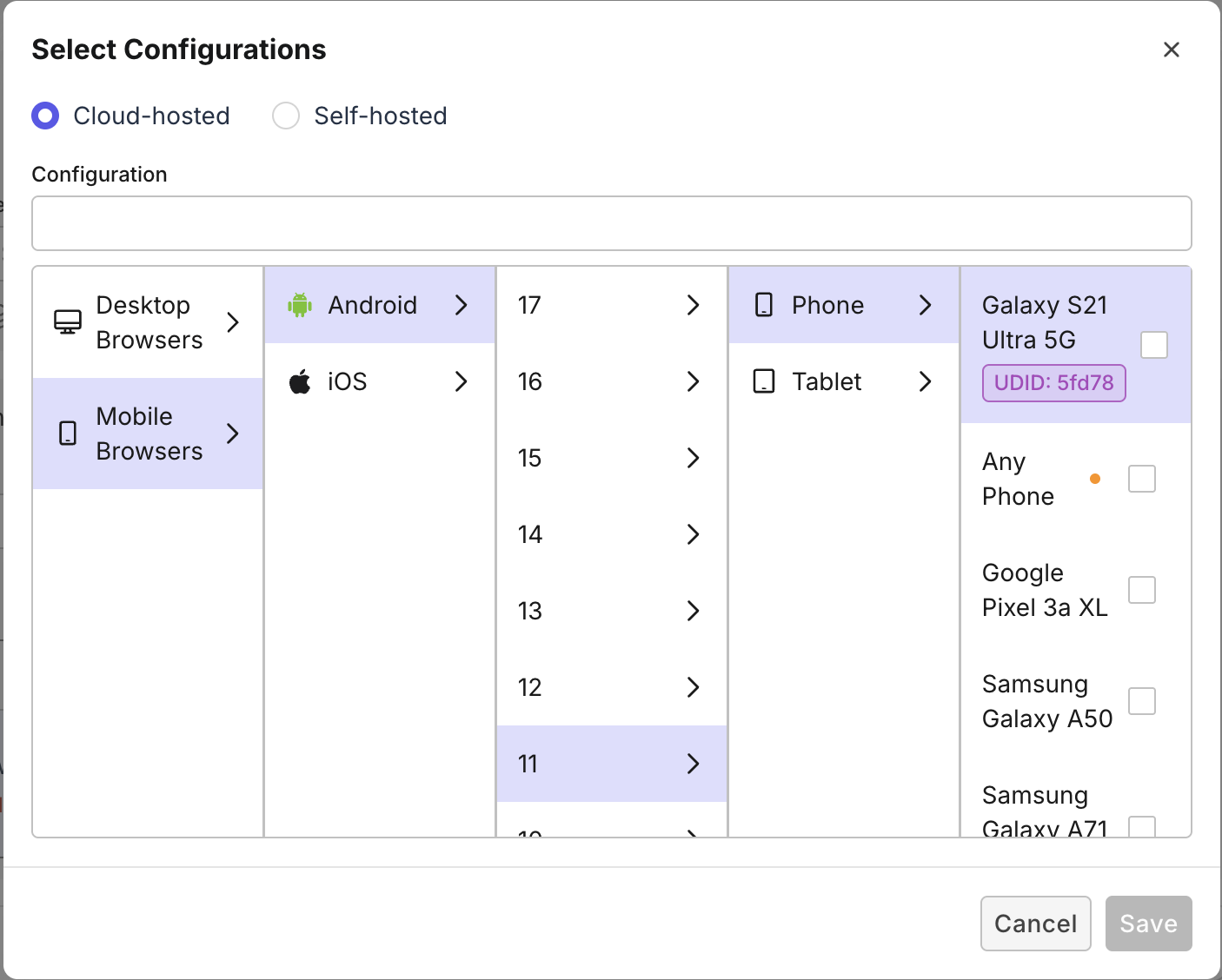
In True Platform when selecting device for cloud-hosted configurations, private devices are labeled with their UDIDs.
Private devices vs. Public devices
The following table compares the features between private devices and public devices.
| Features | Private devices | Public devices |
|---|---|---|
| Device Access | Only accessible by the specific organization and no access to anyone else. | Accessible by only a single user during session, but shared for different test sessions. |
| Session Duration | Maximum session duration is 12 hours. | Maximum session duration is 6 hours. |
| Session Retention | Users have the option to retain the session or reset as per their need. | Devices undergo a factory reset after each session. |
| Device Settings | ✅ | ❌ |
| SIM-based Testing | ✅ | ❌ |
| Apple Pay Testing | ✅ | ❌ |
| Bluetooth-based Use Cases | ✅ | ❌ |
| Assistive Touch | ✅ | ❌ |
| Device Status | Real time device status with active user name. | ❌ |