Run test cases in parallel in a test suite
Parallel execution lets Katalon run multiple test cases in a test suite at the same time instead of one after another. You can run test cases concurrently without splitting them across multiple test suites or creating a test suite collection.
The settings in this document apply to all execution environments except Katalon Test Execution Cloud.
- Katalon Studio version 11.4.0 or later.
- A Katalon Studio Enterprise license.
- Enable New Execution Viewer is turned on in Project > Settings > Execution.
Enable the new execution mode
The Enable Parallel Execution checkbox is available only when the new execution mode is on. This setting is on by default and applies to the current project.
- Go to Project > Settings > Execution and select Enable New Execution Viewer.
- Click Apply and Close.
Set parallel execution for a test suite
- Open the test suite you want to run in parallel.
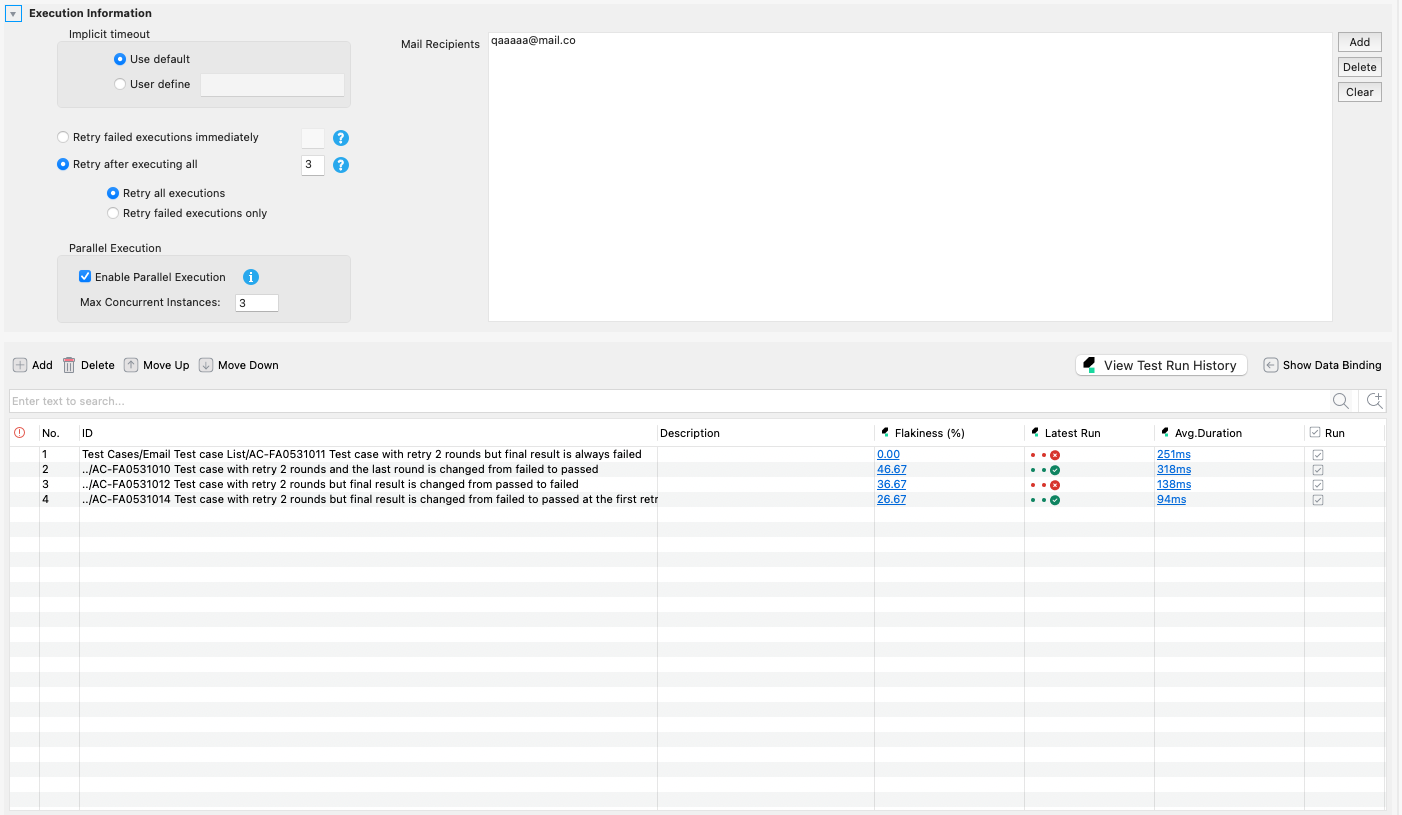
- Expand the Execution Information section.
- In the Parallel Execution group, select Enable Parallel Execution.
- Enter the number of test cases to run at the same time in Max Concurrent Instances. The minimum and default value is
1. - Save the test suite.
- Click Run, or select an environment from the arrow next to Run.
Katalon Studio runs each test case in its own process and starts up to Max Concurrent Instances test cases at a time. When a running test case finishes, the next one in the suite starts.
The following behaviors apply to a parallel run:
- Data-bound test cases are dispatched per data iteration. Each iteration counts as one concurrent unit, so a test case bound to 10 data rows can occupy 10 slots.
- Test suite listeners annotated with
@BeforeTestSuiterun once before the parallel batch, and listeners annotated with@AfterTestSuiterun once after every test case finishes. - Only the Retry after executing all option applies to a parallel run. Katalon Studio completes the whole parallel batch, then starts the retry attempt. Retry failed executions immediately does not apply.
Test cases that depend on each other's order, or that share a browser session or shared data, can fail when you run them in parallel. Make each test case self-contained before you turn on parallel execution.
Limitations
- Test cases that rely on execution order, a shared browser session, or shared state are not supported in parallel mode.
- Writes to
GlobalVariableand to suite-scoped variables from concurrent test cases or listeners are not synchronized. Synchronize the write in your script, or avoid shared state. - Parallel execution is configured per test suite. It is not a project-wide setting.
- The parallel execution mechanism described in this document does not apply to Katalon Test Execution Cloud. Test Execution Cloud manages parallel execution separately. To configure for Test Execution Cloud, see Parallel Test Case Execution.
- Cross-machine distribution, parallelism between the steps of one test case, and running one test case on several browsers at the same time are not supported.