Libraries Management
This document explains how to manage external libraries in Katalon Studio.
Scenario
Reduce the Classpath synchronization failure between Gradle's cache and Katalon Studio's Groovy compiler
Purpose and strategic value
-
Automation and Extension: Utilizing external libraries to handle complex tasks (like CSV processing) and extend Katalon's capabilities.
-
Dependency Standardization: Implementing Gradle to specify and automatically download necessary dependencies, ensuring all necessary libraries are included in the build.
-
Preventing Conflicts: Understanding the difference between
compileOnlyandimplementationto mitigate high conflict risk and ensure code uses the correct library version provided by the runtime environment. -
Build Readiness: Utilizing the
getDepstask to collect all necessary dependencies and copy them into the project'sDrivers/folder, which is vital for execution stability, especially in CI/CD environments.
Key takeaways
-
Tool Requirement: Users must install and use Gradle (recommended version 7.5.1) to manage libraries.
-
Best Practice Scope: Use the
compileOnlyscope for common libraries (like Apache Commons, Groovy, Selenium) that Katalon Studio already bundles to mitigate conflict risk. -
Build Output Control: Use the
implementationscope only for brand new, specialized libraries that are not expected to be provided externally. -
Functionality of
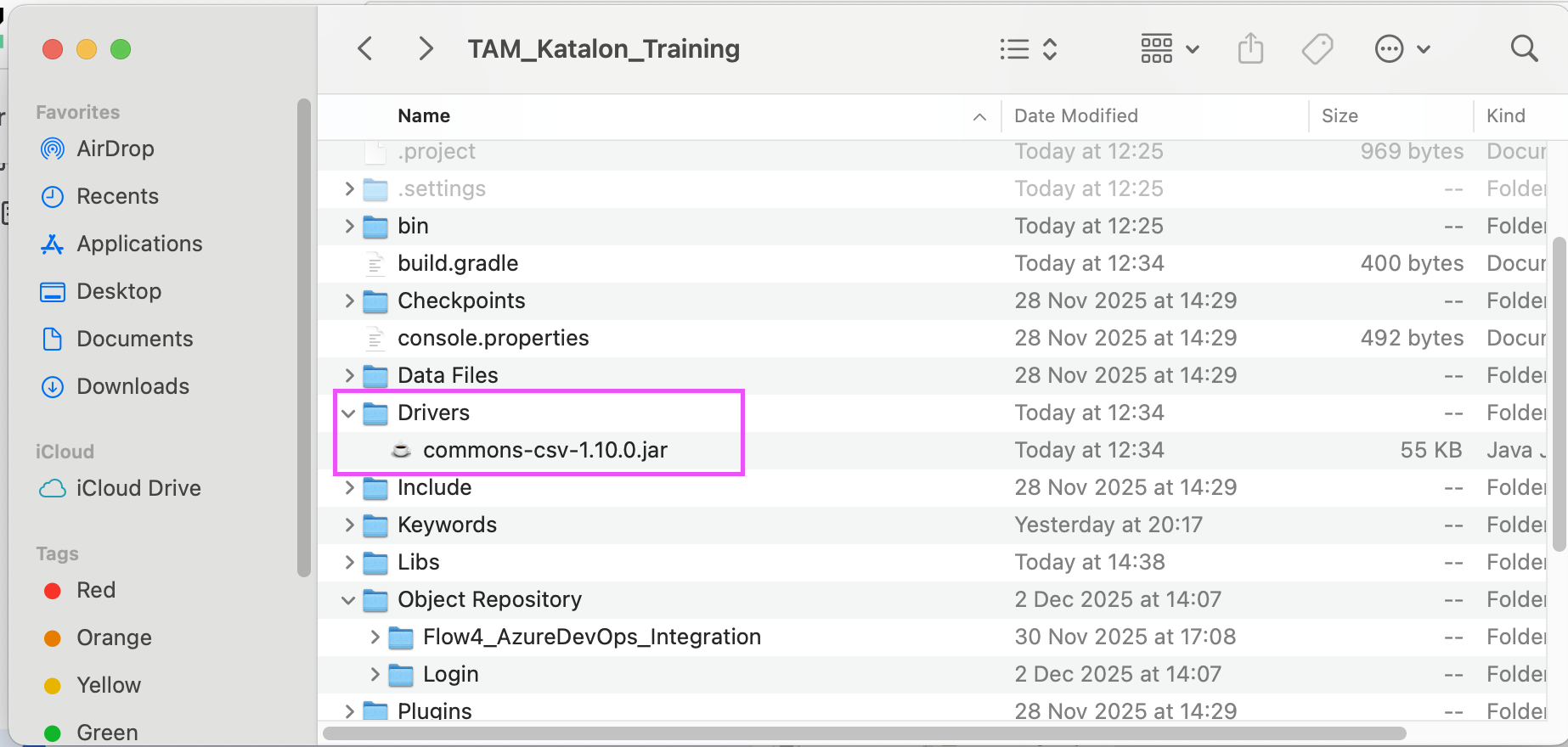
getDeps: ThegetDepstask collects all necessary dependencies (runtimeClasspath) and copies the.jarfiles into the project'sDrivers/folder. -
Pre-check: It is important to check if Katalon supports a specific library and determine the compatible version before adding it.
Requirements
Install Gradle
- Check the Gradle version.
gradle -version
Result:
------------
Gradle 7.5.1
------------
Build time: 2022-08-05 21:17:56 UTC
Revision: d1daa0cbf1a0103000b71484e1dbfe096e095918
Kotlin: 1.6.21
Groovy: 3.0.10
Ant: Apache Ant(TM) version 1.10.11 compiled on July 10 2021
JVM: 17.0.17 (Homebrew 17.0.17+0)
OS: Mac OS X 15.6.1 aarch64
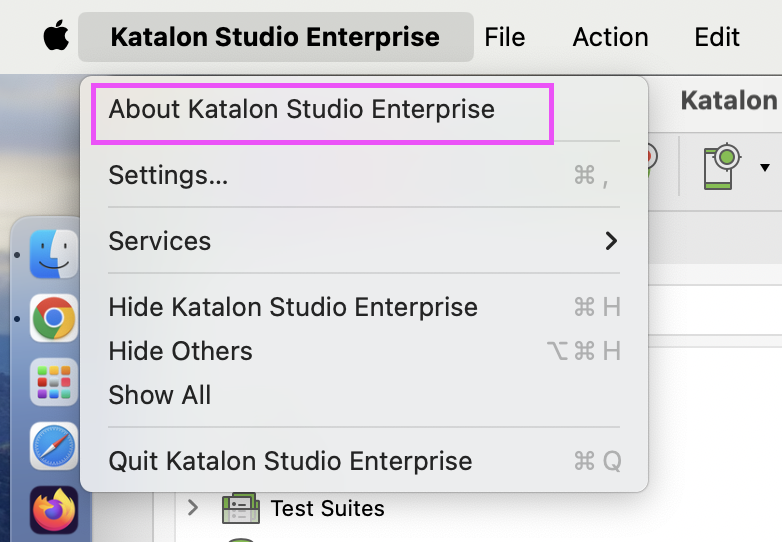
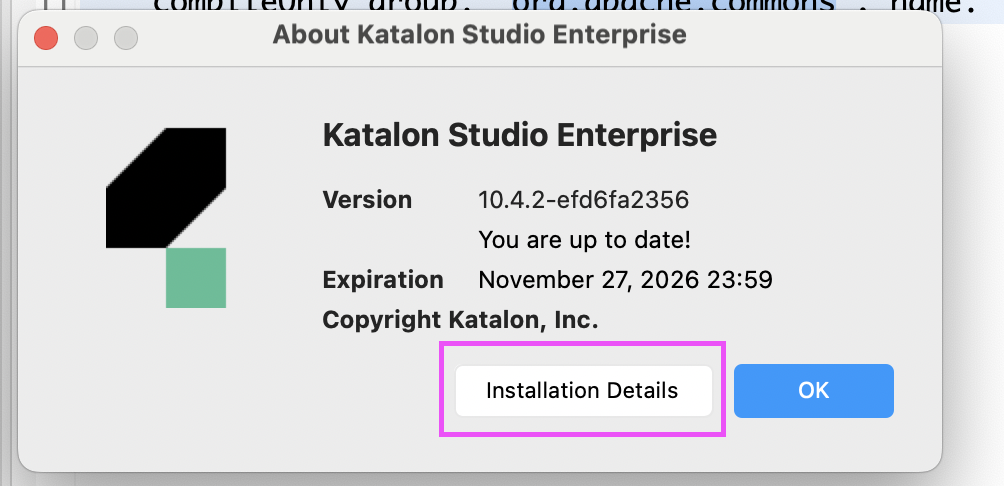
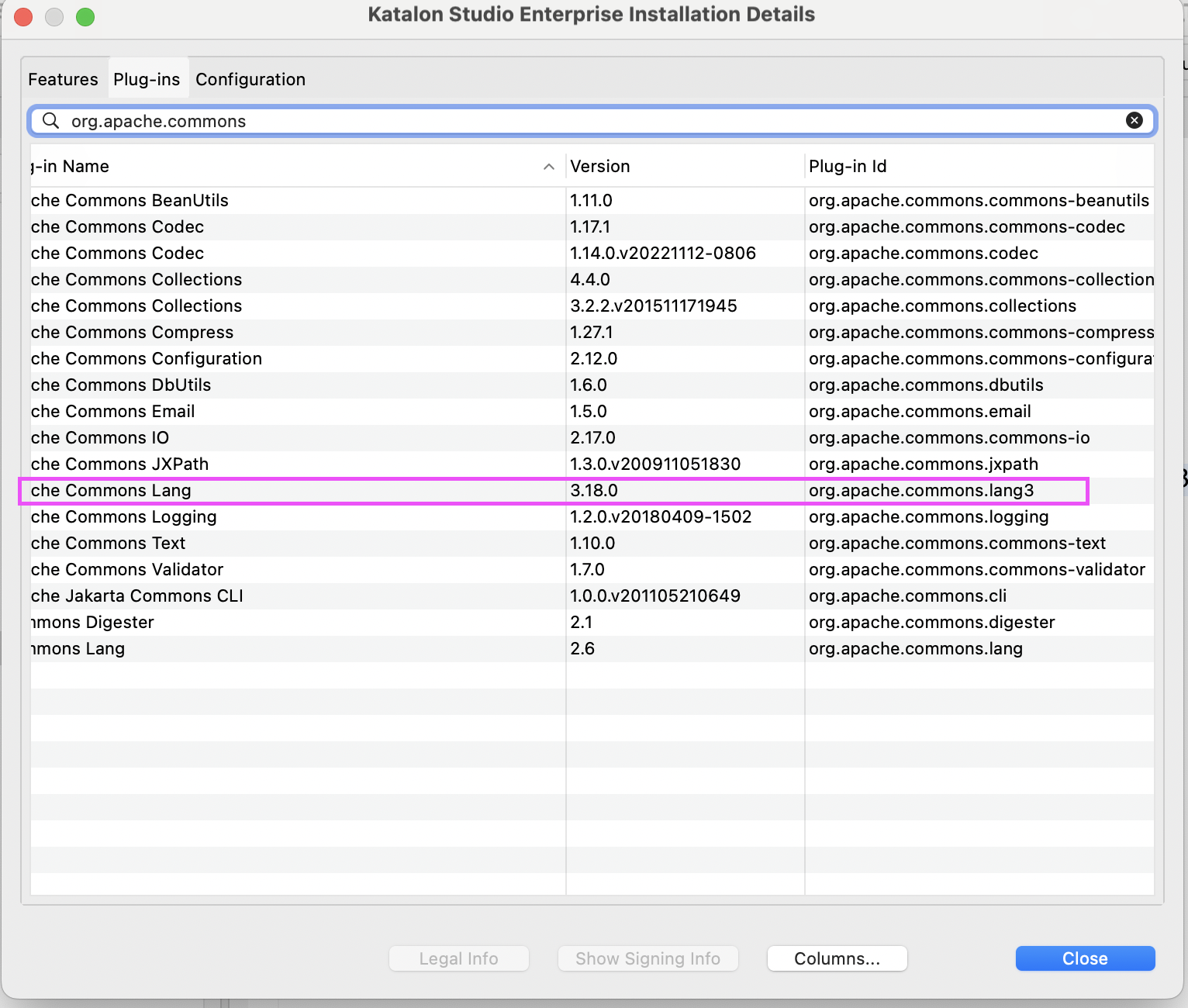
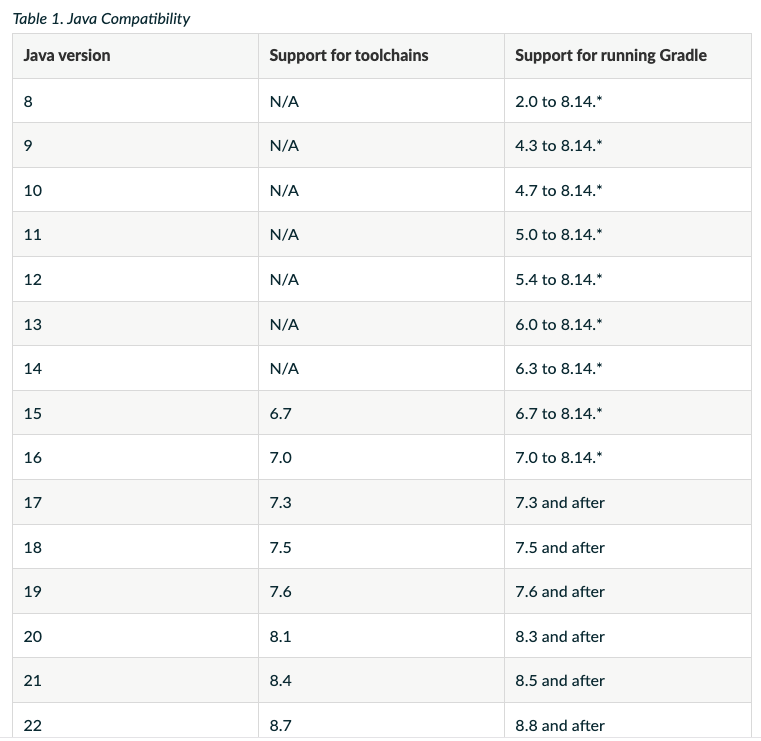
Check compatibility with Katalon
The Gradle version must be compatible with the Java version
Best practices steps
Use Gradle to download desired dependencies
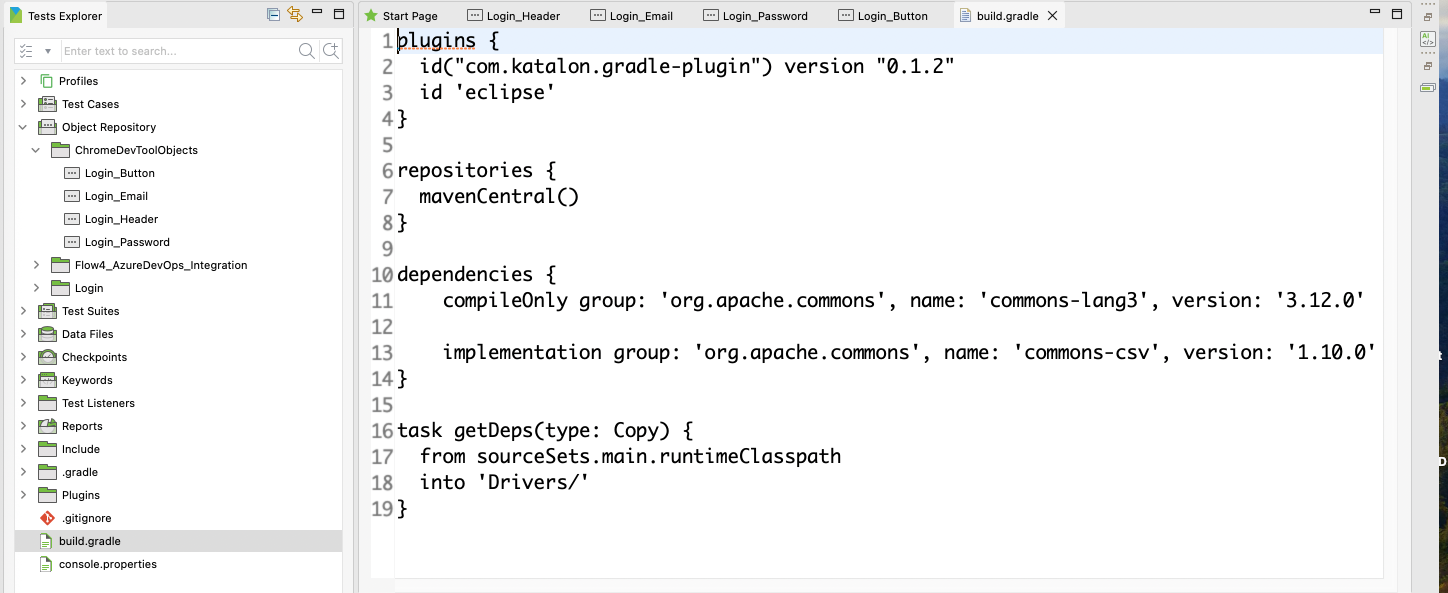
Check build.gradle file
Specify the libraries that we want to include in the build.gradle file
The task getDeps function can help Collects all necessary dependencies (including all implementation, runtime, and compile-only libraries) needed for the main project code to execute successfully. Copies all these collected .jar files into the project's Drivers/ folder.
Build the Gradle
Run the following command:
gradle getDeps
CompileOnly vs Implementation
| Feature | compileOnly | implementation |
|---|---|---|
| Required Stage | Compile Time Only. | Compile Time AND Runtime. |
| Visibility | The dependency is not visible to downstream consumers (other modules depending on your project). | The dependency is visible to downstream consumers. |
| Included in Final Build | NO. The .jar file is not packaged into the final output (.jar or application build). | YES. The .jar file is packaged into the final output. |
| Primary Use Case | Used for dependencies that are provided by the runtime environment (e.g., Katalon Studio, Tomcat, JDK). | Used for core libraries that are essential for the application to function and are not expected to be provided externally. |
| Impact on Conflicts | Mitigates Conflict Risk: Forces your code to use the version already present in the runtime environment. | High Conflict Risk: If the version you specify conflicts with the runtime version, you will likely encounter a runtime error. |
| Benefit in Katalon | Best Practice for common libraries (like Apache Commons, Groovy, Selenium) that Katalon already bundles. | Only use for brand new, specialized libraries that are definitively not included in Katalon's distribution. |
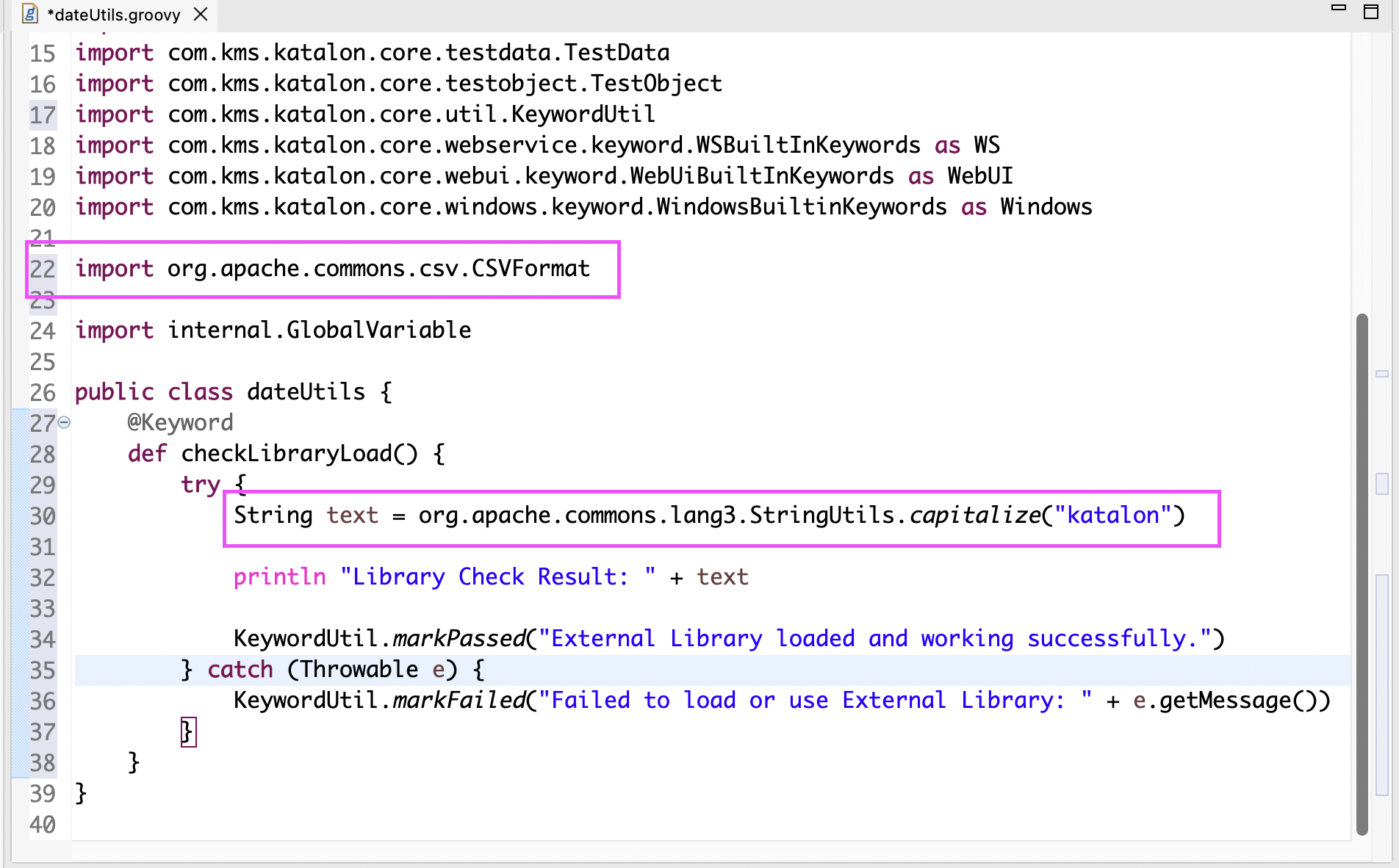
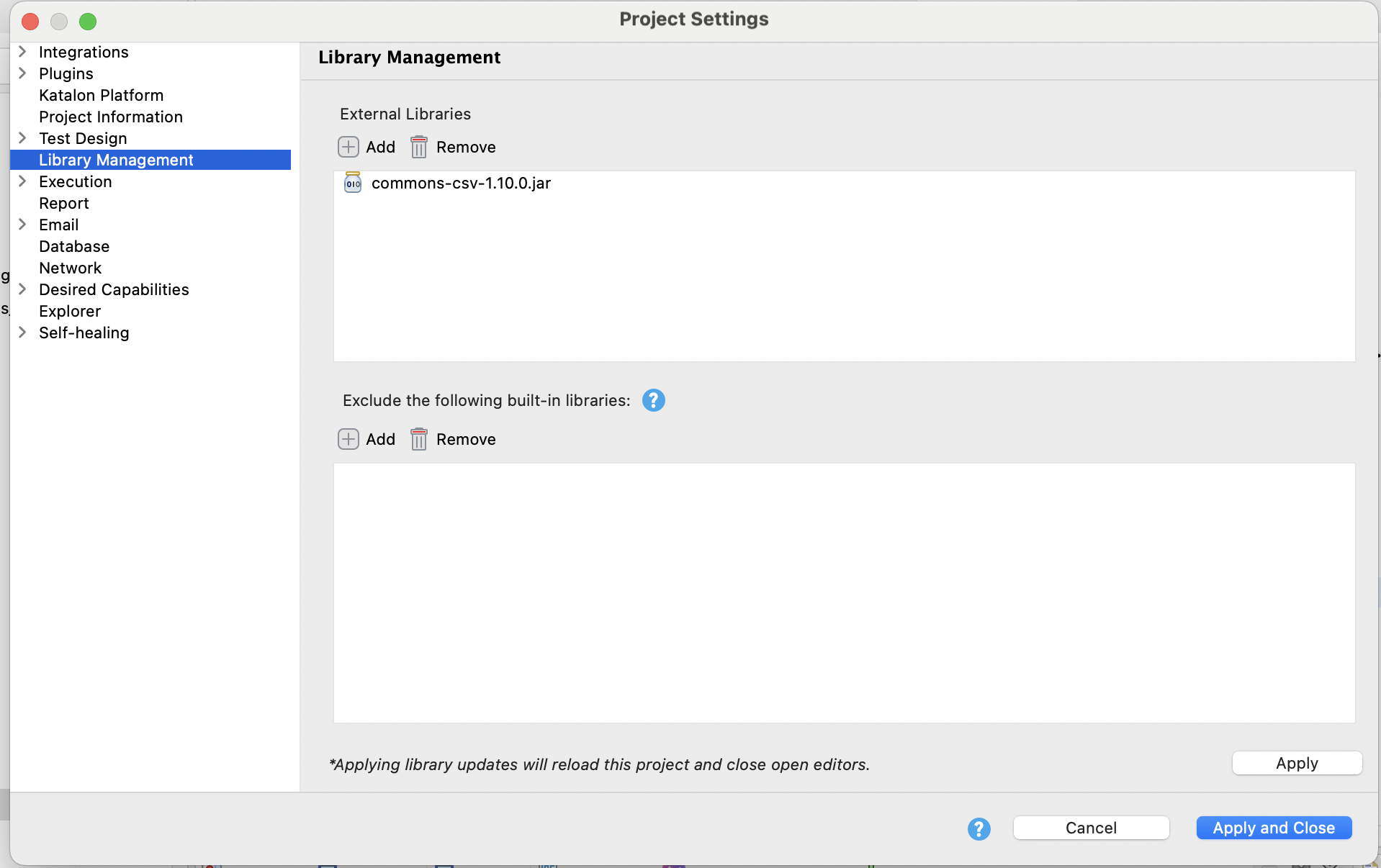
Check library load
Conclusion
The process of managing external libraries involves specifying dependencies in the build.gradle file , running a build task like gradle getDeps to download and copy the libraries , and finally checking if the library is loaded. Successful library integration is crucial for maintaining project integrity, minimizing conflicts, and extending test automation capabilities.
See all best practice documents at Katalon products best practices.