Connect Katalon Agent to your project
A Katalon Agent manages a local server to execute scheduled test runs in your local environment. Katalon True provides compatible Agents for different execution environments. By installing an Agent on your test machine, you create a local test environment where you can run your tests.
There are two levels for managing Katalon Agents in TestOps:
- Account level: the Account Admin/System Admin can create new agents, view agent list and details, and configure the maximum number of concurrent sessions.
- Project level: the Project Admin can view the list and details of agents, and connect agents to the project.
This guide shows you how-to connect Katalon Agents to your project.
- Katalon Agents created and set up in your Account. If not, refer to this guide: Create and manage Katalon Agents.
- Make sure you have the Project Admin role. Refer to this document for more details: Project level roles.
Set up connection
In Katalon TestOps, go to Settings > Cloud Execution and select the Katalon Agents tab.
- The Agent appears in the list only while it is actively running on the destination machine.
- It might take a few minutes after the Agent starts for its status and details to be updated.
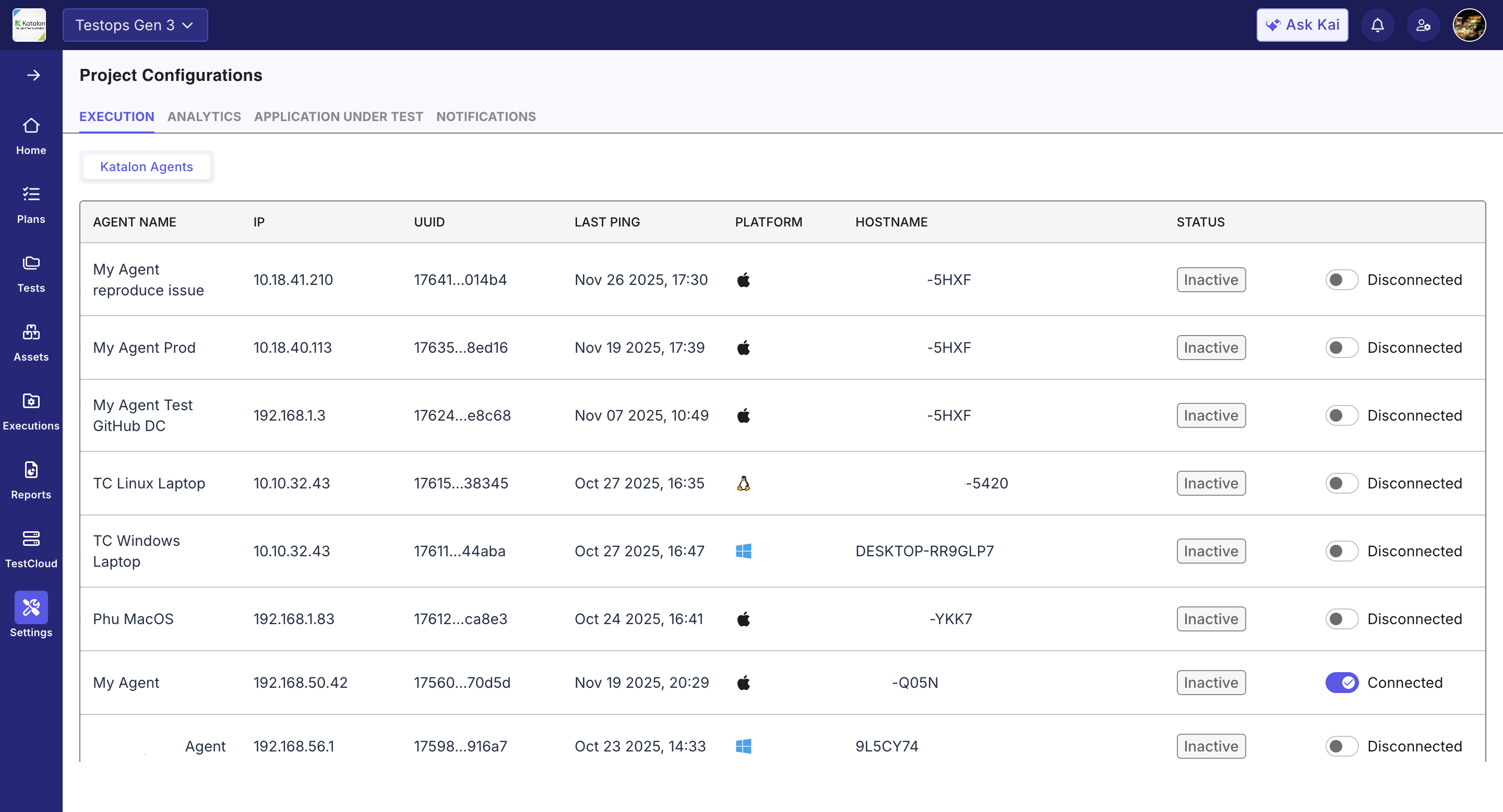
To view Agent details, click the name of the desired Agent. A pop-up window will open on the right side of the screen displaying the details.
Use the Connected - Disconnected toggle to set up connection for the agent and your project. Once connected, you can create automated test runs with this Agent. For instructions, refer to Create automated test run.