Monitor TestCloud license usage and agent availability
Last updated: November 2026
Katalon True shows your TestCloud usage, so you can see how much of your licensed capacity is in use right now — without waiting for an execution to fail or queue silently.
Common use cases
- Check whether capacity is free before kicking off a large scheduled run.
- See which license type is consuming the capacity when executions start queuing.
- Right-size a license purchase with real utilization numbers instead of guesses.
What the view shows
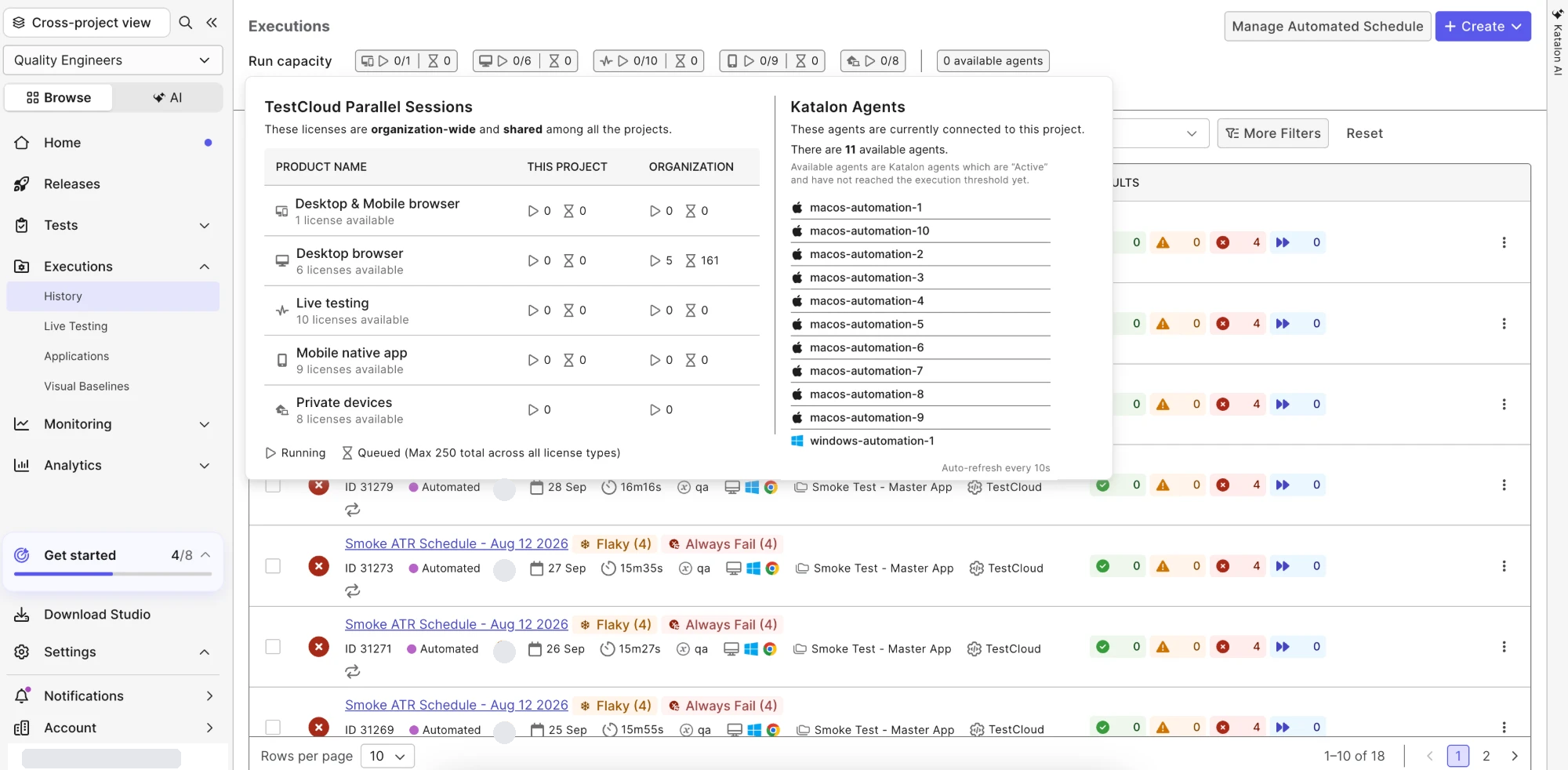
The Run capacity strip at the top of the Executions page summarizes your live usage: for each license type, how many sessions are running and queued, plus the number of available agents. Click it to open the detail view, which shows in real time:
- TestCloud Parallel Sessions — one row per license type (Desktop & Mobile browser, Desktop browser, Live testing, Mobile native app, Private devices), each with the number of licenses available and the running and queued session counts for this project and for the whole organization. These licenses are organization-wide and shared among all the projects. Queued sessions are capped at 250 in total across all license types.
- Katalon Agents — the agents currently connected to this project, with the count of available agents. Available agents are Katalon agents that are Active and have not reached their execution threshold yet.
The figures auto-refresh every 10 seconds — no manual page reload.
note
The license counts are the licenses allocated to the organization the project belongs to. If the organization has no license allocation, the counts come from the account level.
See also
- Real-time Cloud Execution monitor — follow an individual execution while it runs.
- Create and manage Katalon agents