Cannot convert access token to JSON
Last updated: January 2026
Condition
You may encounter the following error message when opening the Tunnel Setup Helper dialog in Katalon Studio: "com.kms.katalon.network.core.model.exception.NetworkErrorException: Cannot convert access token to JSON".
Solution
For users from the EU region or other regions outside the US region, log in or override authentication using your account subdomain.
Option 1
- In the Log in to Katalon Studio dialog, select Advanced settings.
- In the License server address, enter your subdomain URL in this format:
https://{your_subdomain}.katalon.io.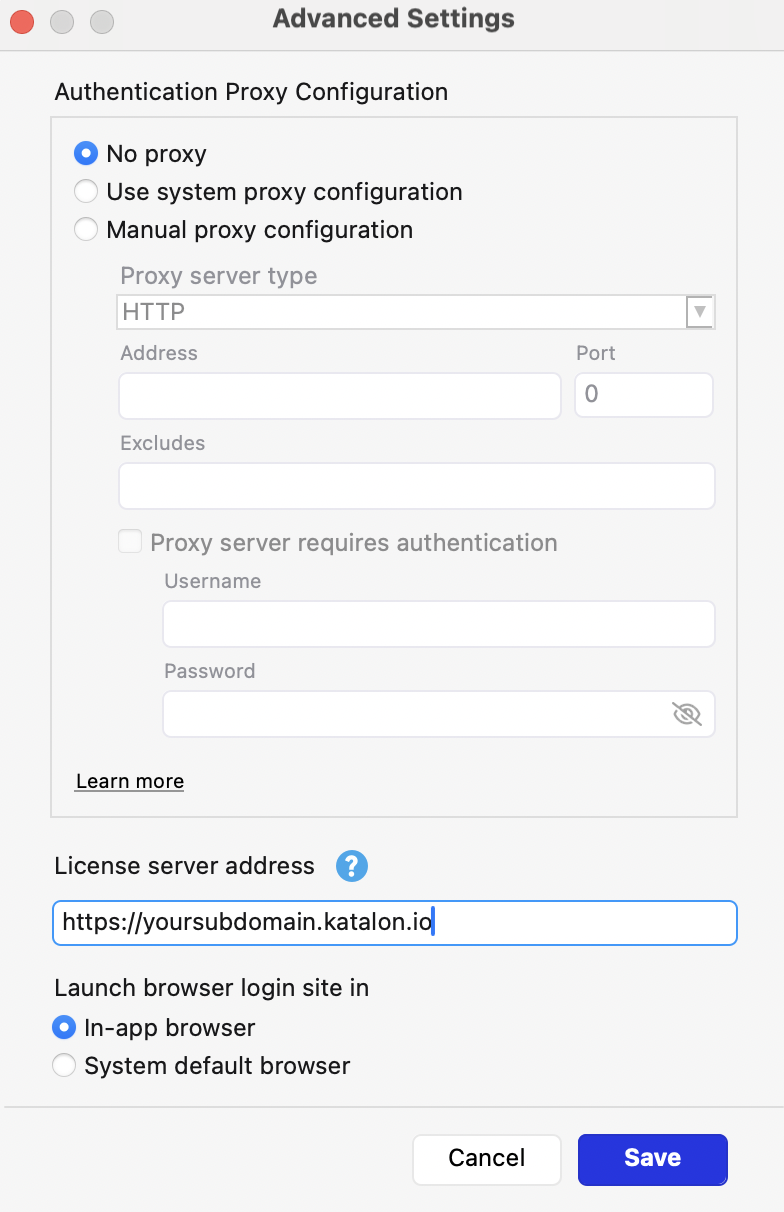
- Save and try again.
Option 2
- Go to Project > Settings > Katalon Platform.
- Enable the Override authentication option.
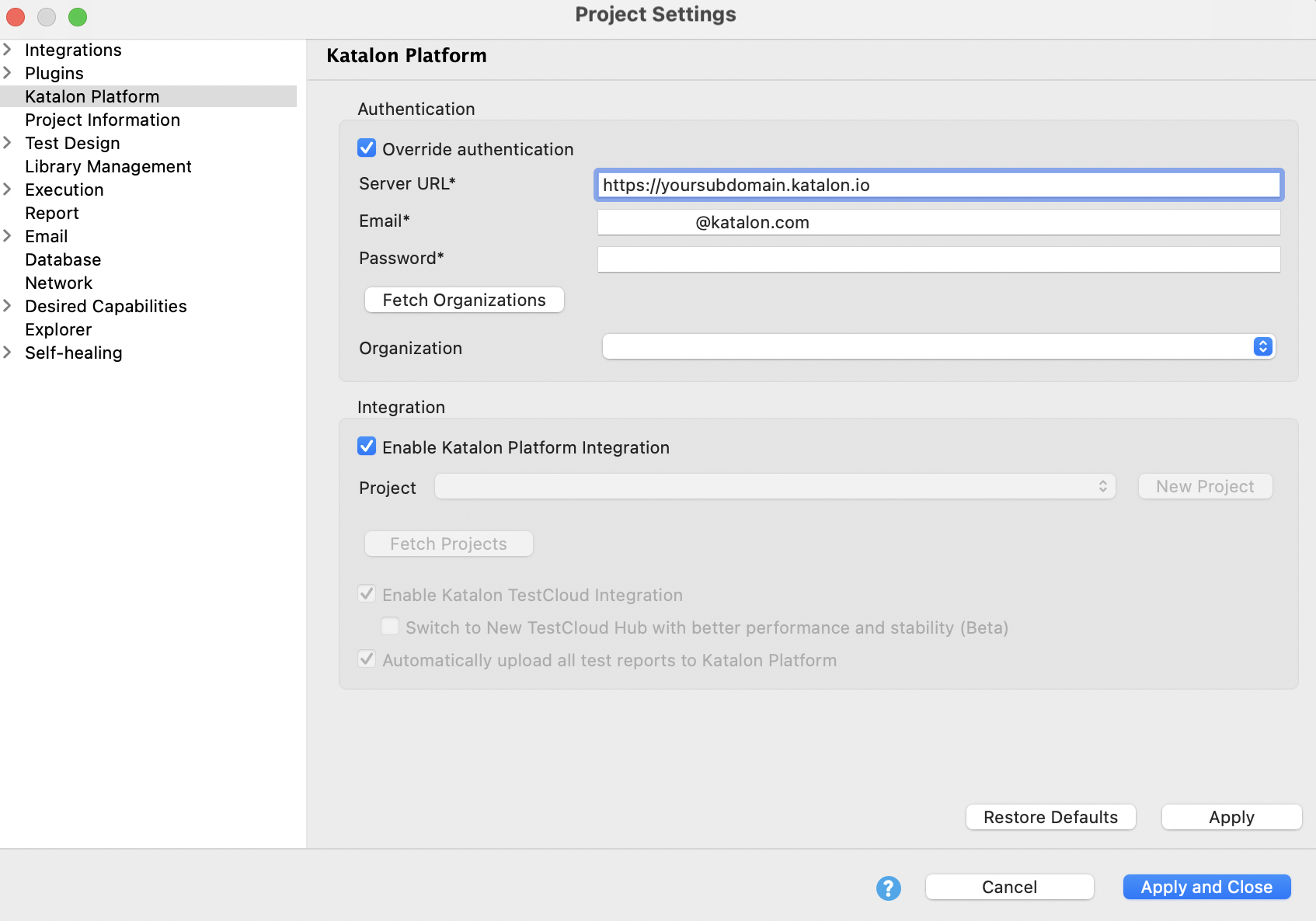
- Provide your account subdomain in the Server URL field and the user credentials.
- Fetch Organization to test if it overrides successfully.
- Click Apply and Close to save the settings.