Katalon Help
In case you need some help using Katalon Studio, we have you covered.
Use the Help search bar
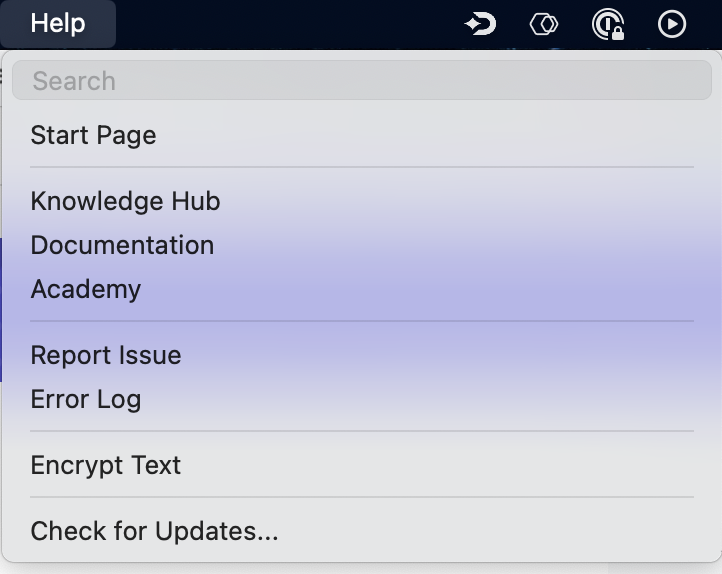
From the main toolbar, go to Help. You can see a search bar and a dropdown menu as follows:
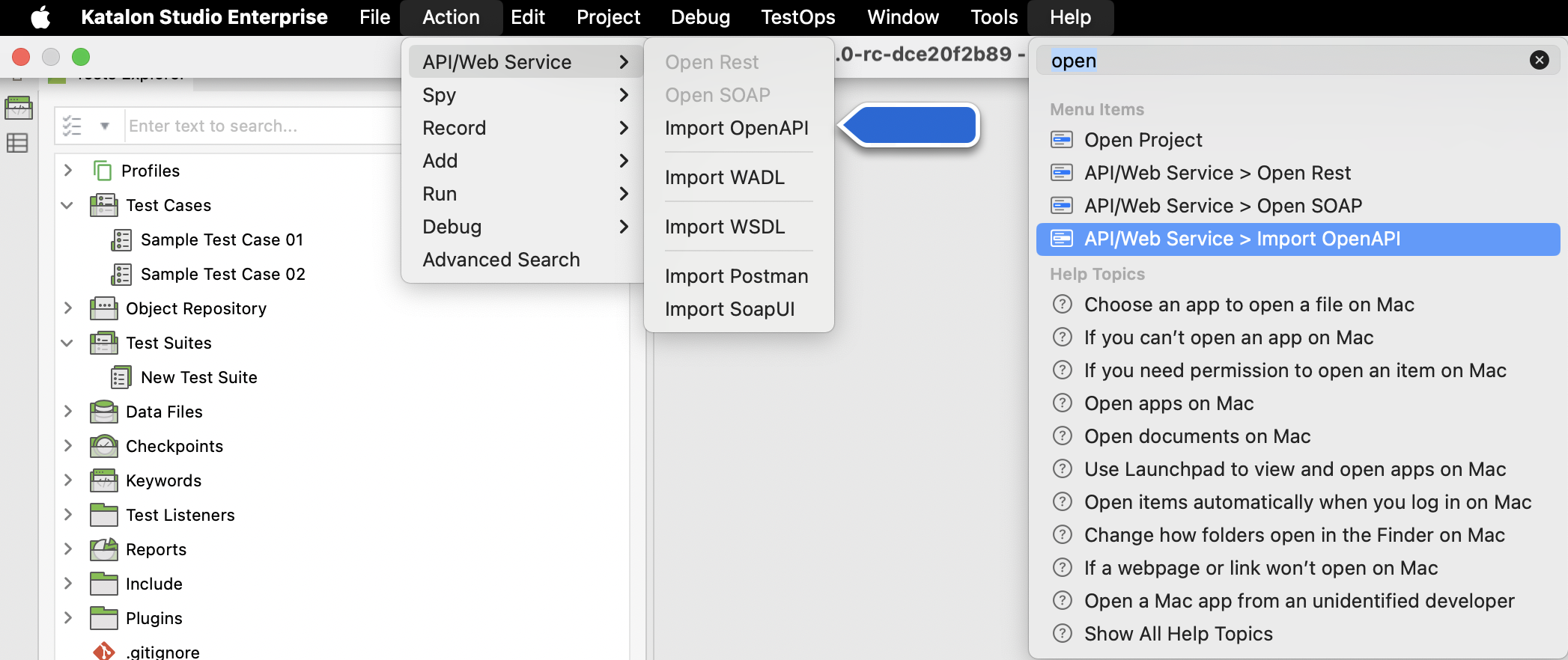
In the search bar of the Help menu, type in keywords related to your issue. The results are divided into two categories:
- Menu Items: Items in Katalon Studio that relate to your search. Hover over each item to display a pop-up containing information on where this item is located.
- Help Topics: A list of guides selected based on your operating system.
Knowledge Hub
The Knowledge Hub in Katalon Studio is your go-to learning center for familiarizing with Web, API, Mobile, and Desktop testing. Whether you're a beginner or looking to sharpen your skills, it offers guided tours, video demos, and online courses tailored to your level:
- Onboarding Interactive Tours – Quick guides to help you get started. Current tours include:
- Create test with AI
- Web test recording
- Test suite execution
- Video Demos – Short walkthroughs for hands-on learning
- Online Courses – Structured learning paths from Beginner to Advanced
The Web test recording tour uses Recorder Plus when Web Recorder Plus is enabled in Katalon Studio Settings > Recorder.
Start Page
The Start Page appears by default every time you open Katalon Studio. Alternatively, you can always open this Start Page by navigating to Help > Start Page.
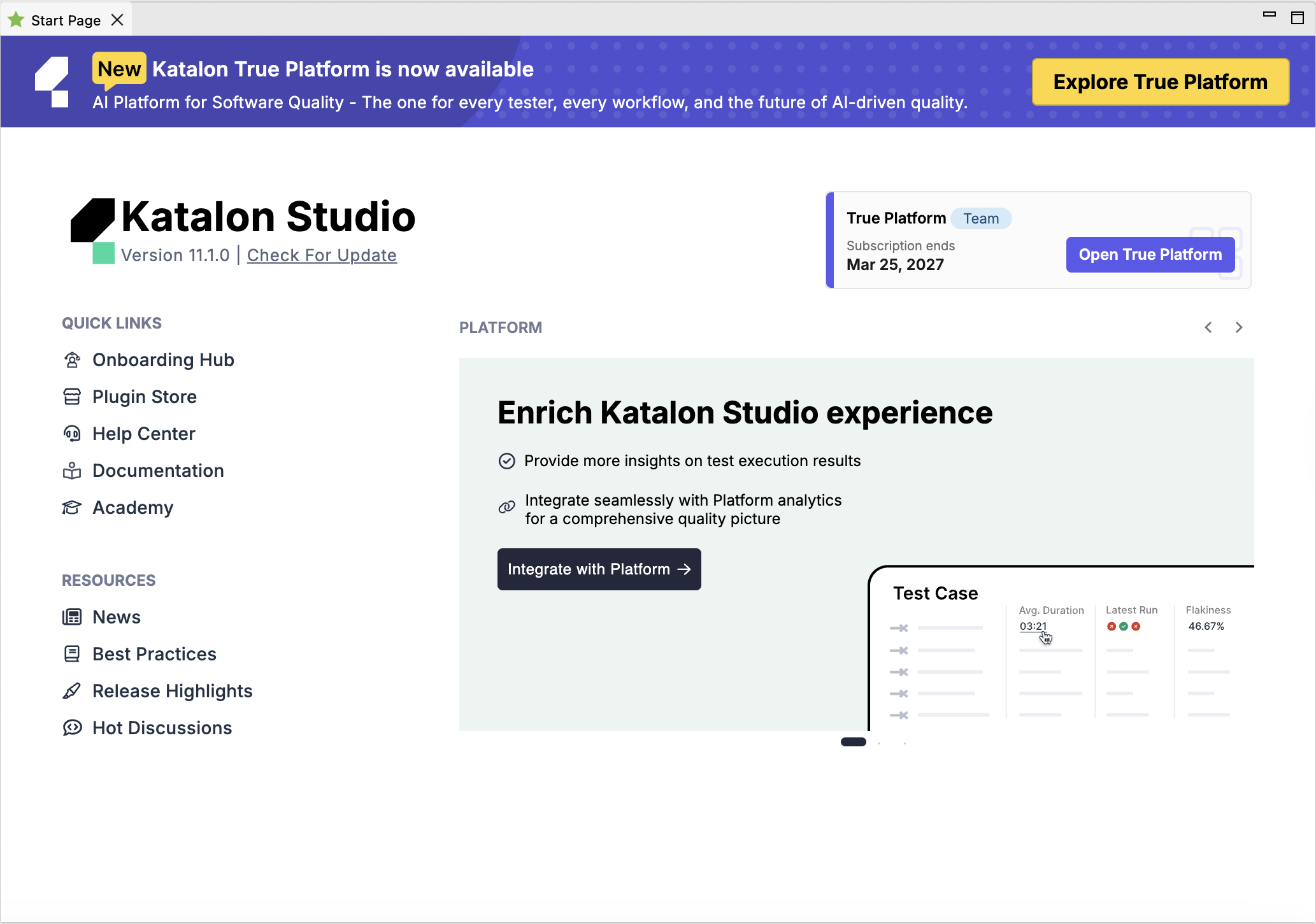
In the Start Page, you can see your Katalon Studio edition, version, and license expiration date. Under Quick Links, you can navigate to our Plugin Store, Help Center, Documentation, and Academy.
You can also find news, advice on testing best practices, hot discussions from our forum, and release highlights under the Resources section.
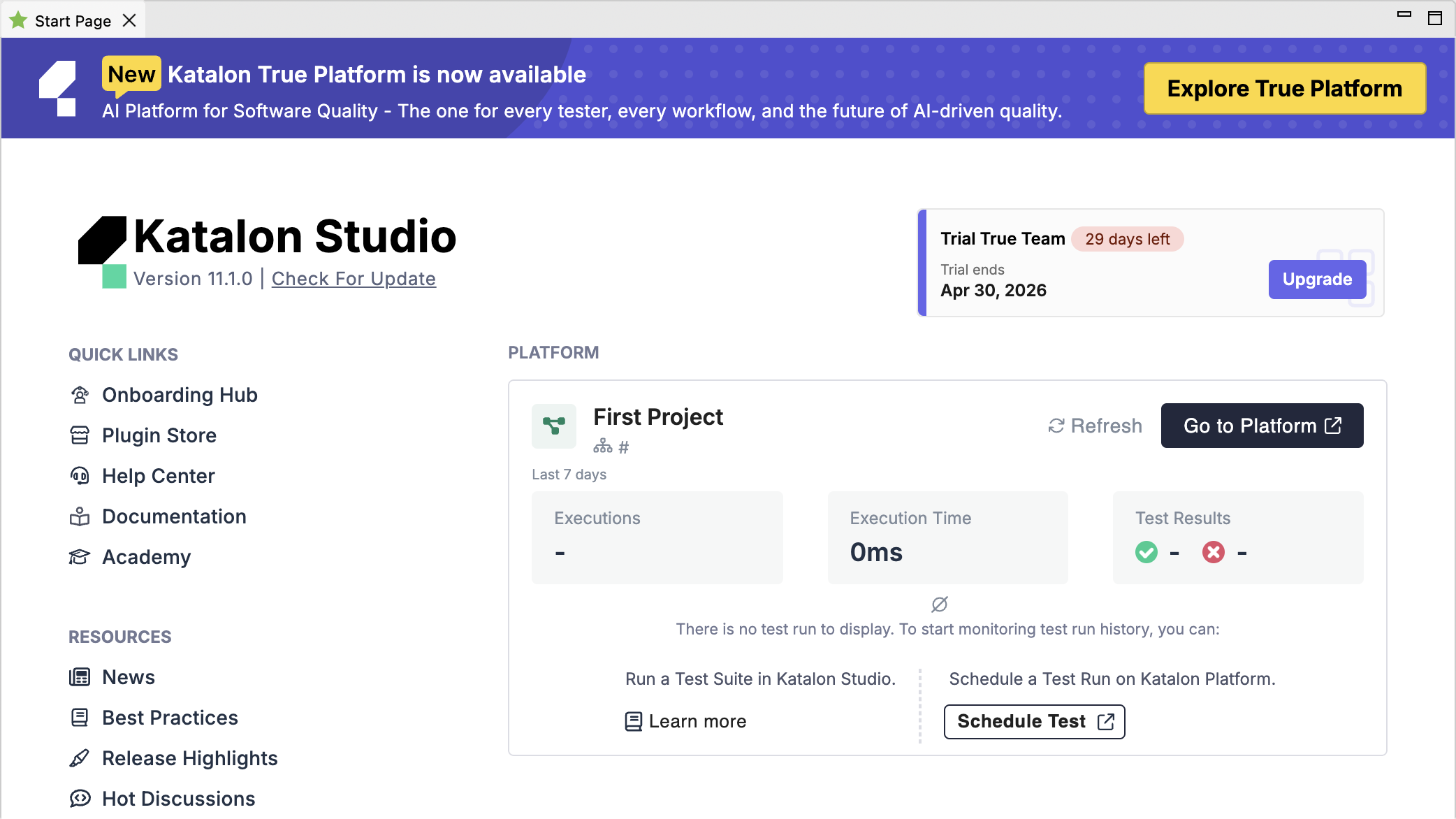
If you have Katalon True Platform integration enabled in your project, the Platform section displays an overview of your test execution. You can see the number of executions, the total execution time, test results, and the 3 latest test runs of the test suite.
Report issues from Katalon Studio
If you click Help > Report Issues, you are redirected to our Forum, where you can search for or create a new topic related to your problem.
View Error log
You can view the runtime log of Katalon Studio and Katalon Runtime Engine, which includes any errors that might have occurred.
In Katalon Studio, go to Help > Error Log to open the .log file.
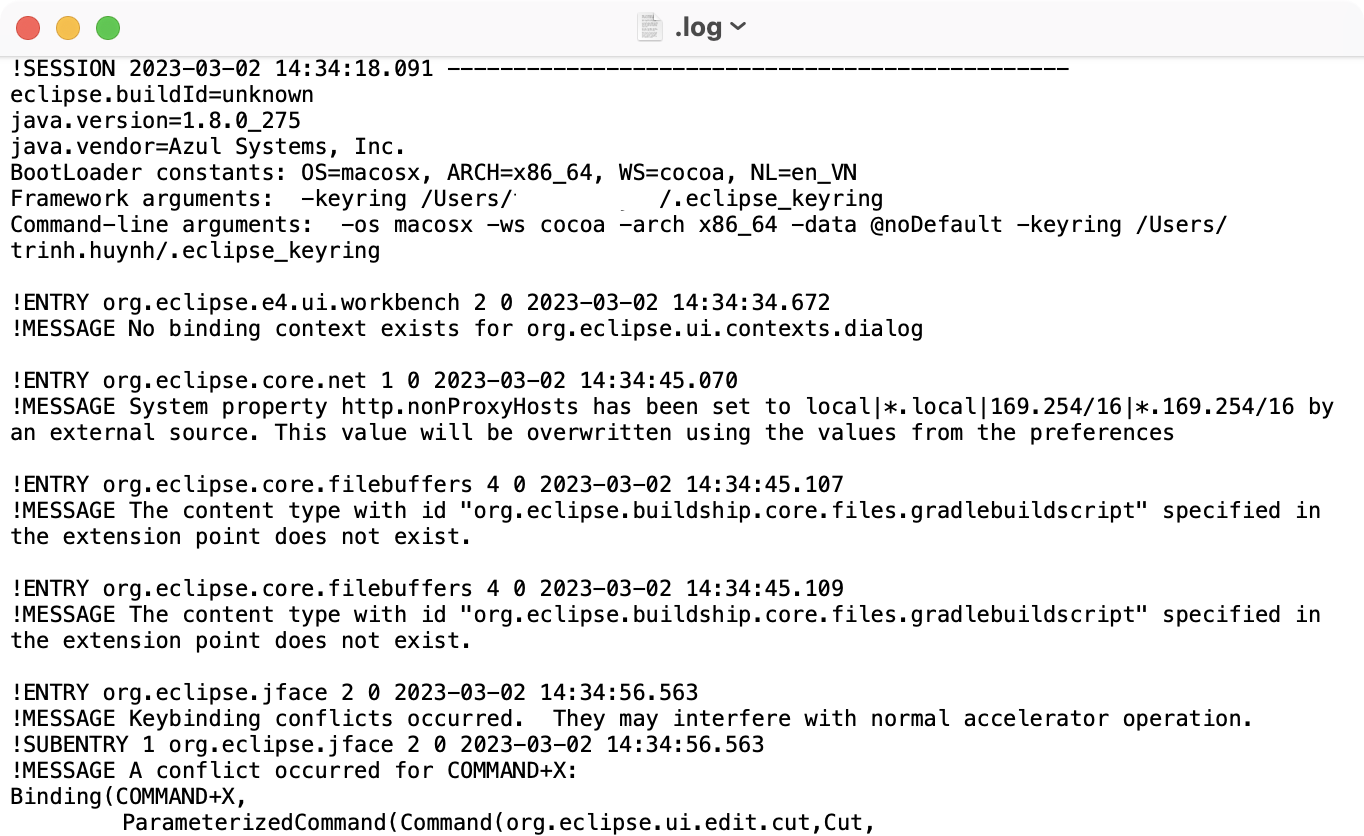
You can also find the .log file in your local machine at the following locations:
- For macOS:
- Katalon Studio:
/Applications/Katalon Studio PE.app/Contents/MacOS/config/.metadata/.log - Katalon Runtime Engine:
/Applications/Katalon Studio Engine.app/Contents/Eclipse/configuration/.log
- Katalon Studio:
- For Windows:
- Katalon Studio:
Katalon_Studio_Windows_64-8.5.0\config\.metadata - Katalon Runtime Engine:
Katalon_Studio_Engine_Windows_64-8.5.1\configuration
- Katalon Studio:
.metadata is a hidden folder. To reveal a hidden folder in macOS, press command + shift + ..
If you run your Katalon project with Jenkins, the runtime log is located at .jenkins/jobs/<your project name>/builds/<build number>/log.
For example, in macOS: /Users/username/.jenkins/jobs/ci-samples-master/builds/1/log.
Encrypt text
Encrypted text is helpful when you work with sensitive text. To learn more, see Working with Sensitive Text.
Check for updates
You can update to the latest version by navigating to Help > Check for Updates. Updating in this way keeps all your previously configured preferences. To learn more, see Update Katalon Studio.