GitLab Integration in Katalon Studio and Katalon Runtime Engine
This document explains how to effectively integrate GitLab into Katalon Studio and Katalon Runtime Engine.
Scenario
This integration scenario focuses on executing automated tests developed in Katalon Studio using the Katalon Runtime Engine directly within the GitLab CI/CD pipeline.
Purpose and strategic value
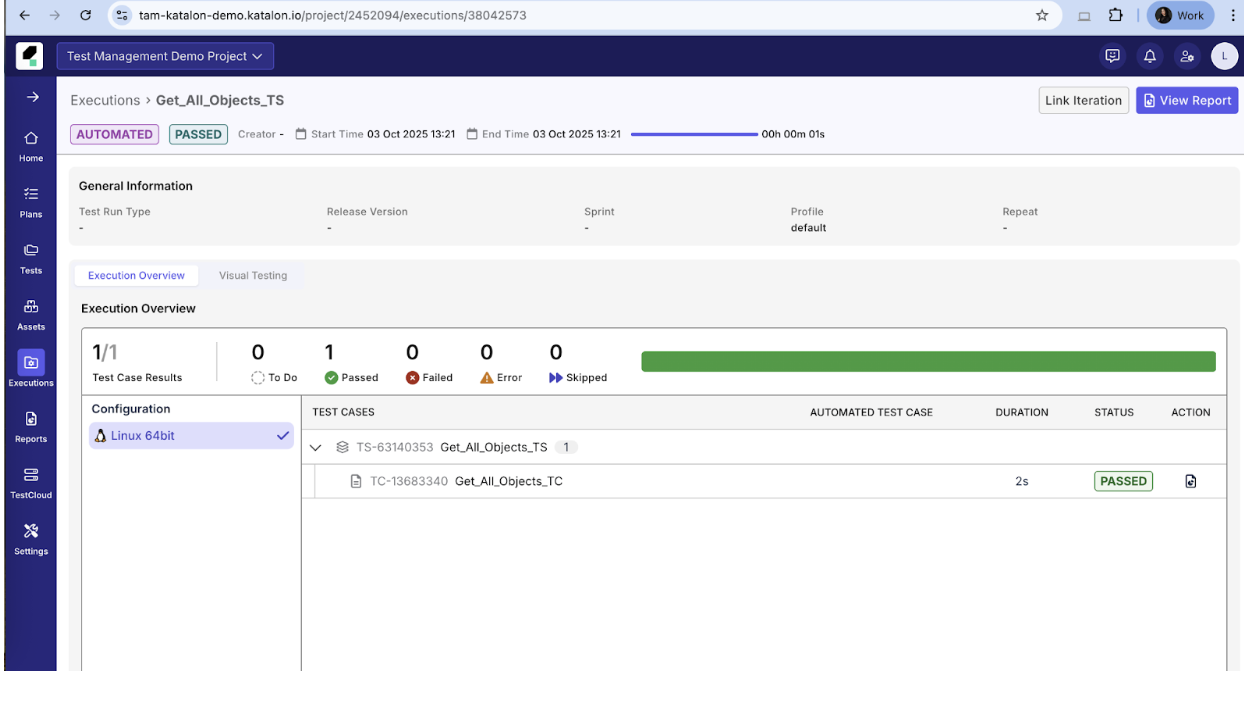
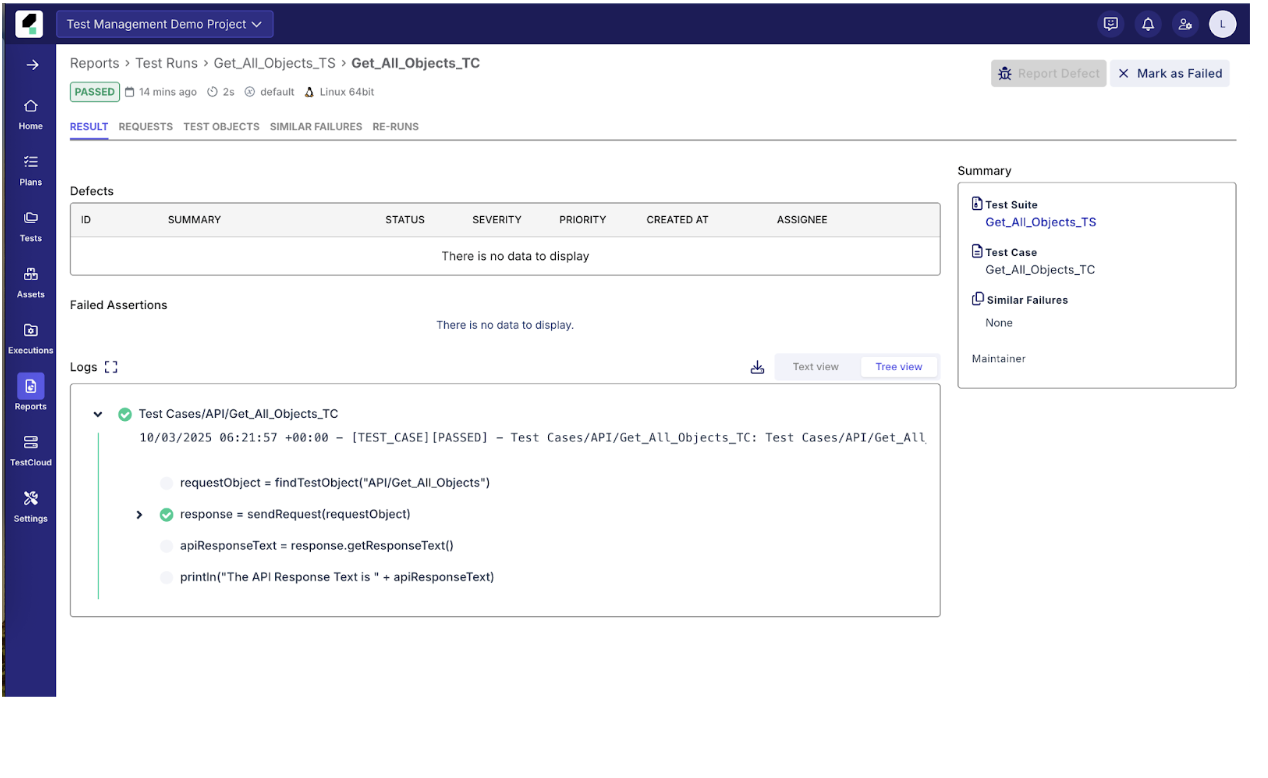
The purpose of this integration is to provide a mechanism to execute Katalon project Test Suites or Test Suite Collections from the GitLab pipeline and subsequently verify the execution results in TestOps. This enables continuous testing and centralized reporting as part of the overall CI/CD workflow.
Key takeaways
The core takeaway is the ability to execute Katalon project Test Suites or Test Suite Collections from the GitLab pipeline and ensure that these execution results are verified and uploaded to Katalon True.
Requirements
Prepare a GitLab repository
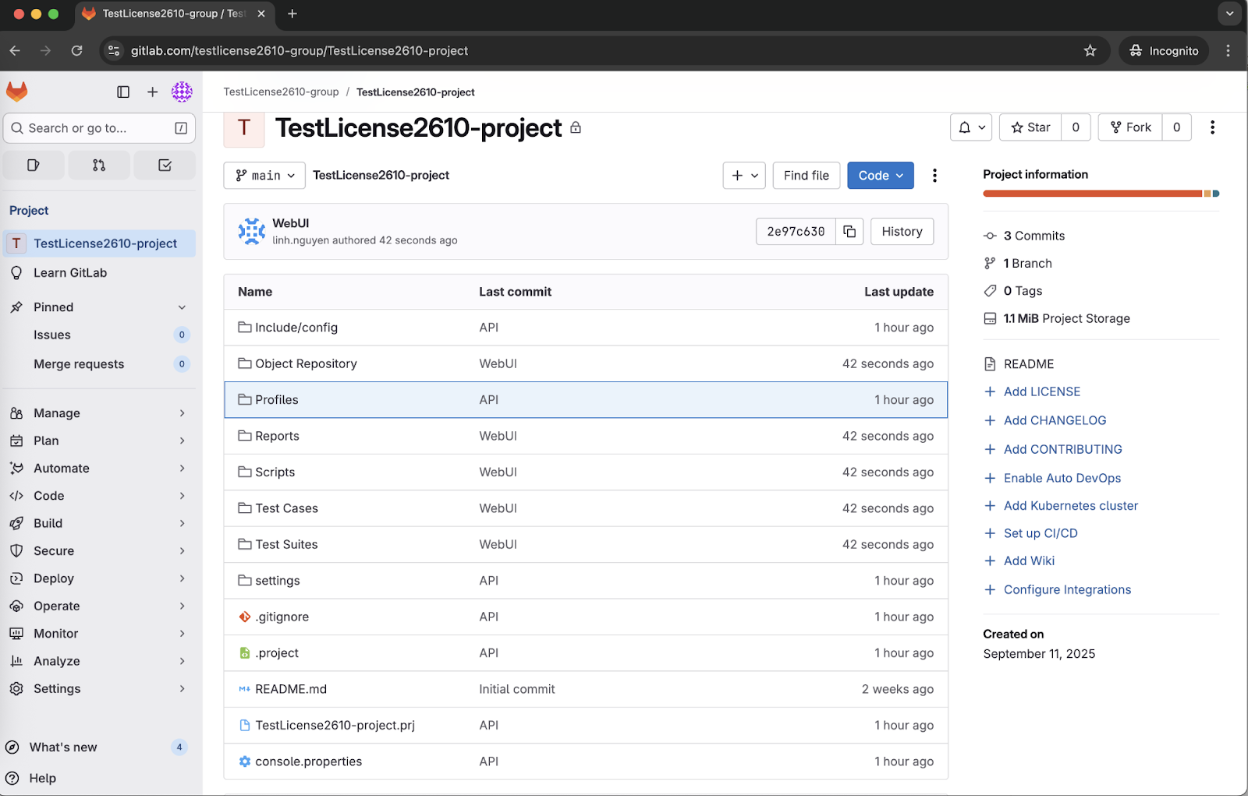
Clone GitLab Repo to the Katalon Studio
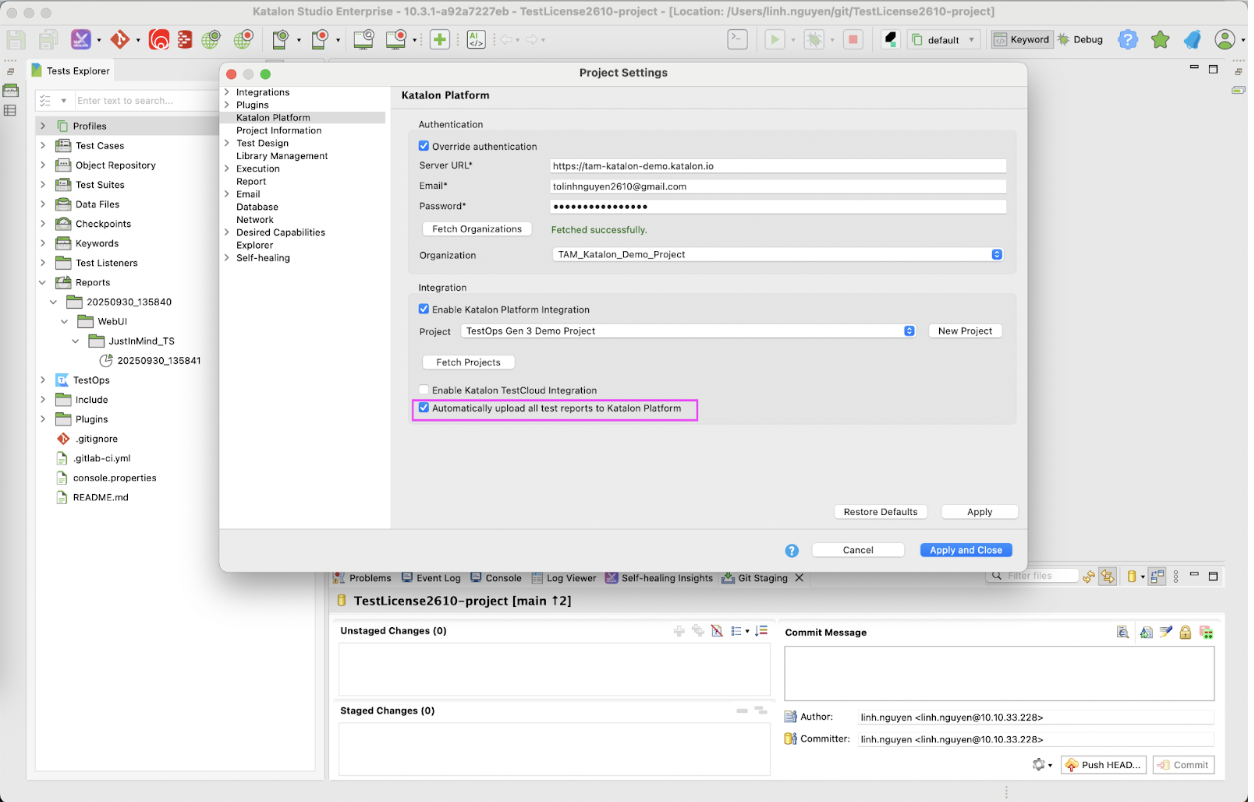
Integrate with Katalon Platform to upload reports to TestOps automatically
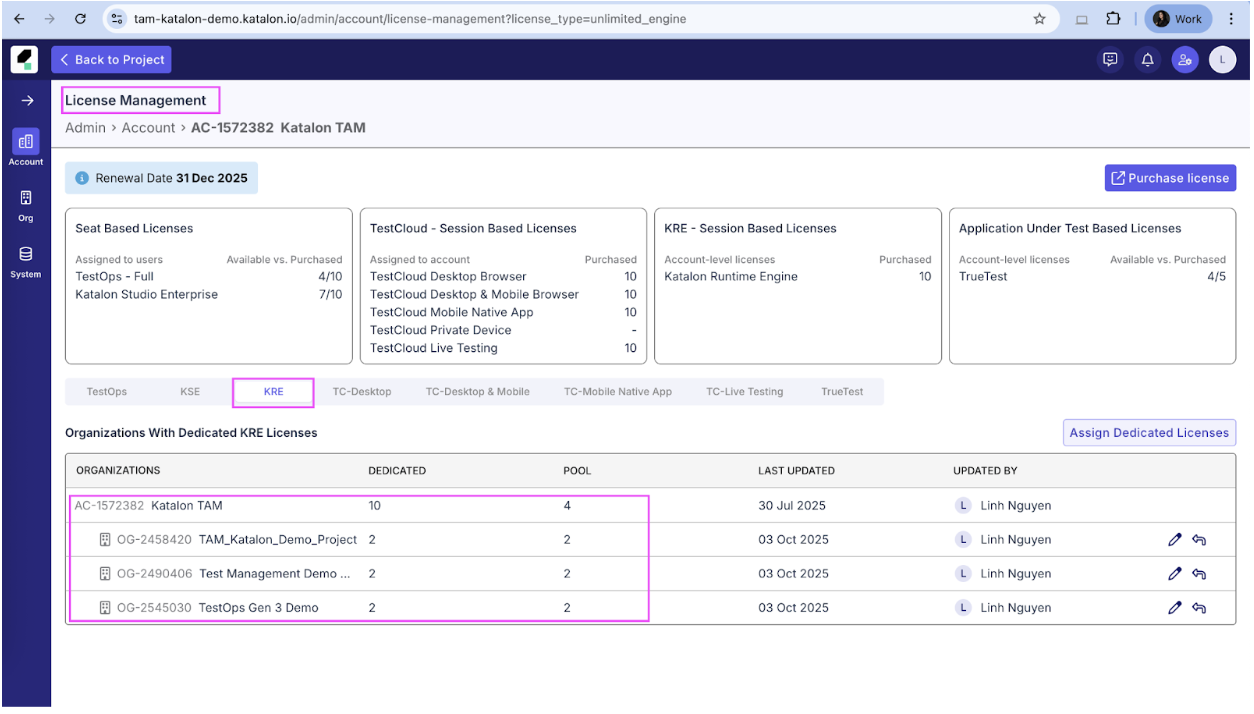
Make sure the Katalon Runtime Engine licenses are available in the selected organization
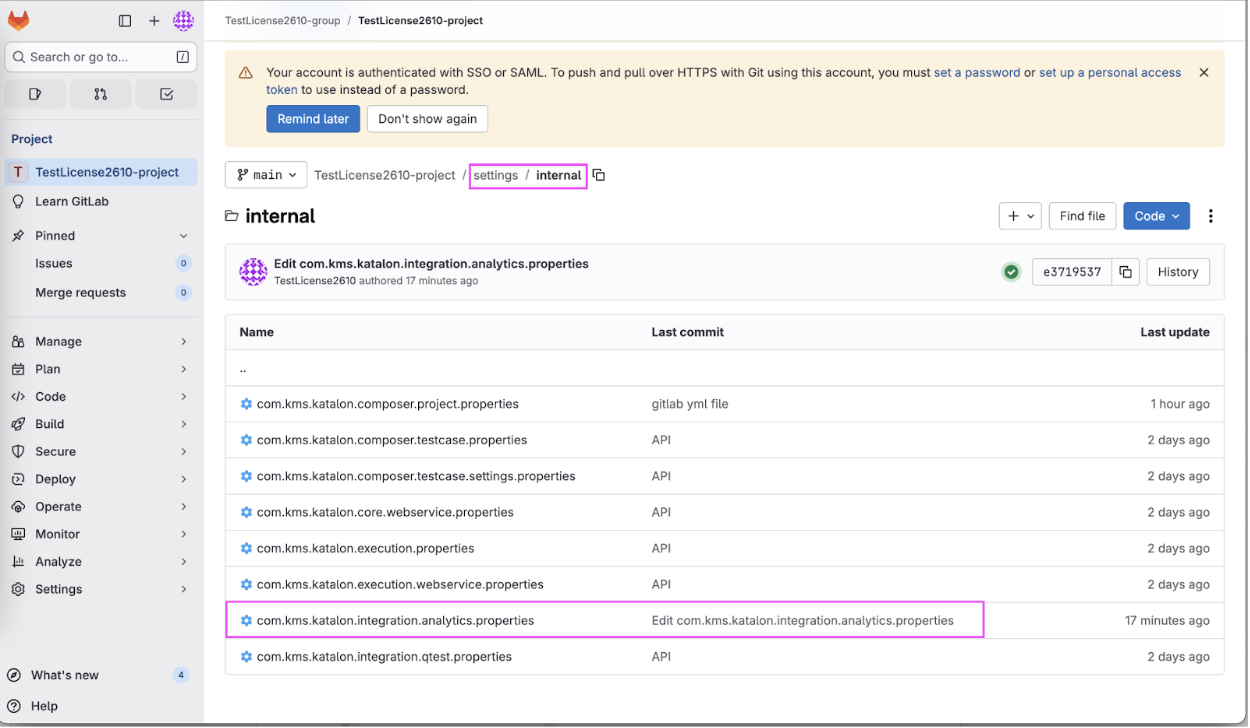
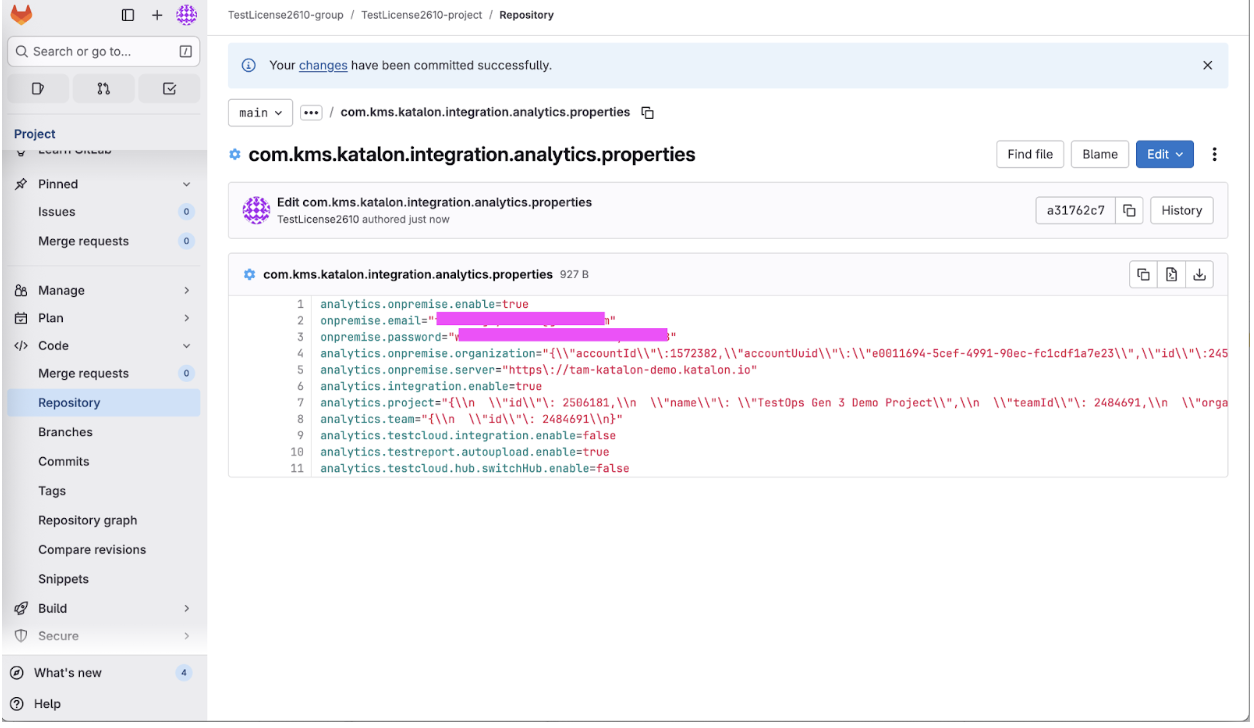
Commit the integration settings to the GitLab repo
Check the integration information from the > project > settings > internal > com.kms.katalon.integration.analytics.properties
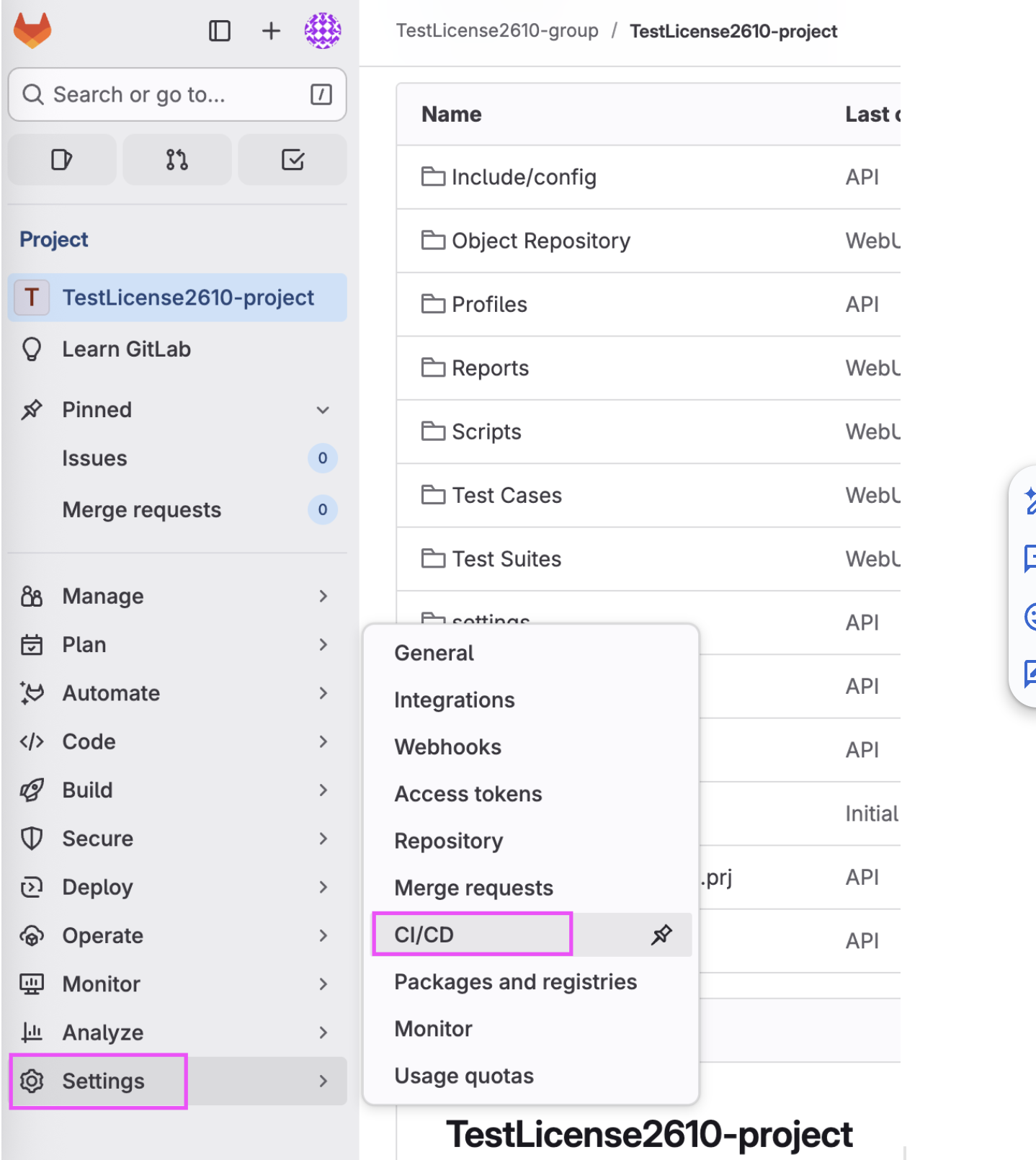
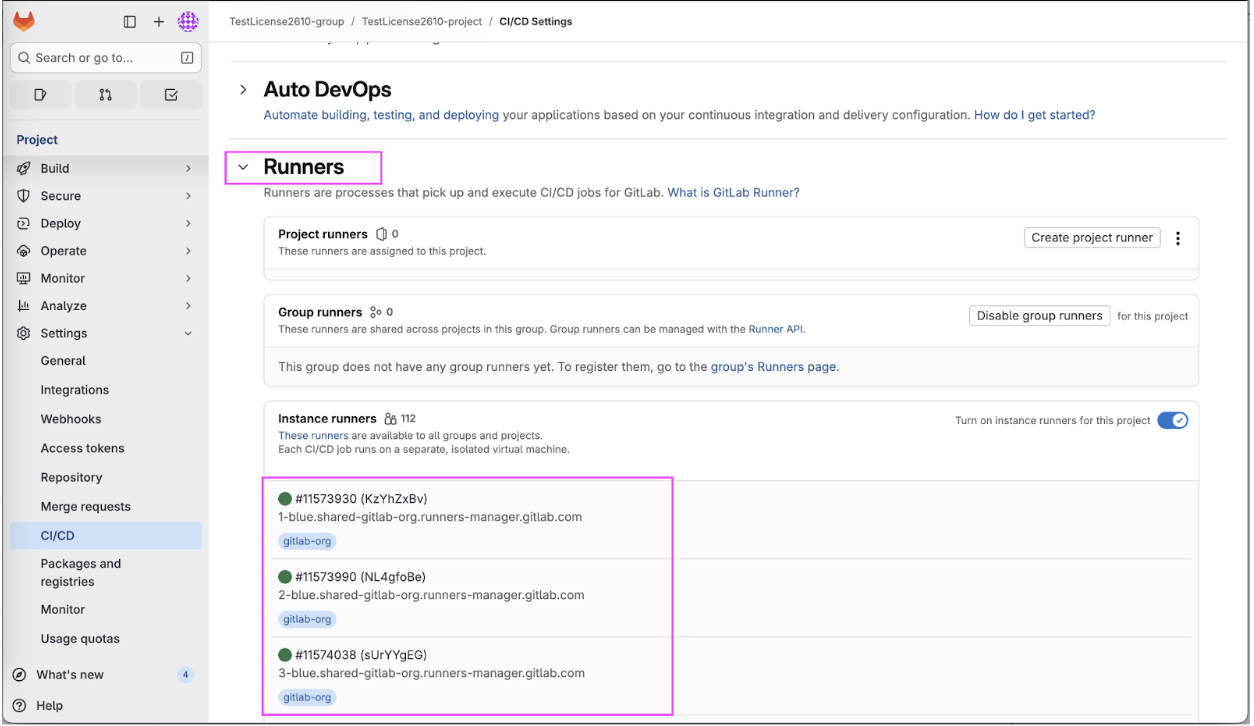
Check runner agents status
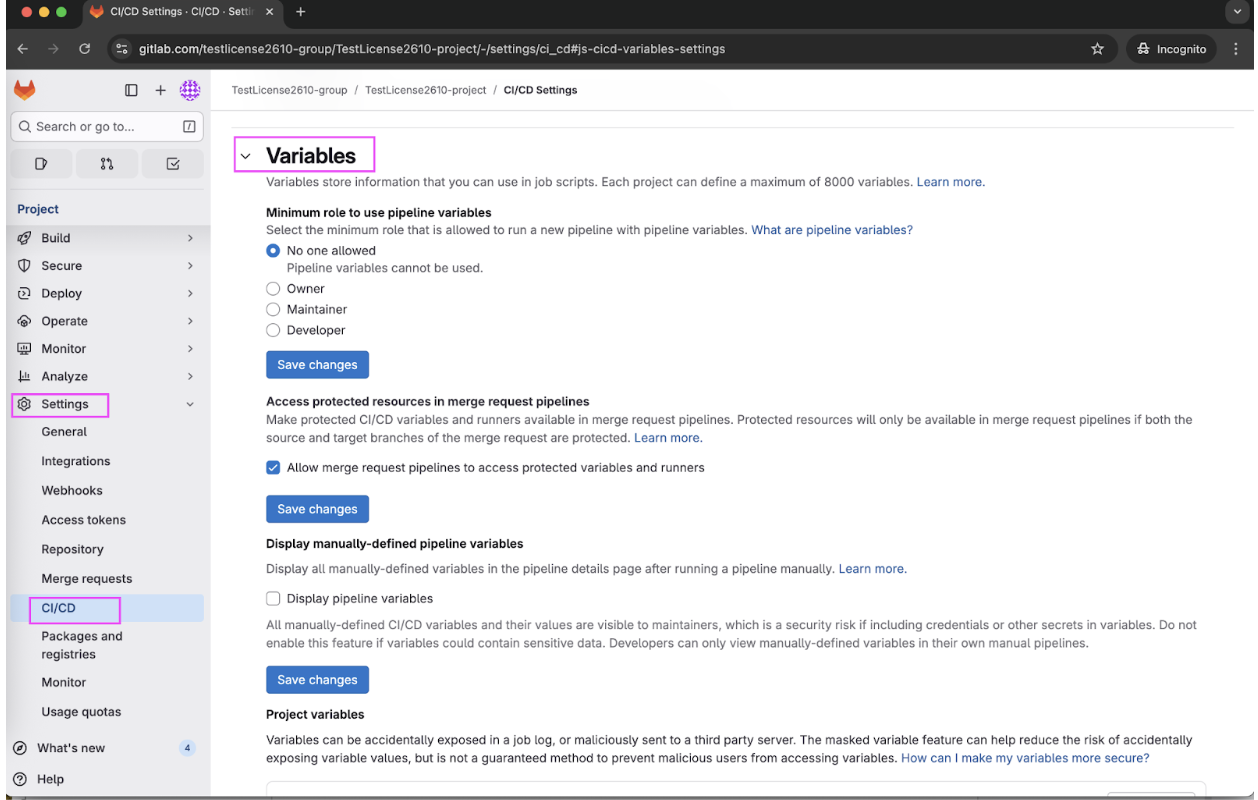
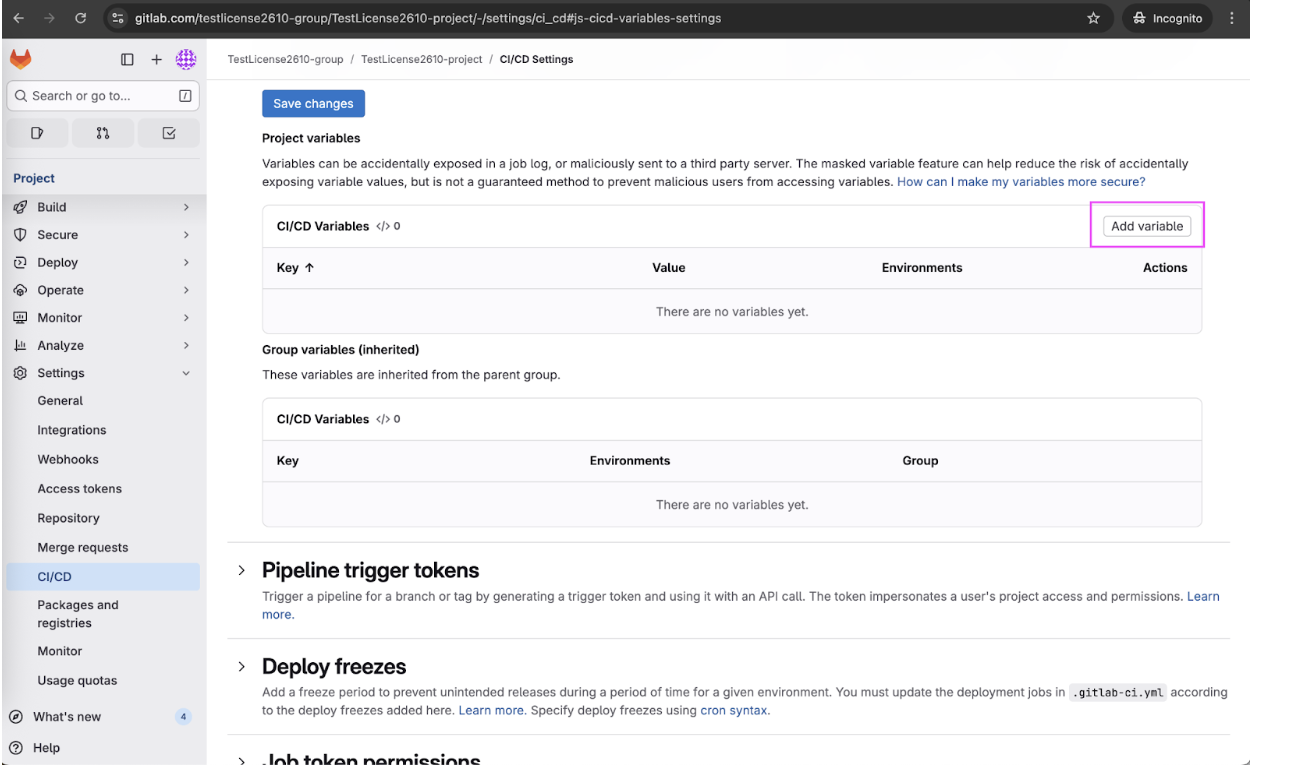
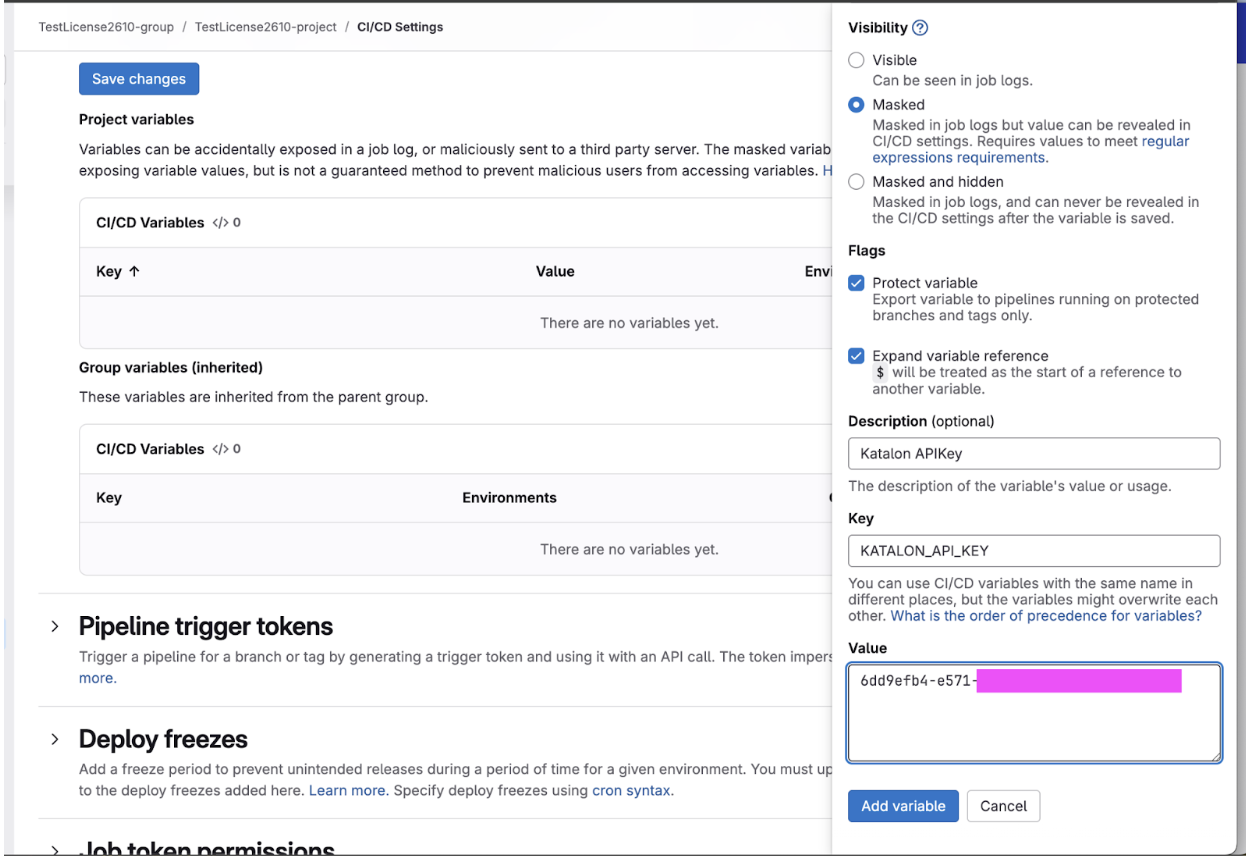
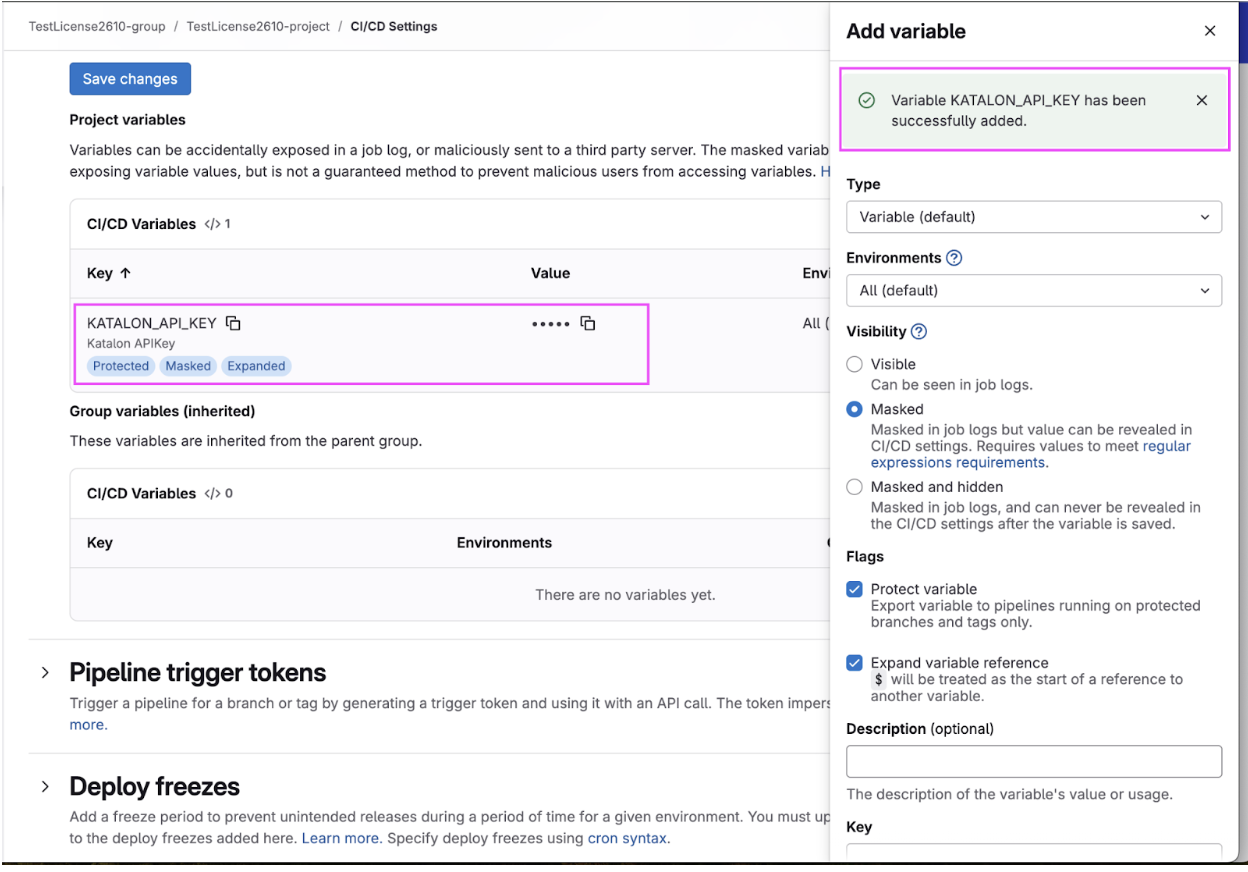
Set variables
Best practices steps
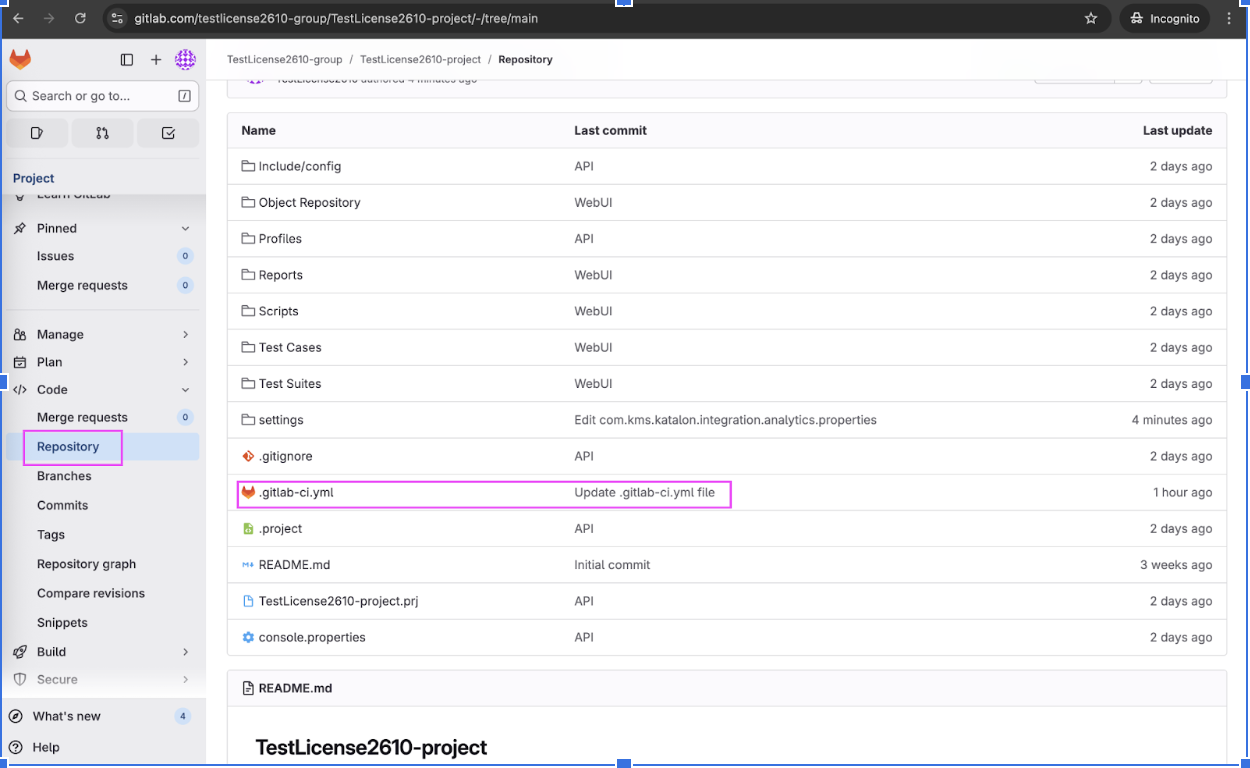
Configure the .gitlab-ci.yml file
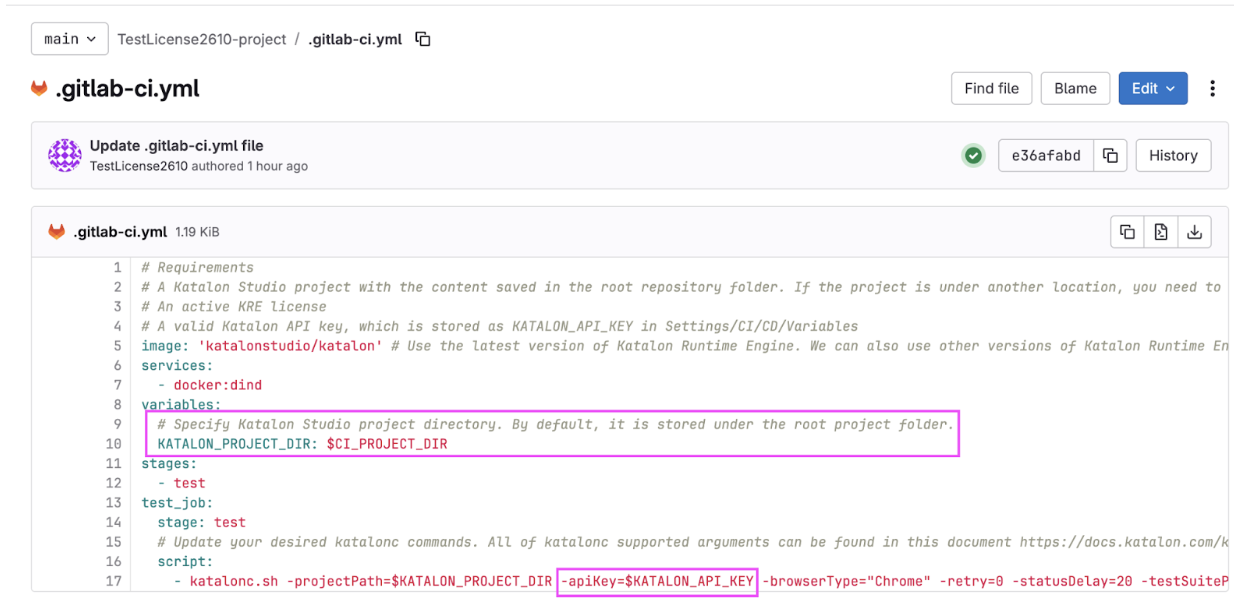
# Requirements
# A Katalon Studio project with the content saved in the root repository folder. If the project is under another location, you need to update KATALON_PROJECT_DIR with the corresponding value in the variable section
# An active katalon-test-engine-local license
# A valid Katalon API key, which is stored as KATALON_API_KEY in Settings/CI/CD/Variables
image: 'katalonstudio/katalon' # Use the latest version of Katalon Runtime Engine. We can also use other versions of Katalon Runtime Engine by specifying another tag, such as katalonstudio/katalon:8.1.2 or katalonstudio/katalon:8.3.0
services:
  - docker:dind
variables:
  # Specify Katalon Studio project directory. By default, it is stored under the root project folder.
  KATALON_PROJECT_DIR: $CI_PROJECT_DIR
stages:
  - test
test_job:
  stage: test
  # Update your desired katalonc commands. All of katalonc supported arguments can be found in this document https://docs.katalon.com/katalon-studio/docs/console-mode-execution.html{"\n"}{"  "}
  script:
    - katalonc.sh -projectPath=$KATALON_PROJECT_DIR -apiKey=$KATALON_API_KEY -browserType="Chrome" -retry=0 -statusDelay=20 -testSuitePath="Test Suites/API/Get_All_Objects_TS" -executionProfile="default" -orgID=2490*** -testOpsProjectId=2452***
Note:
-
-orgID defines the source organization from which you want to obtain the Katalon Runtime Engine licenses.
-
-testOpsProjectID defines the project in TestOps where you want to upload the reports.
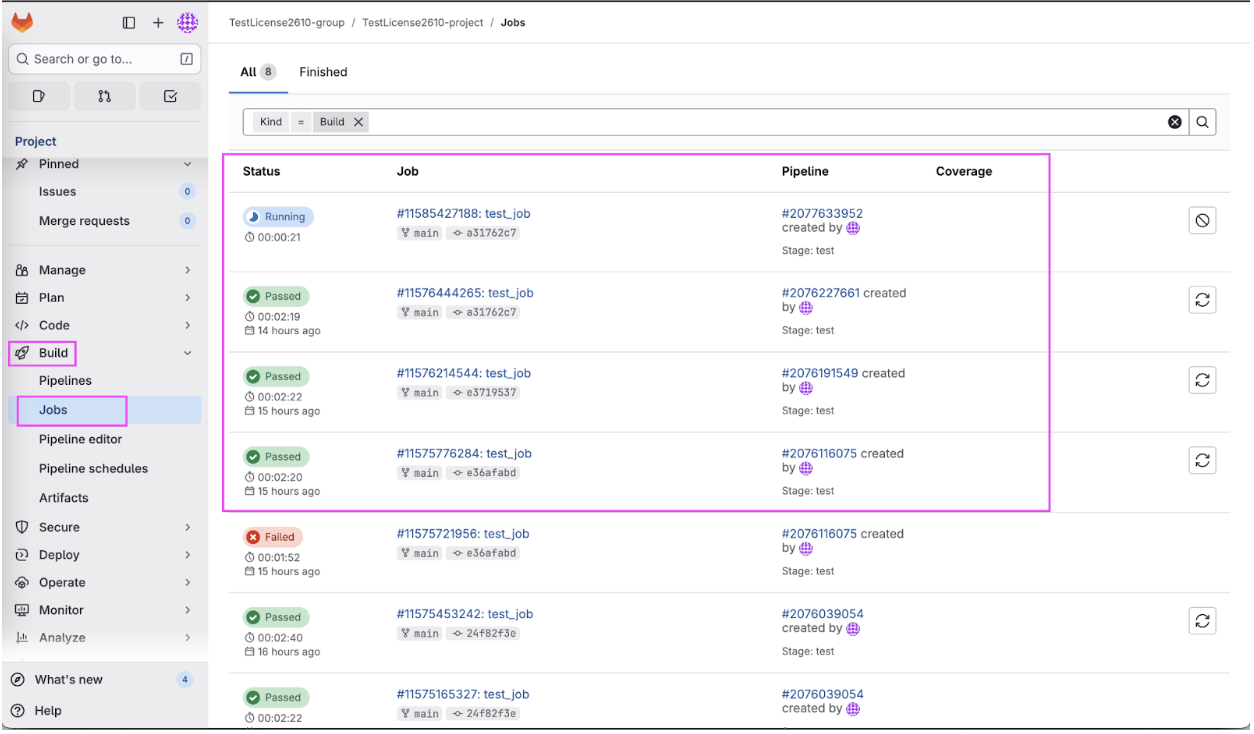
Execute and verify the job
Conclusion
Leveraging the Katalon Runtime Engine Docker image within the GitLab CI/CD pipeline allows teams to execute test suites automatically during the development cycle. By correctly setting the API key, Organization ID (-orgID), and TestOps Project ID (-testOpsProjectID), test reports are immediately uploaded and centralized in Katalon True, facilitating quick reporting and verification of automated test results.
See all best practice documents at Katalon products best practices.