CI/CD integration overview
- Being quick and easy: you don't have to install Katalon Studio manually.
- Being able to work even on machines without displays.
- Allocating an isolated virtual display (e.g., Xvbf for Jenkins) that increases the stability of execution.
Below are the supported CI environments and their sample configurations.
Use Test Execution - Cloud in CI/CD pipelines
To execute tests in Test Execution - Cloud environments with Katalon Runtime Engine, you only need a Test Execution - Cloud subscription or trial; Katalon Runtime Engine license is not required. This also enables you to use Test Execution - Cloud in any CI/CD pipelines configured with Katalon Runtime Engine.
Test suite execution
To trigger test suite execution with Test Execution - Cloud environments from Katalon Runtime Engine, you need to specify the following arguments:
| Command-line argument | Description | Data type | Mandatory |
|---|---|---|---|
-browserType="Test Execution - Cloud" | The browser type used for test suite execution. The "Test Execution - Cloud" value means you are using Test Execution - Cloud environments. | String | Required (for single test suite execution) |
-testcloudEnvironmentId | The ID of the environment which corresponds to a combination of OS, browser type and browser version to execute. This ID can be generated with Command Builder. | String | Required (for single test suite execution) |
-testcloudTunnel | Allow the execution to be performed via Test Execution - Cloud Tunnel. | Boolean | Optional |
-testcloudMobileDeviceId | The unique ID of the Test Execution - Cloud mobile device. | String | Required (for single test suite execution) |
-testcloudMobileId | The ID of the Test Execution - Cloud mobile OS version. | String | Required (for single test suite execution) |
-testcloudAppId | The ID of the Test Execution - Cloud application. Katalon Runtime Engine generates this command when the Override with application from Test Execution - Cloud Application Repository option is selected | String | Optional |
name: CI
on:
  push:
    branches: [ master ]
  pull_request:
    branches: [ master ]

jobs:
  build:
    runs-on: windows-latest
    steps:
    - name: Checkout
      uses: actions/checkout@v3.0
    - name: Katalon Studio Github Action
      uses: katalon-studio/katalon-studio-github-action@v3.0
      with:
          version: '8.6.5'
          projectPath: '${{ github.workspace }}'
          args: '-noSplash -retry=0 -testSuiteCollectionPath="Test Suites/Sample Test Suite" -browserType="Test Execution - Cloud" -testcloudEnvironmentId="256" -apiKey= ${{ secrets.API_KEY }} --config -webui.autoUpdateDrivers=true'
Test suite collection execution
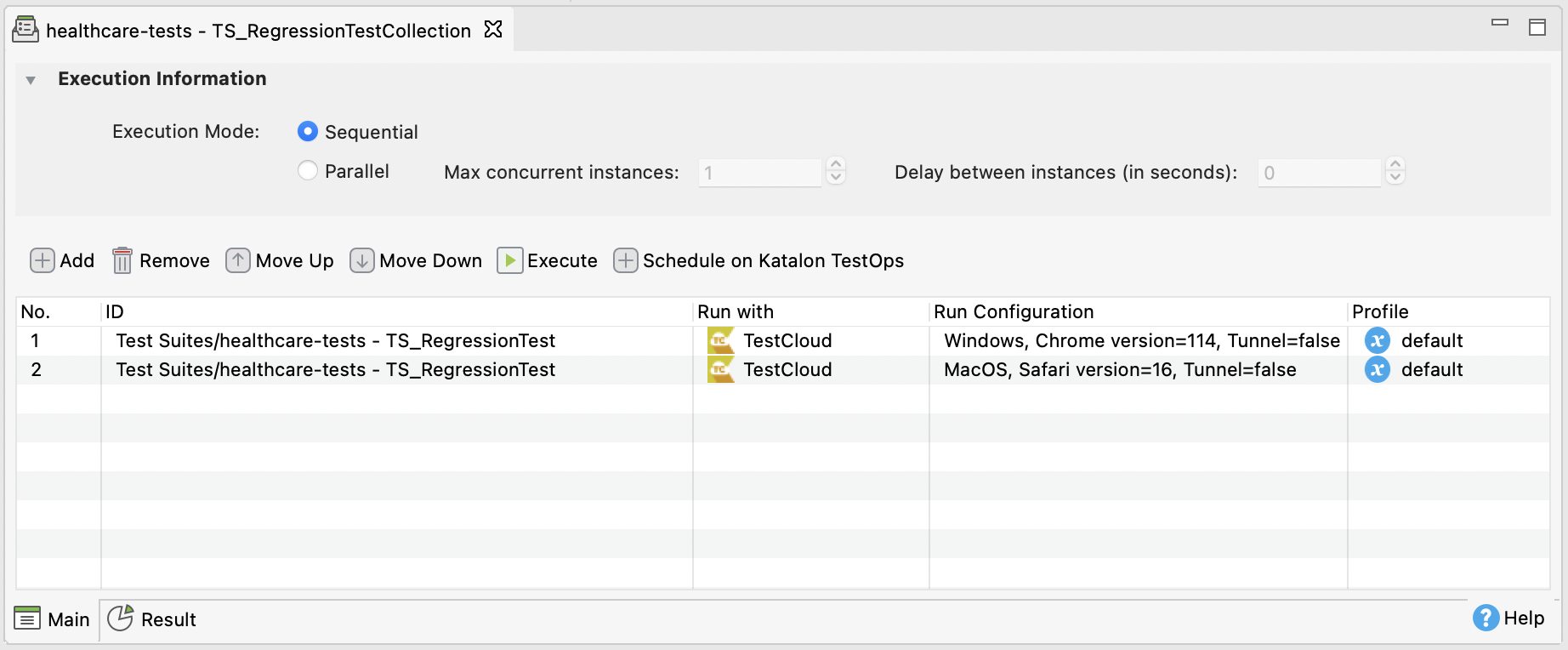
The Test Execution - Cloud environments for individual test suites are already included in the test suite collection file. See: Manage test suite collections in Katalon Studio.
Therefore, the browserType and testcloudEnvironmentId arguments are not required. The test suites configured with Test Execution - Cloud are automatically uploaded to Test Execution - Cloud environments.