Configure Readiness Criteria
This document explains how to effectively configure quality gates for readiness assessment in the Release Health Dashboard.
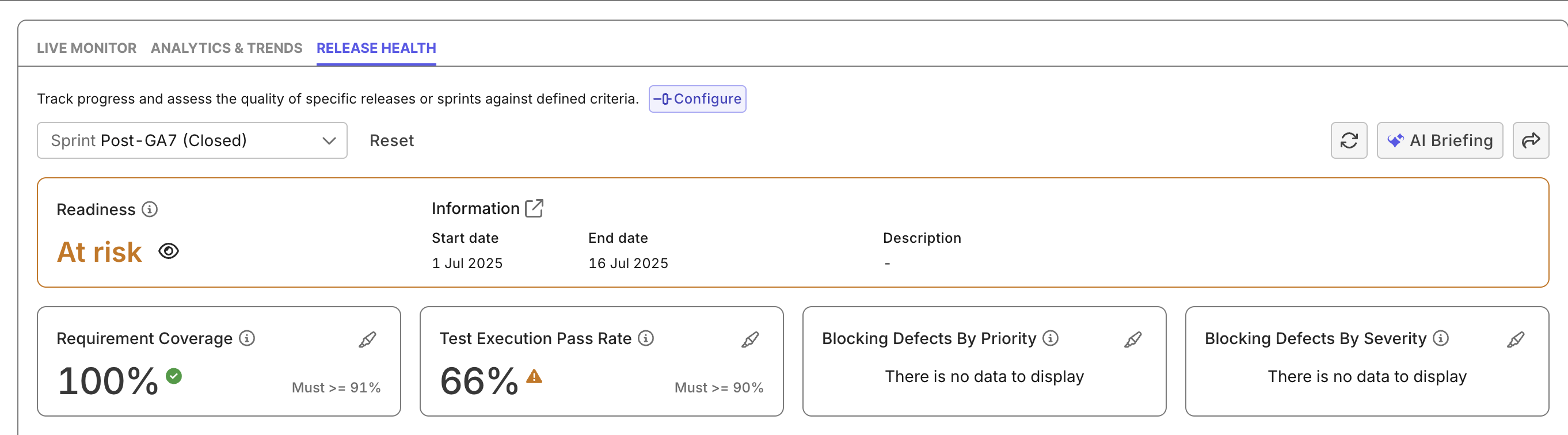
- Only Project Admins can configure quality gates. Once it is configured, all project members can view quality gates.
- Configuring for blocking defects requires an ALM tool integrated. See Integrations in Katalon Platform for more details.
Overview
Katalon True quality gates help teams define release-ready thresholds for a release cycle before it begins. Data are then gathered and compared against these thresholds, helping teams determine the project's release readiness with quantitative metrics, rather than subjective debates.
Once configured, quality gates display in the Release Health Dashboard along with widget that gather test data (defects from Jira, coverage from requirement links, execution from test runs) to visually explain which data is used to compare against which quality gate.
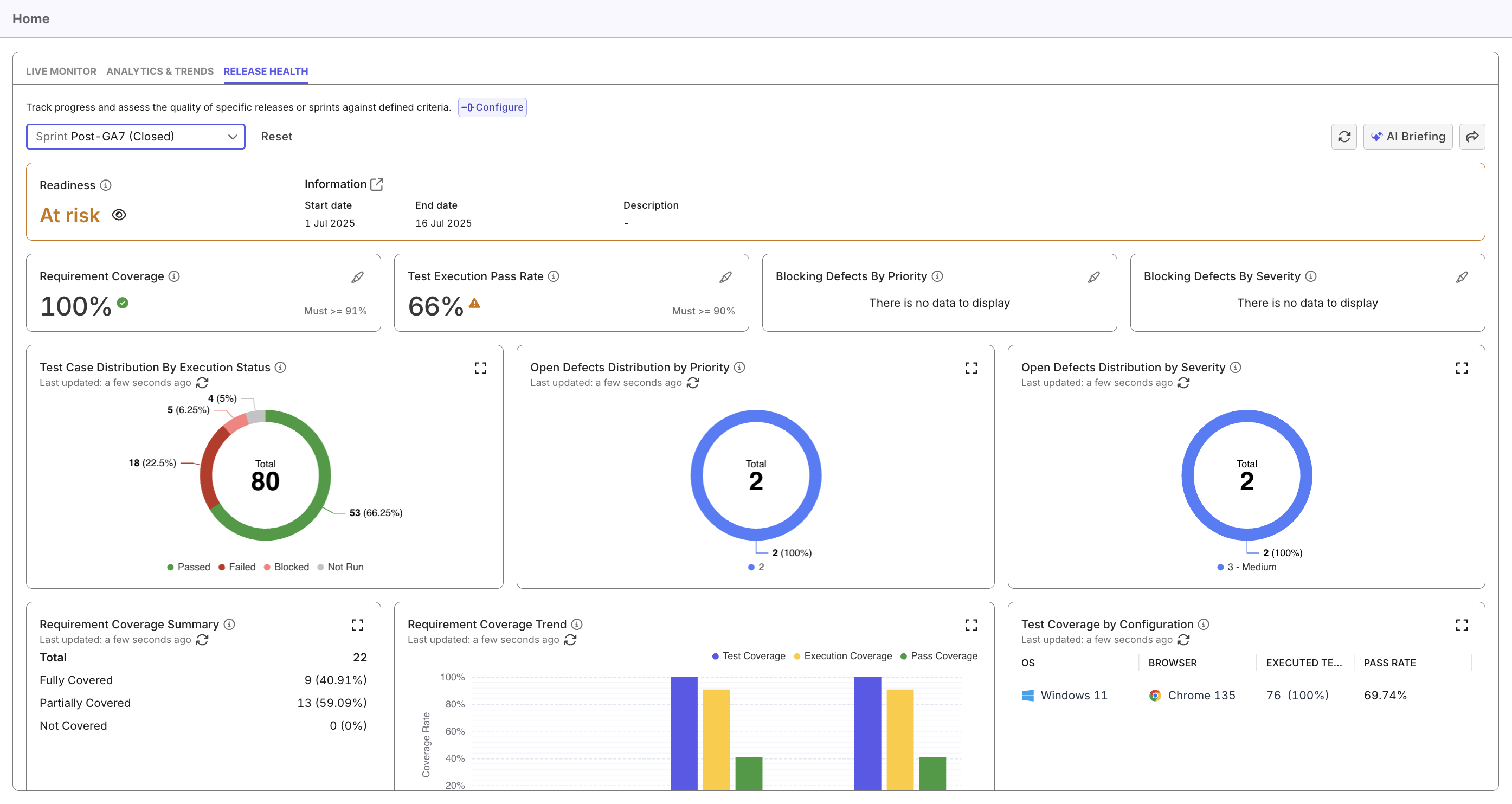
As these criteria (% of test coverage, pass rate, and blocking defects) are not compensatory, if the project fails to meet any criteria, the indicator will display AT RISK (ORANGE). The indicator only displays READY (GREEN) if all these quality gates pass - your project meets all criteria.
Configure Readiness Criteria
- Access the Release Health Dashboard.
- Select a release.
- Click Configure (next to the release) to open the Configure Readiness Criteria modal.
The modal allows you to configure:
- Requirement Test Coverage (%): Minimum percentage of requirements that must have linked test cases.
- Test Execution Pass Rate (%): Minimum percentage of executed tests that must pass.
- Issue Criteria (ALM-based Defect Blocking Rules): Count of unresolved defects linked to the iteration.
You can configure thresholds by priority and severity, and toggle each rule on or off. These require integration with your ALM (e.g., Jira, Azure DevOps).
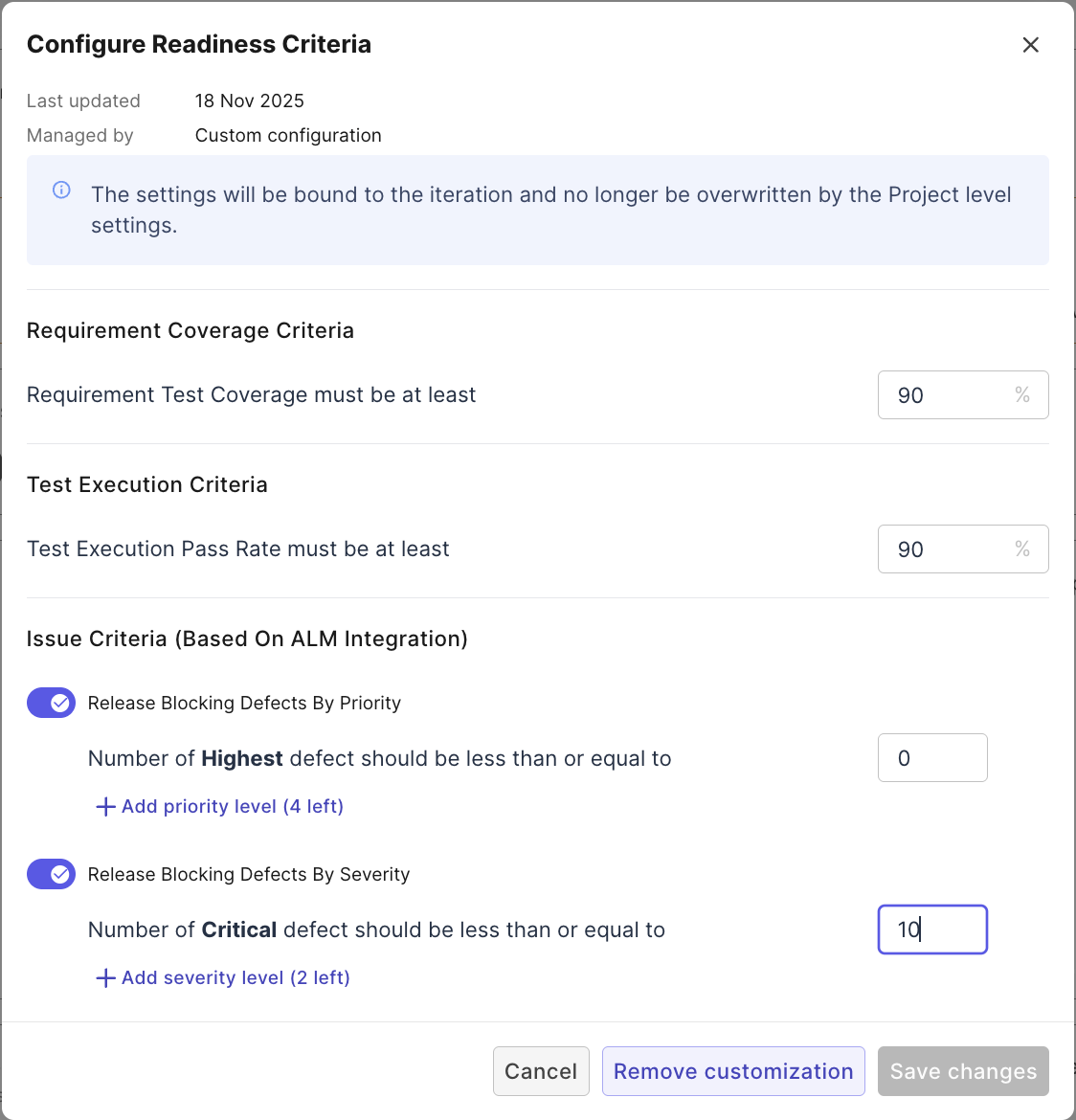
Changes made in this modal apply specifically to the selected Release/Sprint and will no longer be overwritten by project-level settings.