GitLab integration in Katalon True API triggering
This document explains how to integrate GitLab in Katalon True, to trigger API calls.
Scenario
This integration focuses on using the GitLab CI/CD pipeline to make an API call that triggers a pre-scheduled test execution that is defined and managed within Katalon True.
Purpose and strategic value
The primary purpose is to be able to trigger scheduled executions in Katalon True from the GitLab pipeline. This approach allows the GitLab CI process to initiate complex testing workflows that are centrally configured in Katalon True, enabling orchestrated, immediate execution of predefined test runs.
Key takeaways
The key takeaway is the ability to trigger scheduled executions in Katalon True from the GitLab pipeline using a PUT request to the Katalon True API endpoint.
Best practice steps
Obtain scheduler and run configuration IDs
-
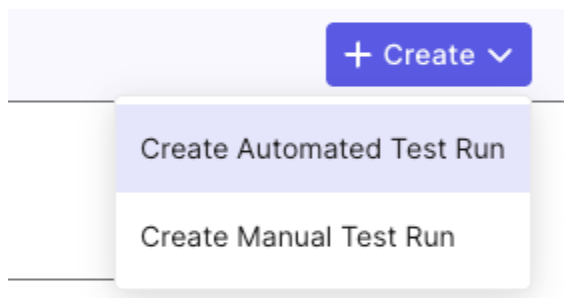
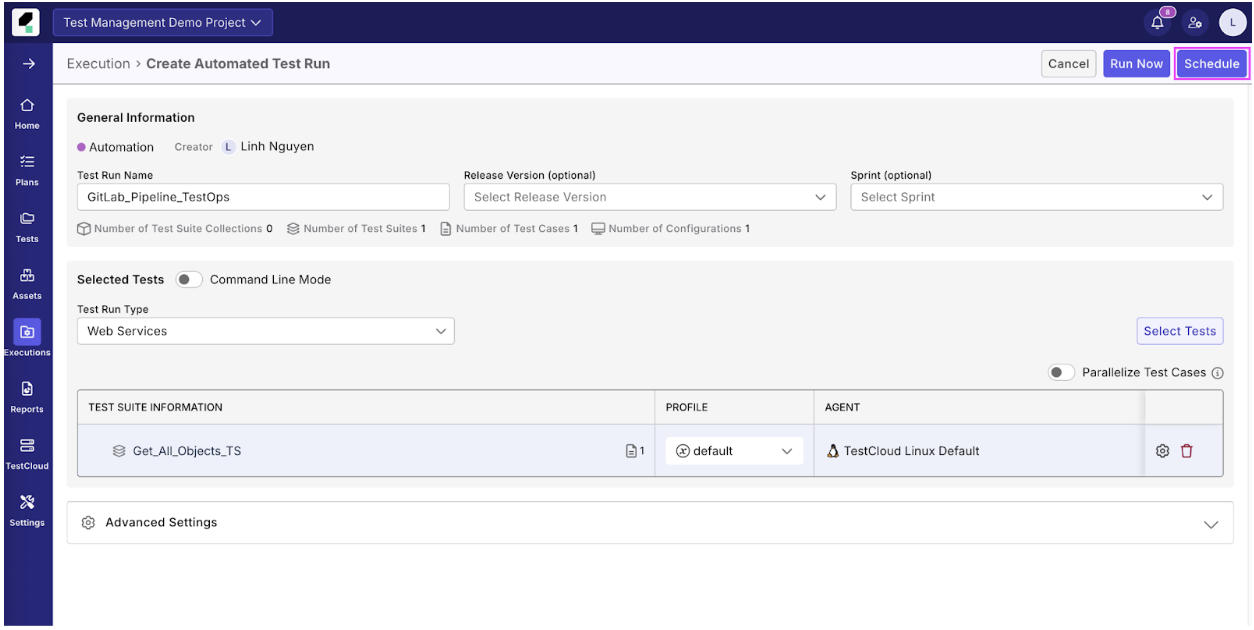
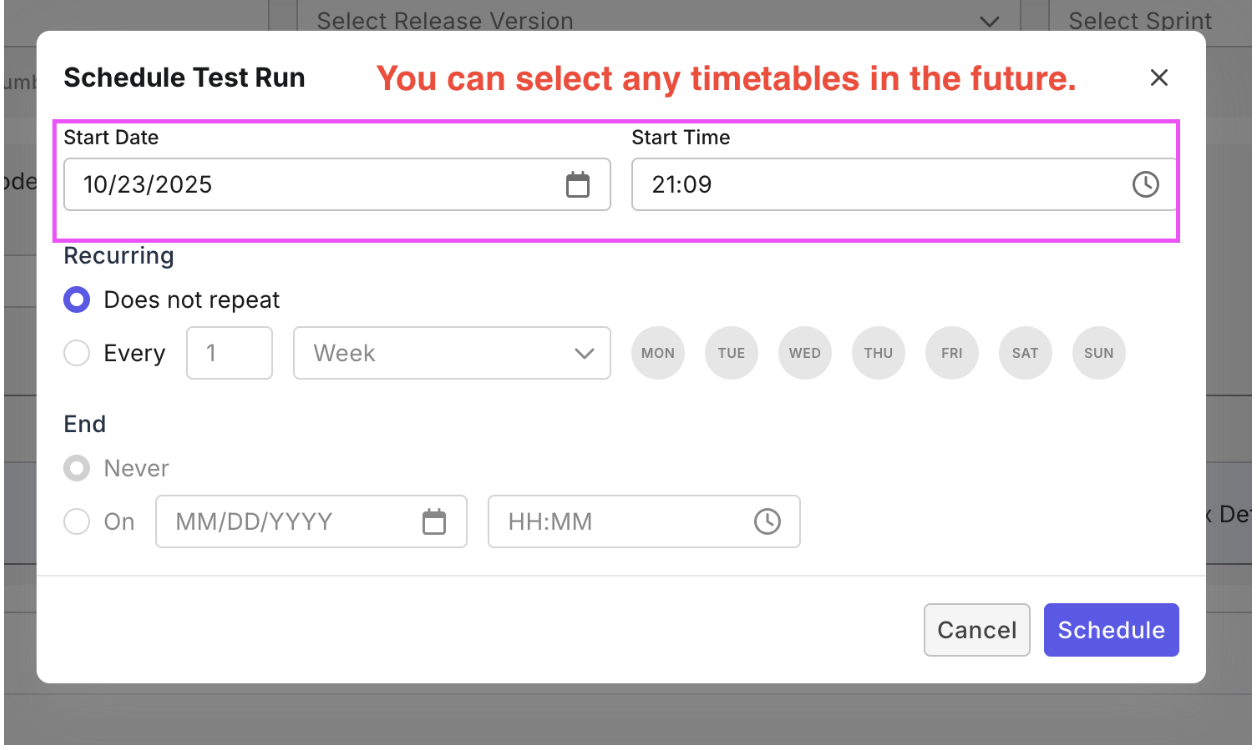
Schedule the test run in Katalon True (e.g., named
GitLab_Pipeline_TestOps). -
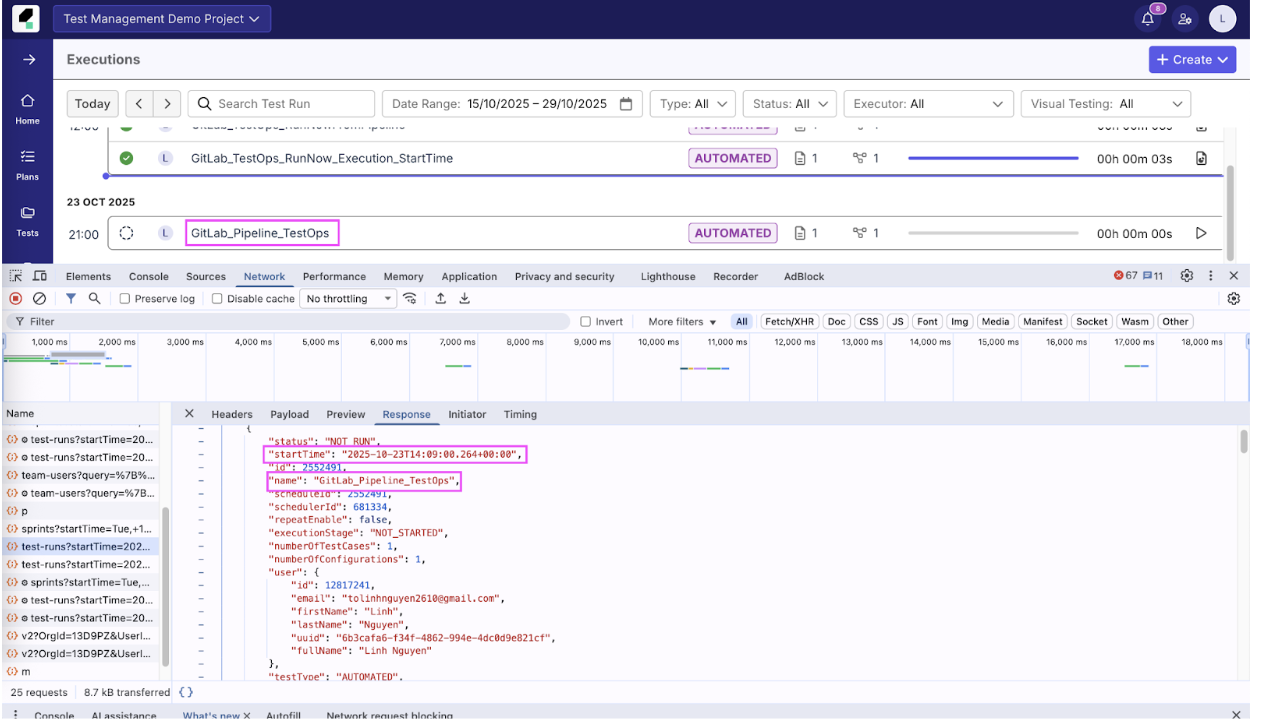
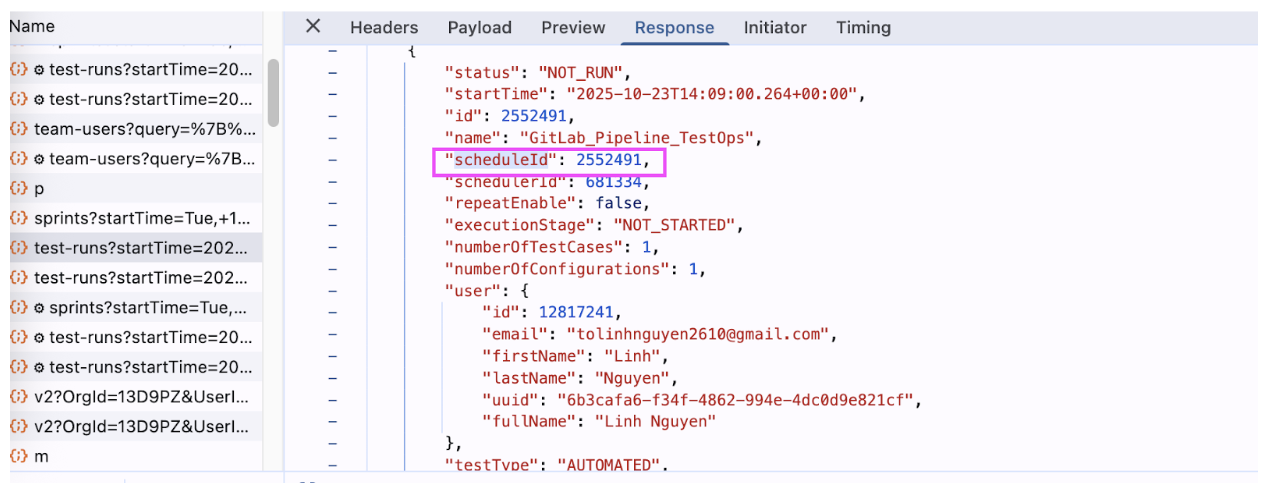
Extract the values for
schedulerIdandscheduleIdfrom the response payload of the scheduled execution.
Configure GitLab CI/CD variables
- Add all necessary API parameters (like
KATALON_API_HOST,KATALON_API_TOKEN,KATALON_SCHEDULER_ID, etc.) as masked variables in the GitLab project settings.
Compose the .gitlab-ci.yml file
-
Define a stage (e.g.,
execute_tests) and a corresponding job (e.g.,trigger_katalon_execution). -
Use the Katalon Docker image (or another image capable of running
curl).
stages:
 - execute_tests
trigger_katalon_execution:
 stage: execute_tests
 image: katalonstudio/katalon:latest
 variables:
   API_ENDPOINT: "https://$KATALON_API_HOST/v2/schedules/test-runs"
   JSON_DATA_BODY: >
     {
     	"startTime":"2025-10-15T06:31:00.581+00:00",
       "schedulerId": $KATALON_SCHEDULER_ID,
       "runConfigurationId": $KATALON_RUN_CONFIG_ID,
       "action": "INSTANCE_RUN"
     }
 script:
   - apt-get update -qq
   - apt-get install -y curl
   - echo "Executing Katalon API call to trigger schedule $KATALON_SCHEDULER_ID"
   - |
     curl -X PUT \
       "$API_ENDPOINT" \
       -H "Authorization: Bearer $KATALON_API_TOKEN" \
       -H "x-organization-id: $KATALON_ORG_ID" \
       -H "x-project-id: $KATALON_PROJECT_ID" \
       -H "Content-Type: application/json" \
       --data-raw "$JSON_DATA_BODY"
 rules:
   - if: $CI_COMMIT_BRANCH == $CI_DEFAULT_BRANCH
Define YAML variables and JSON payload
- Set the full API endpoint URL within the YAML, using the host variable:
API_ENDPOINT: "https://$KATALON_API_HOST/v2/schedules/test-runs".

-
Define the
JSON_DATA_BODYusing multi-line syntax (>). The payload must include:"startTime"(Note: Even ifstartTimeis set in the future, the API call will trigger the tests immediately).
"schedulerId": $KATALON_SCHEDULER_ID
-
"runConfigurationId": $KATALON_RUN_CONFIG_ID -
"action": "INSTANCE_RUN"
Execute the API call using cUrl
-
The script must first ensure
curlis installed:apt-get update -qqandapt-get install -y curl. -
Execute the API call using the
curl -X PUTcommand:-
The command targets the
$API_ENDPOINT. -
It must pass the required authentication and identification headers:
Authorization: Bearer $KATALON_API_TOKEN,x-organization-id: $KATALON_ORG_ID, andx-project-id: $KATALON_PROJECT_ID. -
It must include the JSON payload using
--data-raw "$JSON_DATA_BODY".
-
$KATALON_API_TOKEN
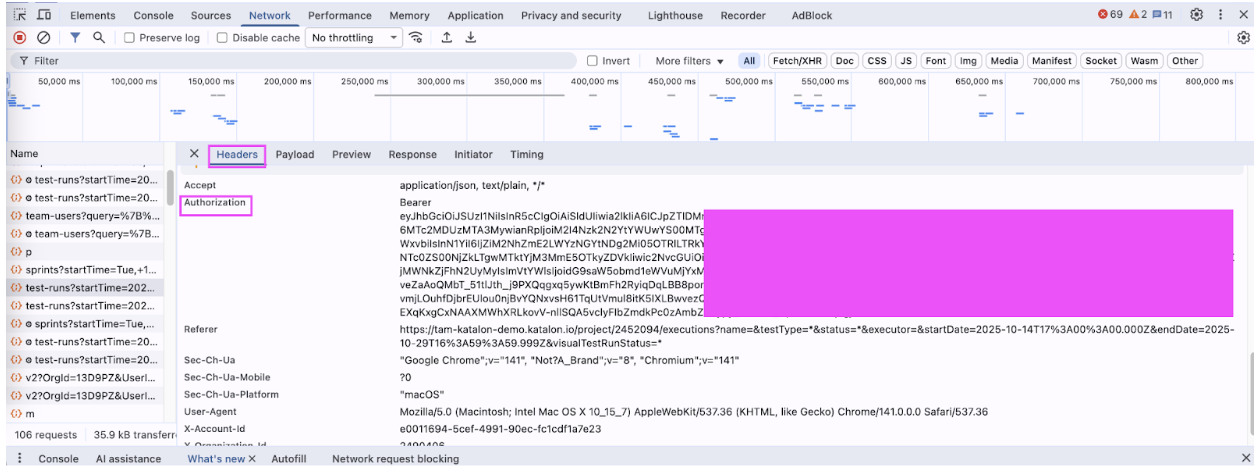
Note: Make sure to check and update the token value to ensure it is valid.
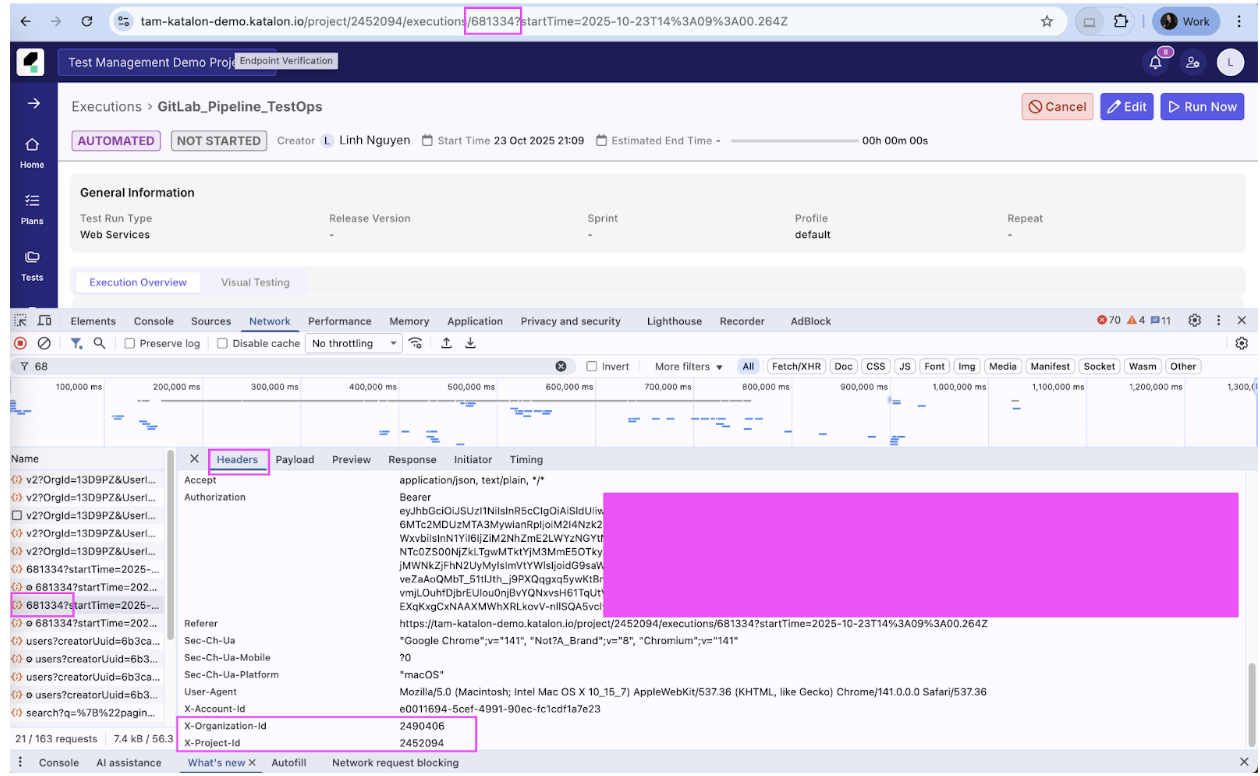
$KATALON_ORG_ID = <<the value of x-organization-id>>
$KATALON_PROJECT_ID = <<the value of x-project-id>>
Verify execution
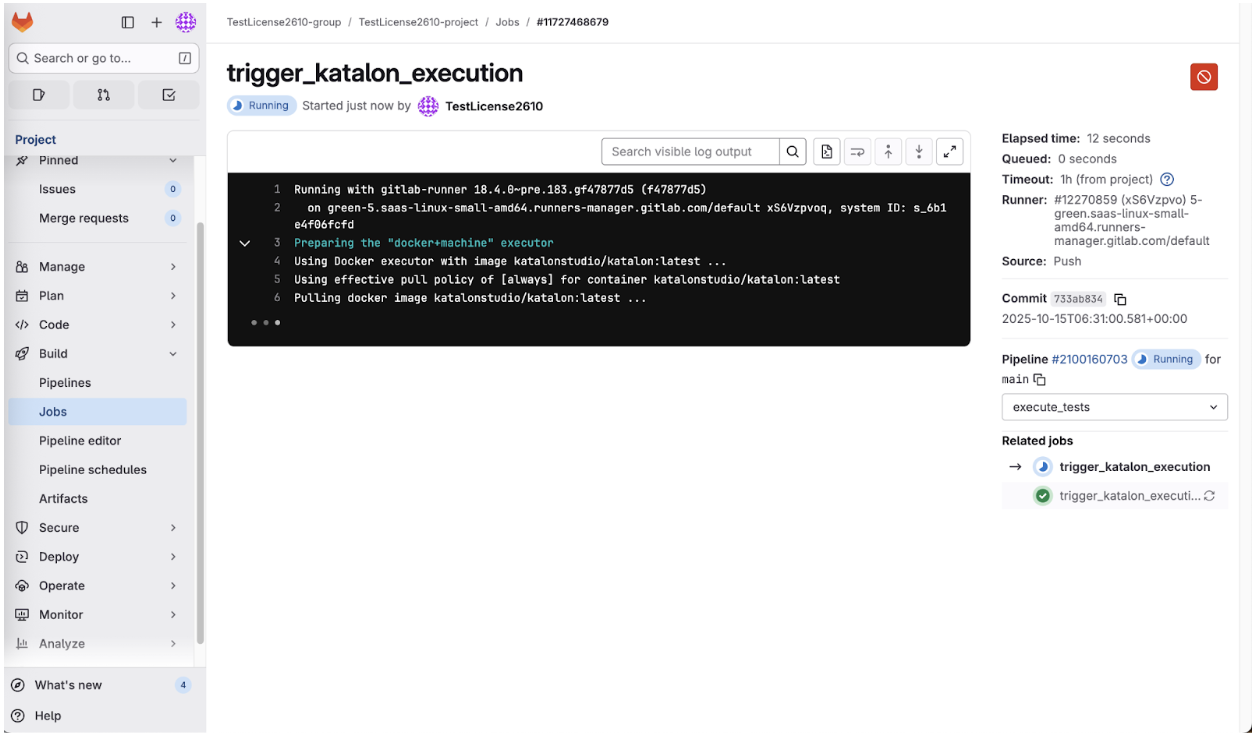
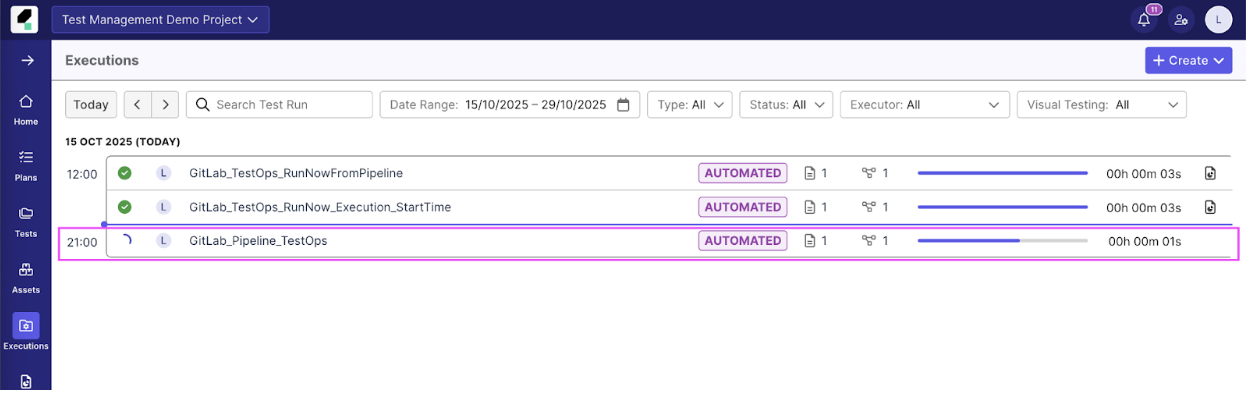
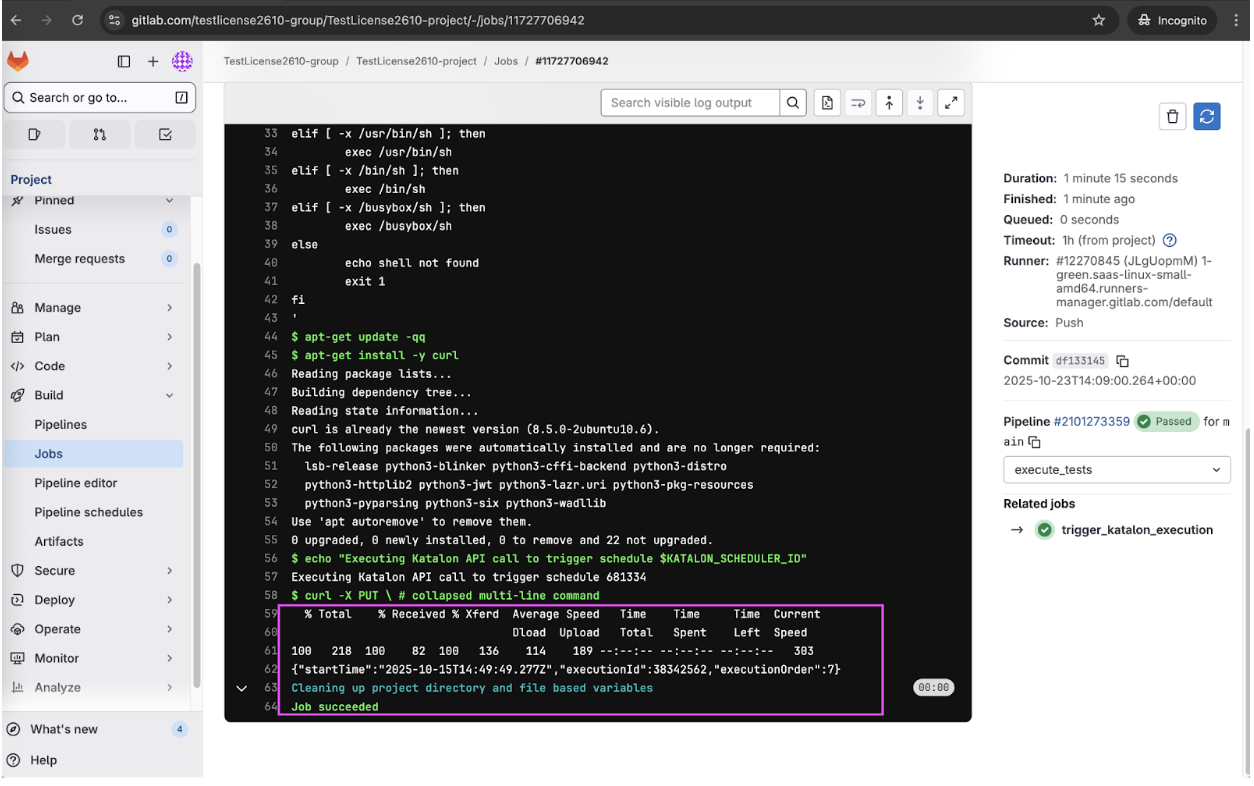
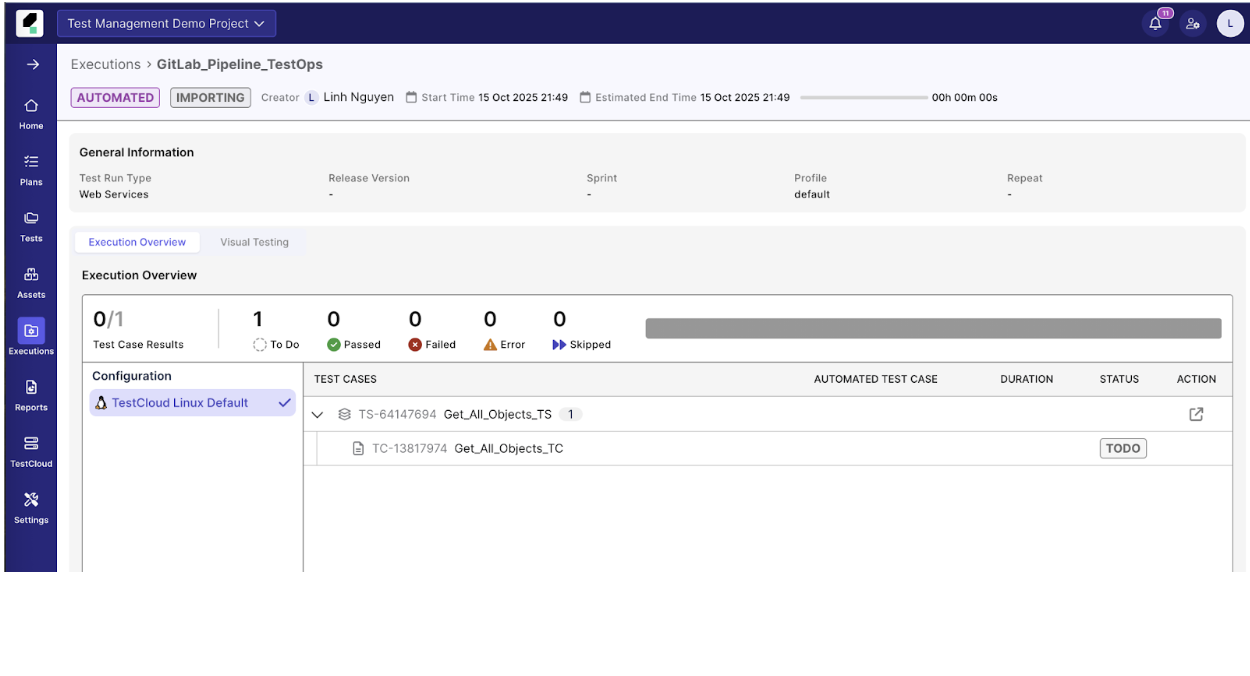
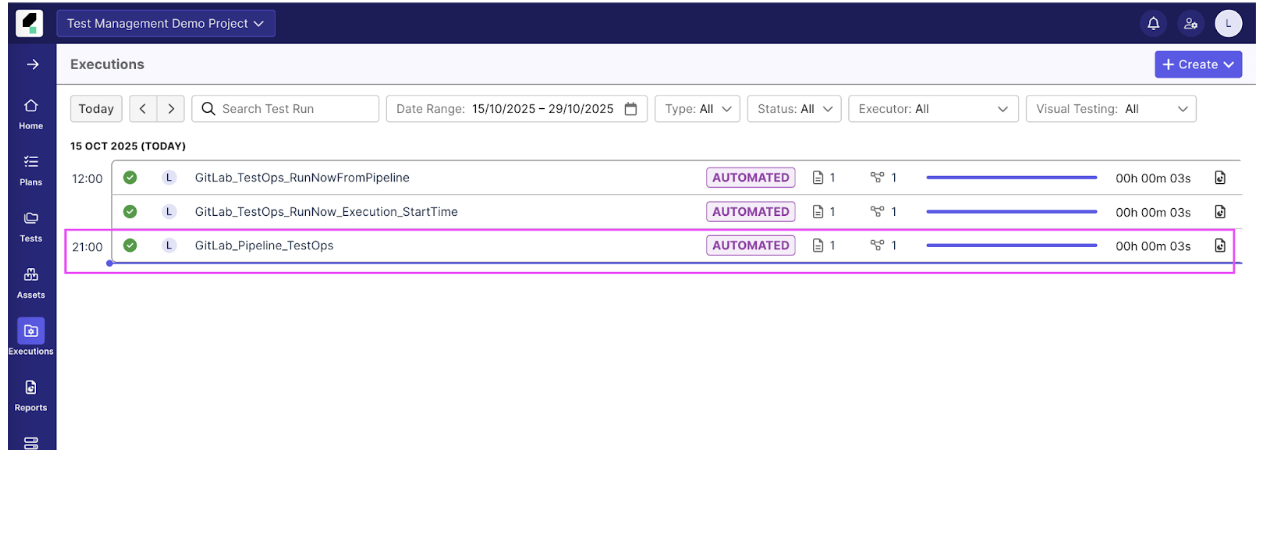
- After the GitLab job runs successfully (under Build ▶️ Jobs), verify that a new test execution starts immediately in Katalon True under the Executions tab.
Results
Conclusion
Integrating GitLab with Katalon True via the API allows GitLab to serve as a centralized trigger for pre-configured test schedules in Katalon True. This separation of duties ensures that test environment configuration and execution management remain centralized within Katalon True while execution initiation is seamlessly integrated into the automated CI/CD flow. Using the Katalon True API essentially turns the GitLab pipeline into a sophisticated remote control for automated testing.
See all best practice documents at Katalon products best practices.