Investigate flaky tests
This tutorial walks you through the standard flaky test investigation process using Katalon True capabilities.
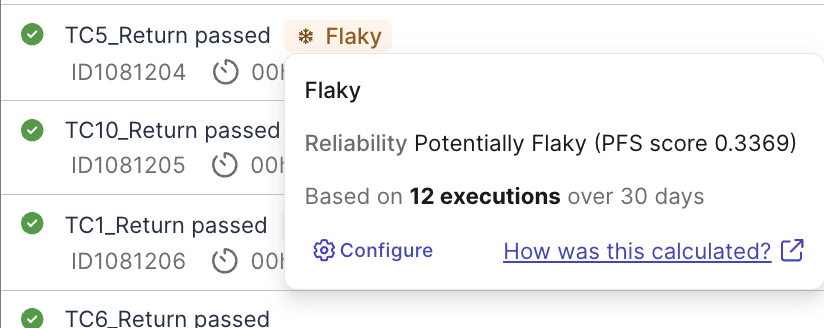
Sometimes pass and sometimes fail, flaky tests cause false-alarm and waste investigation time. Katalon True uses Probabilistic Flakiness Score (PFS) calculated by analyzing pass-to-fail transition patterns across your test execution history, to help you quickly detect and troubleshoot flaky test cases across your test suites.
Before you investigate, read PFS Calculation and Smart Tag configuration to understand default configurations for flakiness detection and how to customize them.
Steps to investigate flaky tests
Step 1: Detect flaky tests
In Katalon True, you can view flaky tests via multiple routes:
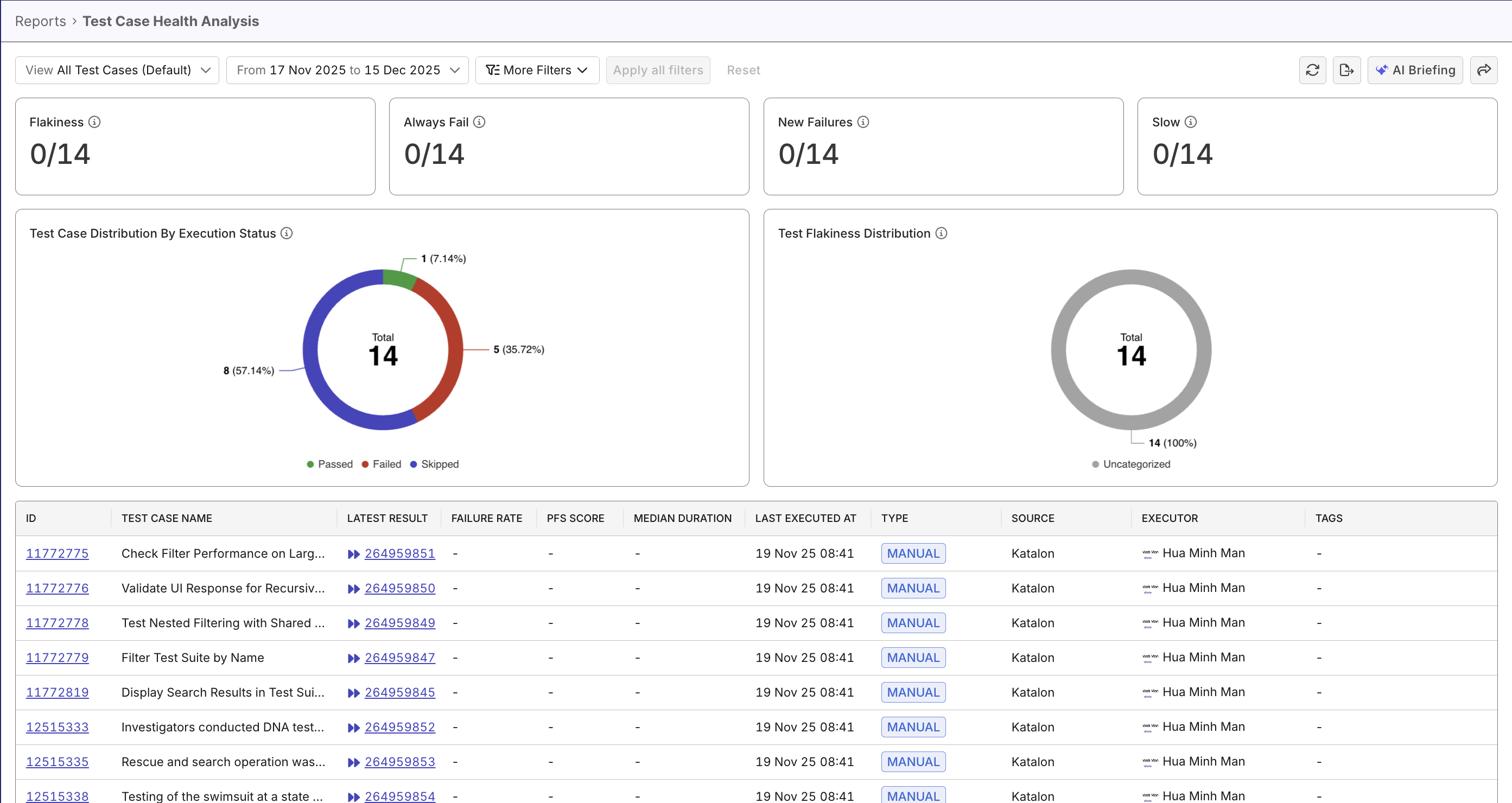
- Test Case Health Analysis Report while assessing test case quality. Flaky tests have high PFS, and are with tag
flaky(can be filtered):
- Test Run Details page while assessing test case failure (see Investigate Test Failures to learn more). Flaky tests are flagged with tag
flaky(can be filtered):
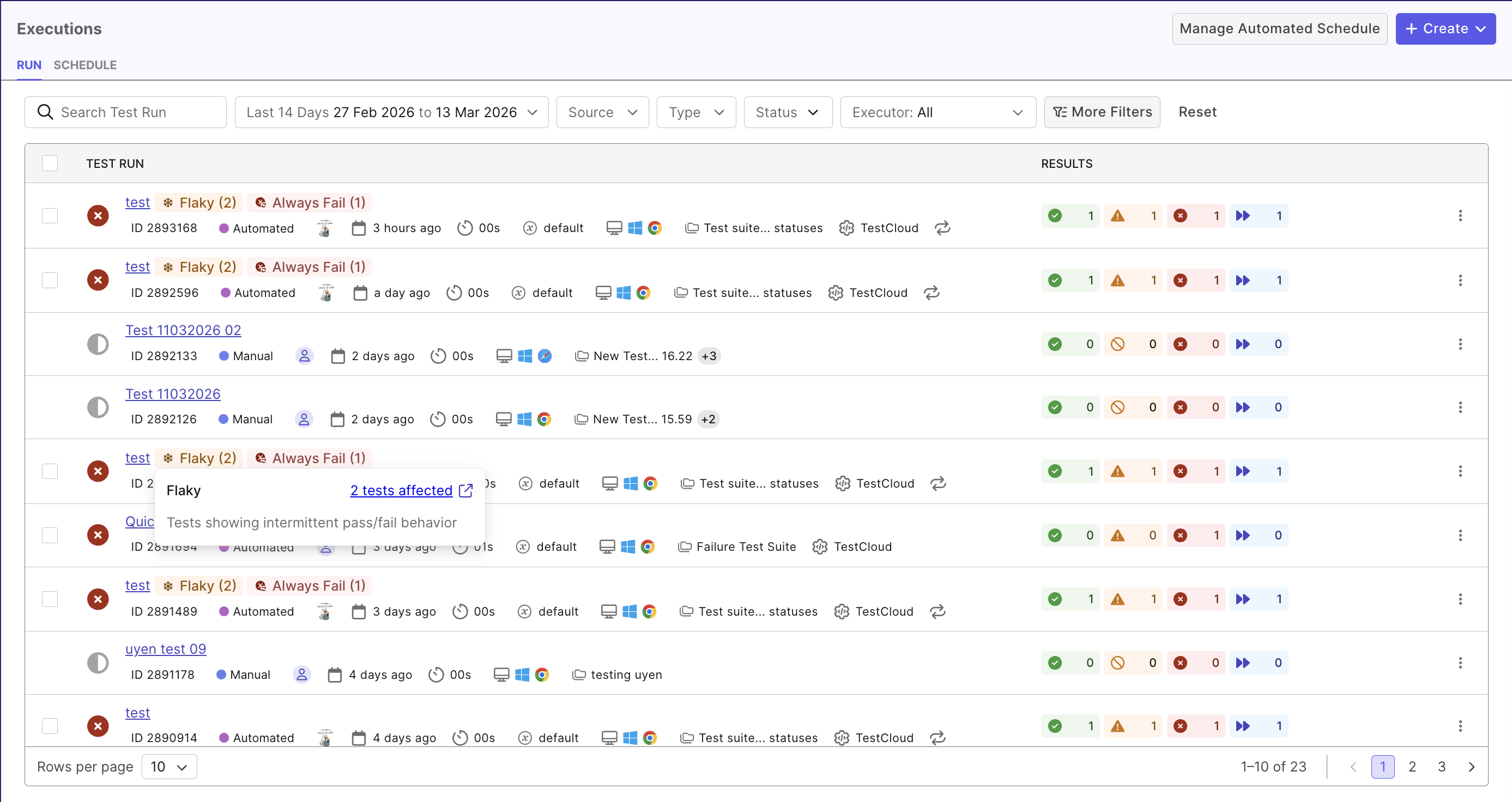
- Apply filter "Flaky" to quickly see all flaky tests.
- Test Case Health Analysis Report displays PFS score for flaky tests. Tests with high PFSs should be prioritized.
Either entry should display all test cases and flag the ones that are potentially flaky.
Step 2: Prioritize flaky test to resolve
Not all flaky tests are equally urgent:
- Focus on tests for critical paths first (login, checkout, payment flows…)
- Prioritize fixing critical tests with high PFSs.
- Prioritize frequently run tests.
Once you've decide on a test to investigate, click on a execution to view the run details.
Step 3: Analyze result patterns
In the Test run detail page > Tests tab, you should see a trend visualization line, that lists past results of the same test:
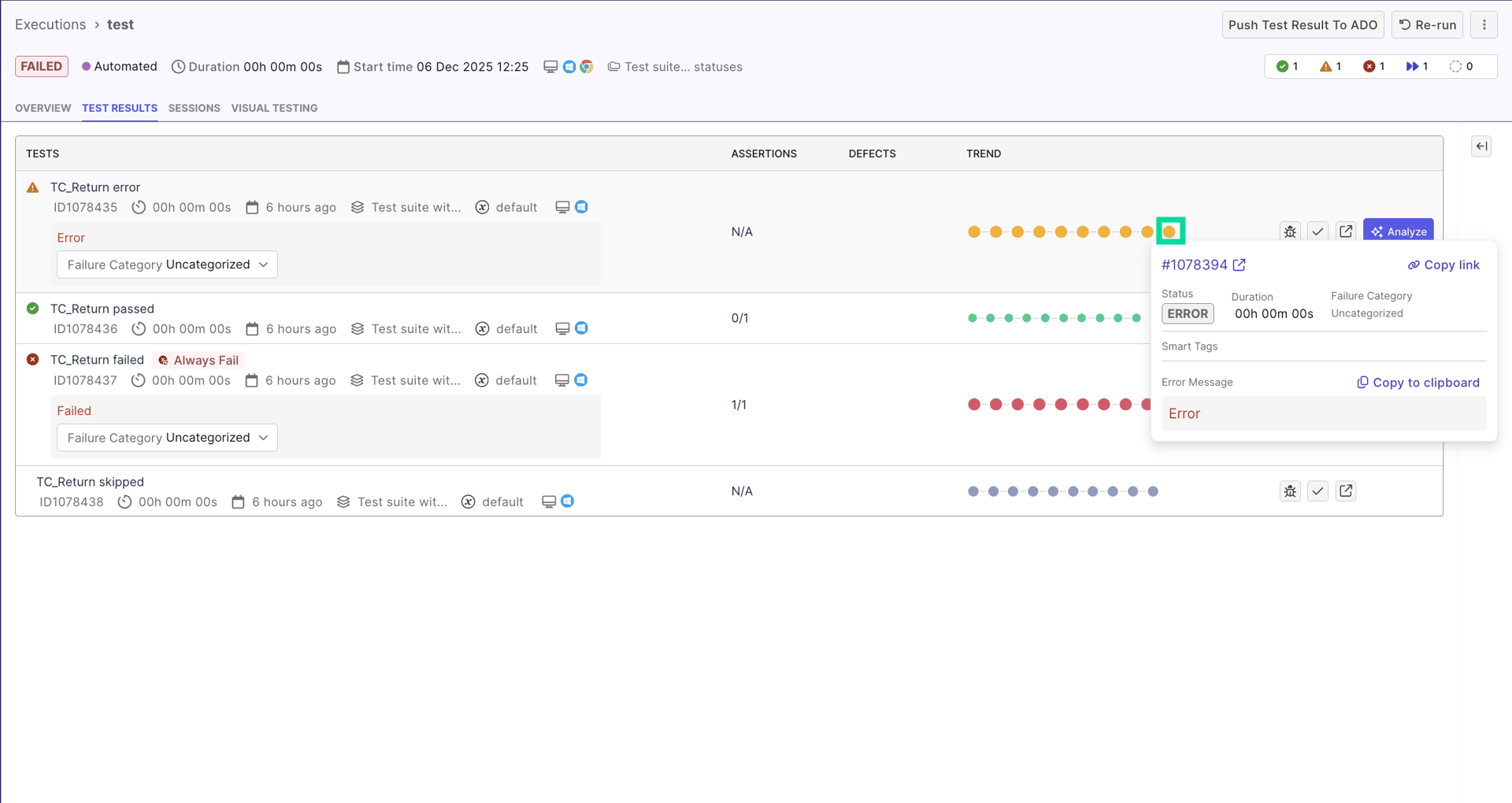
You may spot patterns that suggest flakiness. For example, a historical trend that reads Passed → Failed → Passed → Failed with no discernible logic highly suggests flakiness.
Recent codebase deployments should also be considered. For example:
- Deployment A at Run #10, Test passes 5 times after => may be due to code changes, not a flaky test.
- Deployment B at Run #20, but test passes 3 times, fails 2 times every 5 runs regardless of deployment => pattern suggests flakiness, not code regression
Step 4: Triage with AI
Once you identify a suspicious pass/fail pattern, use Katalon AI Assistant to get an initial explanation before reviewing the logs in detail.
Open the failed result, then ask Katalon AI to summarize what the failure history suggests. For example:
Does this result pattern look like a flaky test or a real regression?What is the most likely cause of this flaky behavior based on the result history and logs?What should I check first: timing, selectors, test data, environment, or parallel execution?
Treat the AI response as an investigation pointer, not the final conclusion. Use it to narrow your manual review in the next step and confirm the suspected cause with logs, screenshots, and recent changes.
Step 5: Determine root cause
Click on a failed result of a flaky test case to view its execution log. Use Katalon's AI as analysis pointer, and validate with the execution log:
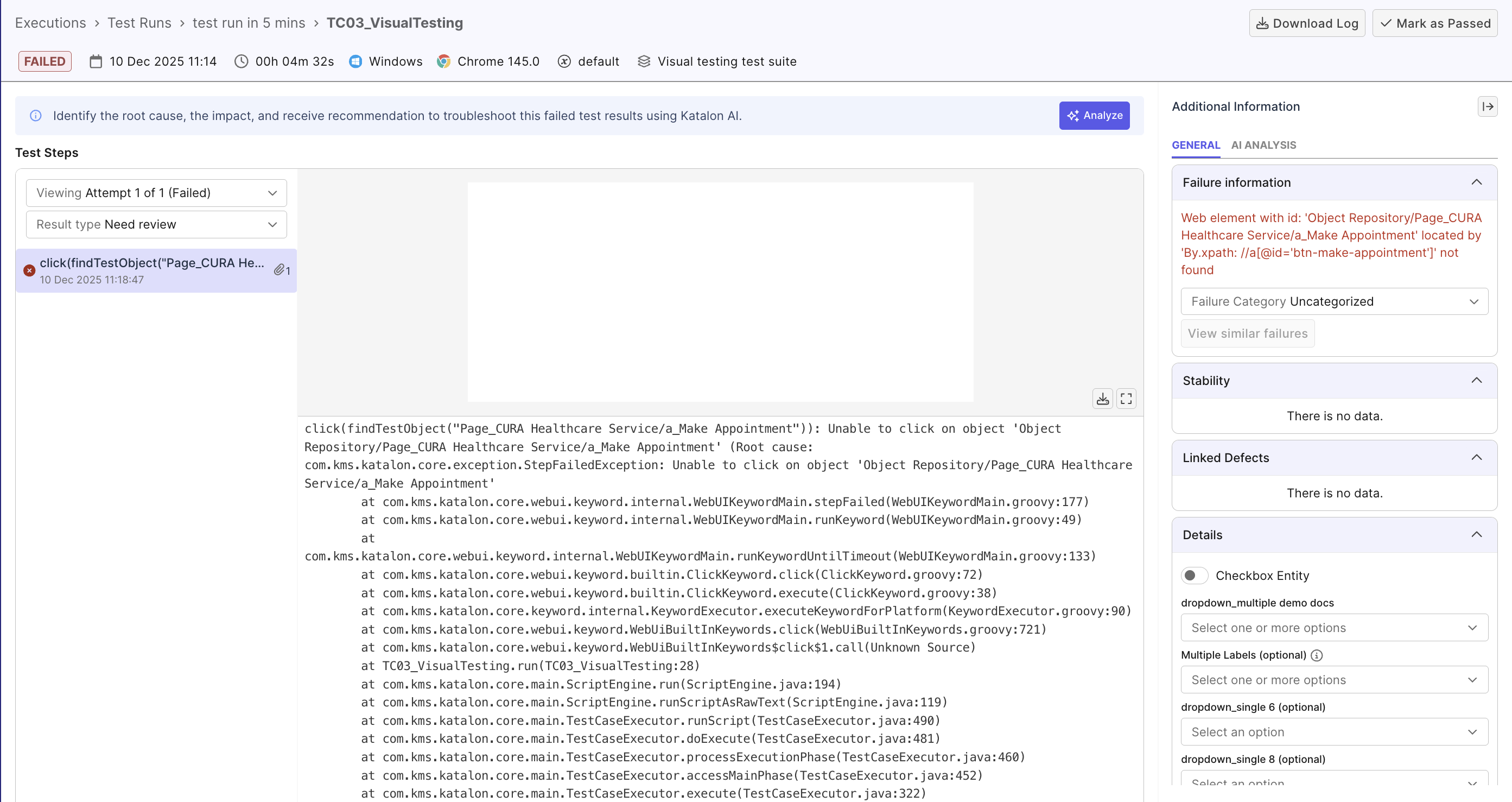
- Scan for timing-related warnings (
Element not found,Timeout waiting for element, ...) - these are most common causes. See table of common causes below for more details.
Common causes of flakiness
Below are typical causes of flaky tests you may find useful:
| Type | Causes | Possible solution |
|---|---|---|
| Timing and Synchronization Issues | - Hard-coded waits (e.g. WebUI.delay(5)) that are too short or too long- Missing waits for dynamic content, AJAX calls, or animations - Event listeners not attached before events fire - Animation timing causing element positions to change mid-interaction | Use explicit waits with conditions (wait for element to be clickable, visible, etc.) Wait for specific application states, use debouncing, disable animations in test mode... |
| Dynamic Selectors | - Unstable element IDs (e.g. auto-generated, timestamp-based) - Index-based selectors (e.g. CSS selector div:nth-child(3) breaks when children element order changes) - Fragile XPath that depends on deep DOM hierarchy | Use stable selectors (data-testid, ARIA labels, semantic attributes)... |
| Test Data Dependencies | - Inexplicit test data (resulted from previous test) - State not cleaned up between runs (cache, cookies, local storage) - Database state leakage (previous test creates records affecting next test) | Implement test data isolation, setup/teardown hooks, database transactions... |
| Environment Variability | - Resource contention (CPU, memory, network bandwidth) - Third-party service flakiness (external APIs, payment gateways) - Browser version differences across test agents - Network latency causing timeouts | Mock external dependencies, increase timeout thresholds... |
| Parallel / Concurrency Conflicts | - Tests running in parallel modifying the same database records, files, or shared resources - Tests competing for the same ports, queues, or temporary directories - Order-dependent tests where one test relies on another test's side effects | Ensure tests are independent, isolate resources per test (unique data, temp dirs, ports), use proper locking or transactional rollbacks |
Once you've determined the cause, edit your test cases, and re-execute the test several times to check.
It's helpful to add attributes in Customizable fields, for future referencing. See Customizable fields to learn how to configure these fields for your project.