Report bugs from test results
Katalon True lets you report a bug directly from a test result. The bug is created in your linked ALM project — Jira or Azure DevOps — with the description, images, and file attachments you add, so the developer gets the full context without leaving their tracker.
Use cases
- File a defect the moment a manual test step fails, while the evidence is on screen.
- Attach the artifacts a developer actually needs to reproduce the problem: logs, recorded videos, and repro documents, not only screenshots.
- Keep traceability: the created issue is linked to the test result, so defect reports and coverage reports stay accurate.
- An active Jira or Azure DevOps integration linked to your project. See Jira integration or Azure DevOps integration.
Create a bug from a test result
- Open the test result — for example, from a manual test run in TestPak, or from a test run's results.
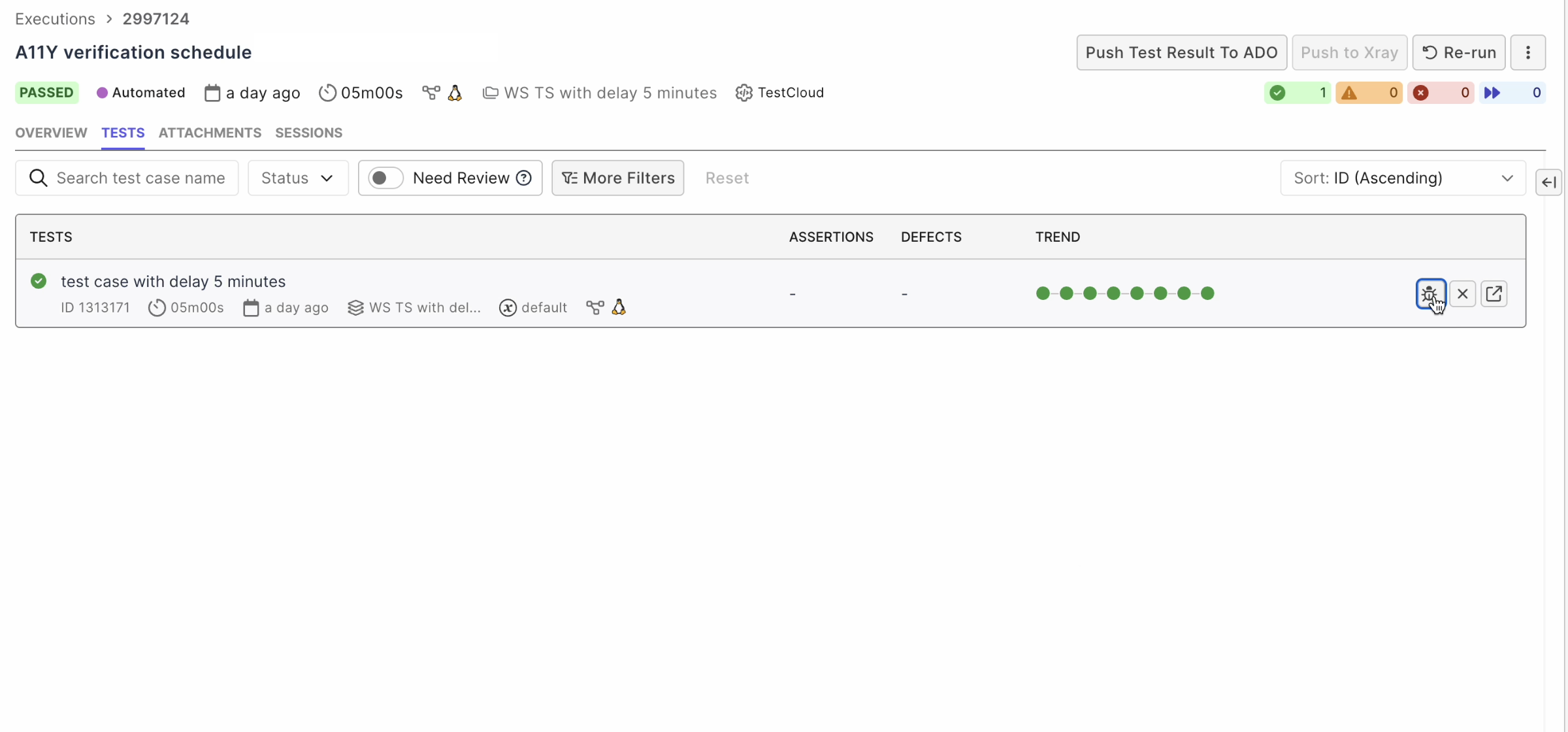
- Click Report Defect (the bug icon).
- Select the target project and issue type, and fill in the fields.
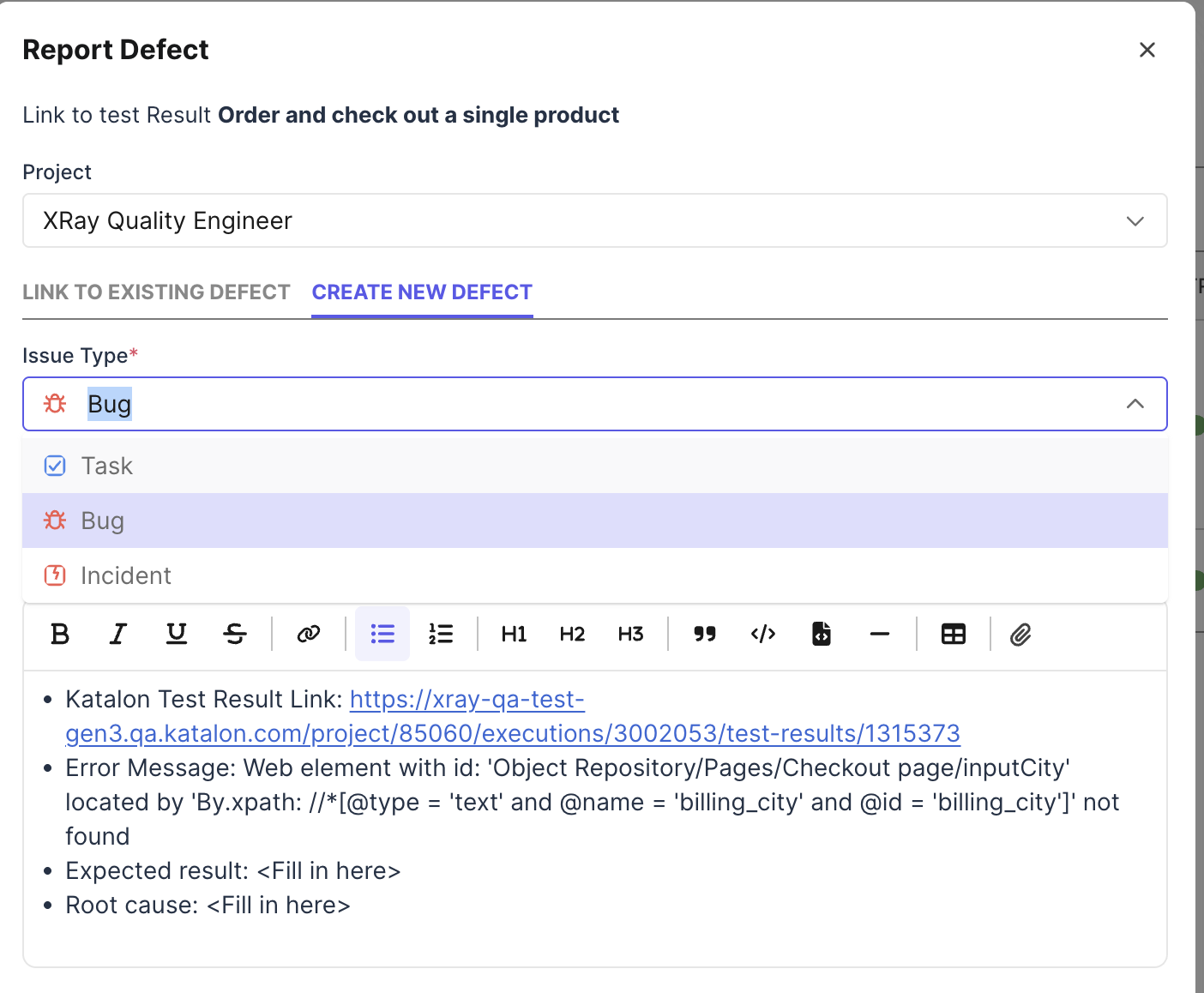
- Add a description, images, and file attachments (see below).
- Click Create. The issue is created in Jira or Azure DevOps and linked to the test result.
Attach files to the bug report
Bug reports accept more than images. You can attach:
- Documents: PDF, Word, Excel
- Videos (for example,
.mp4) - Text and log files
Add files with the file picker or by drag-and-drop. A bug report can carry multiple attachments.
On submission, the files are added to the created Jira or Azure DevOps issue as real attachments — not local-only references. PDF attachments preview inline in the bug report.
If an upload fails or a file type is not supported, the dialog shows a clear error and keeps your drafted bug report — nothing you typed is lost.
Jira fields in the bug dialog
When the target is Jira, the dialog builds its form from your Jira project's create metadata: the fields and options you see are the ones your Jira issue type defines. Supported field types include text, number, date and datetime, user, single- and multi-select, checkbox, radio, cascading select, labels, group, and the Atlassian Team field — so a bug can be created even when your Jira issue type requires a Team value.