Business Domains
This document guides you through setting up and managing Business Domains in Katalon True Platform.
- You must have a True Enterprise subscription.
- You must have the Account Admin or System Admin role to configure this feature.
Overview
Business Domains allow you to claim ownership of your organization's email domains. Once verified, you can monitor and manage all users who sign up or are invited using email addresses from your verified domains.
Key benefits:
- Domain Ownership Verification – Prove your organization controls specific email domains through DNS validation
- User Visibility – Track all users with email addresses from your verified domains
- Centralized Management – Oversee domain access and user accounts from a single dashboard
- Compliance & Security – Ensure only authorized domains are used within your organization
View Business Domains
View all domains that have been verified for your organization.
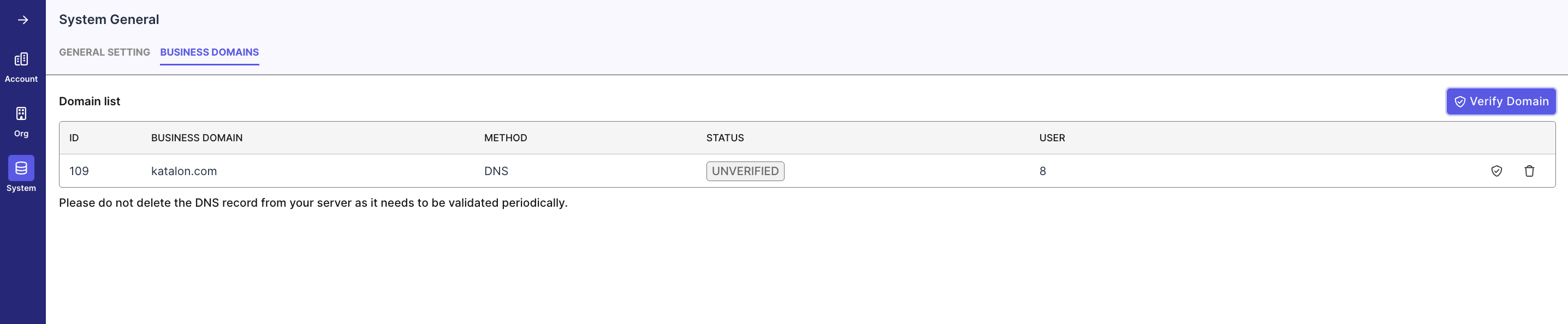
- Navigate to Account Settings > System > General
- Select the Business Domains tab
The Business Domains list displays:
- ID – Unique identifier for the domain
- Business Domain – The verified domain name (e.g., yourcompany.com)
- Method – Verification method (DNS)
- Status – Current verification status (
VERIFIED,UNVERIFIED,VERIFIED_EXPIRED_SOON) - Users – Number of users with this domain added to your account
Verify a Business Domain
Verifying a domain proves your organization owns it by adding a DNS TXT record that Katalon can validate.
-
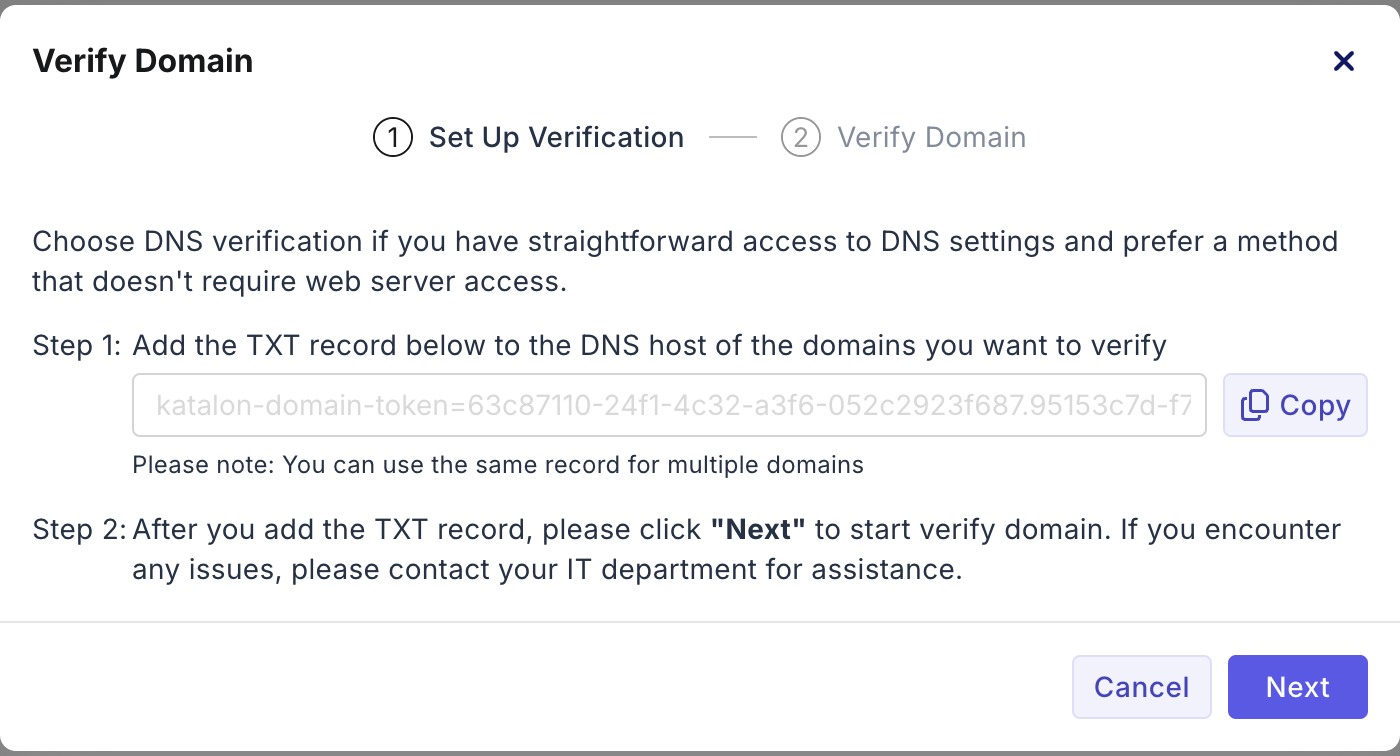
Select Verify Domain
-
Copy the provided TXT record and add it to your domain's DNS settings through your DNS provider (e.g., GoDaddy, Cloudflare, Route 53)
-
Select Next
-
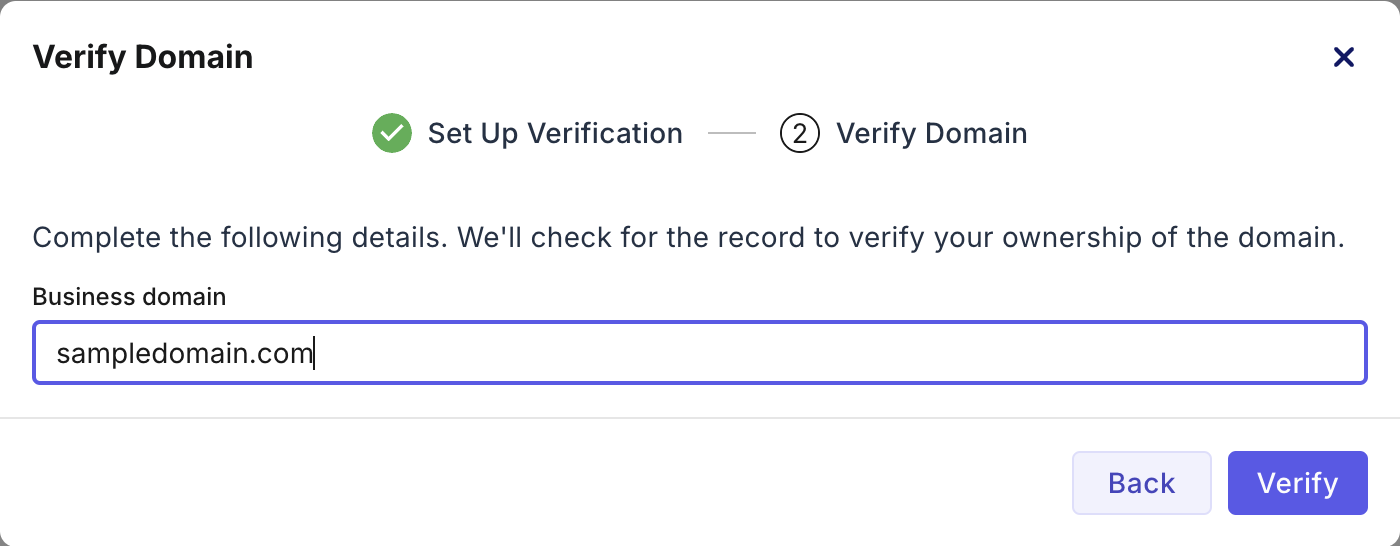
Enter your domain name (e.g., yourcompany.com)
-
Select Verify
Result
Upon successful verification:
- A confirmation notification appears
- The domain status updates to "Verified"
- You can now see all users with email addresses from this domain
Important: Do not delete the DNS TXT record or HTTPS file from your server. Katalon validates these records periodically to maintain domain verification.
Re-verify a Business Domain
If your domain verification expires or fails periodic validation, you can re-verify it.
- Hover over the domain row
- Select the Re-verify button
- Follow the same verification steps as initial domain verification
Disown a Business Domain
Disowning a domain removes your organization's claim of ownership. This means:
- The domain will no longer be associated with your account
- You will lose visibility into users with email addresses from this domain
- The domain becomes available for verification by other organizations
- Hover over the domain row and select the Disown icon
- In the Confirm Disown Domain dialog, select Disown
- Confirm the success notification

Note: Disowning a domain does not remove or deactivate existing users with email addresses from that domain. It only removes your organization's claim to monitor and manage that domain.