Generate automated tests from manual executions
- You have an active TrueTeam or TrueEnterprise subscription.
- Before following this guide, confirm this quick checklist:
- The target AUT is associated with your project.
- At least one environment is configured in that AUT.
- A repository is selected in that AUT.
If any item is not completed, see Configure application under test.
With TestPak, you can convert passed manual test cases into automated ones with a single click. Each generated script is automatically linked to its original manual test case for full traceability.
After generation, you can review the automated test cases in Tests > Test Cases and continue refining them as needed.
This guide is specifically for the TestPak only use case. If you are using TestPak + TrueTest add-on, follow this guide instead: Generate automated tests with TrueTest add-on.
Create a manual test run
Follow this guide to create a manual test run: Create a manual test run. After creating a manual test case, proceed with the next section.
Install TestPak extension
The TestPak extension is a Chrome add-on that lets you record manual test runs in Katalon True Platform and quickly generate automated test scripts from those recordings.
It captures user interactions while testers execute manual test cases in the application under test (AUT). These recorded actions are then converted into automated test cases.
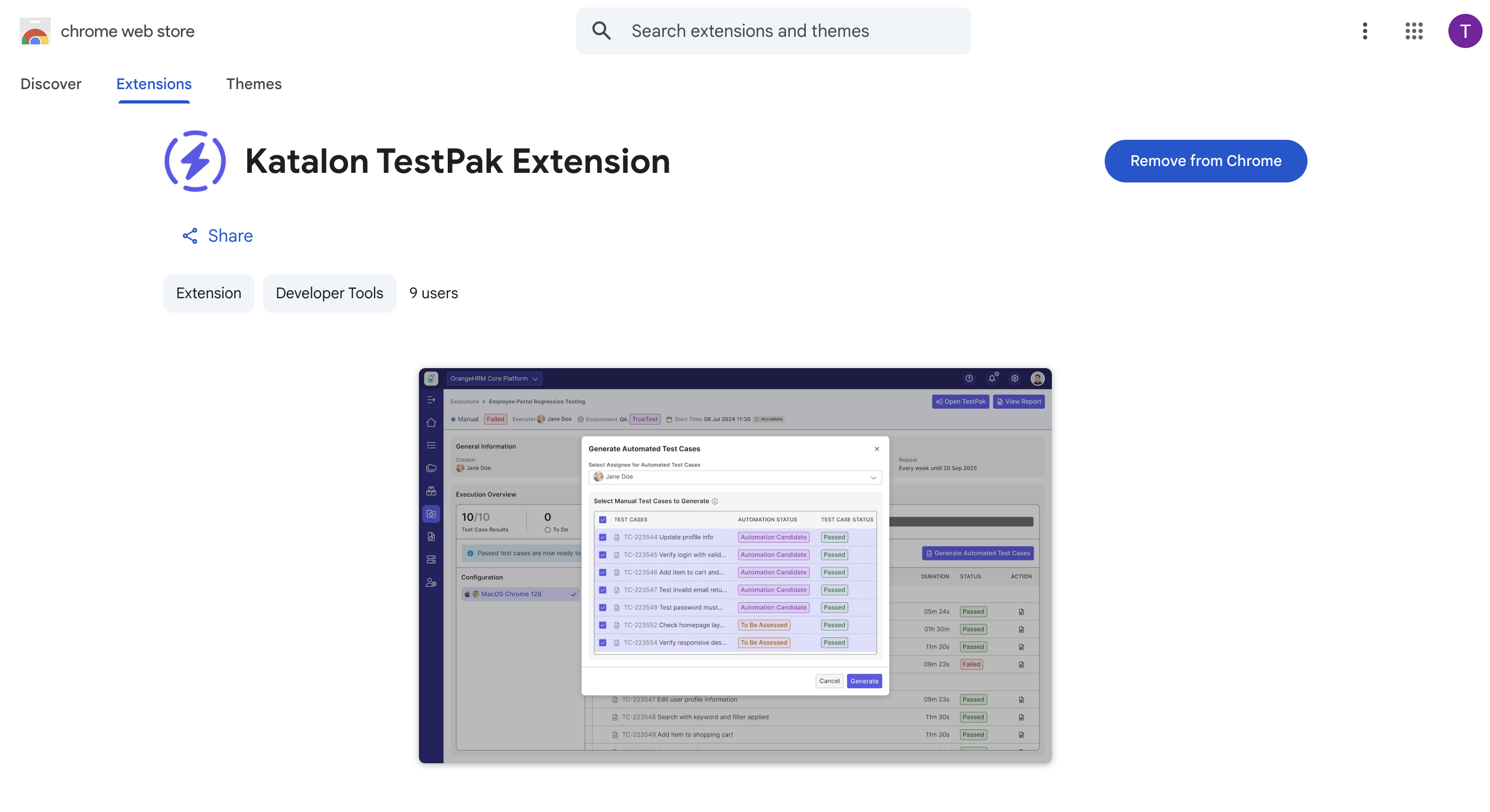
Make sure all required fields for the manual test run are completed and Chrome is selected in Configurations as TestPak currently supports Chrome only.
- In Create Manual Test Run, click Run Manually to start the test run.
- With Chrome selected in Configurations, the Enable Test Session Recording dialog appears. Click Install Extension to open the Chrome Web Store.
- Add the TestPak extension to Chrome. After installation is complete, you are redirected back to Katalon True Platform and a confirmation dialog appears.
- You only need to install once. After the extension is added to Chrome, it will remain installed for future test runs.
Execute test cases
-
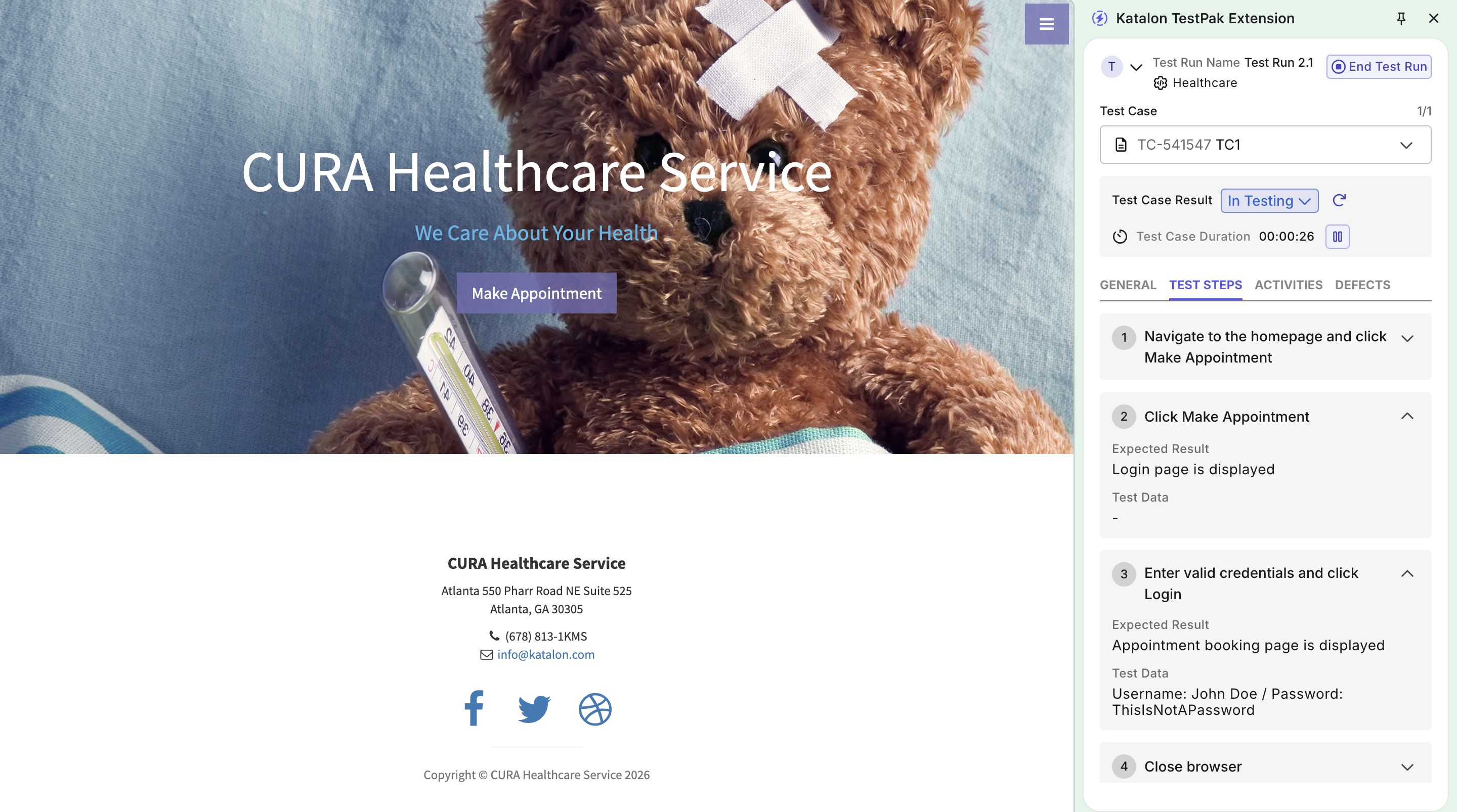
Click Start Testing in the dialog. The browser will launch, and the TestPak panel will display the details of the current test case.
-
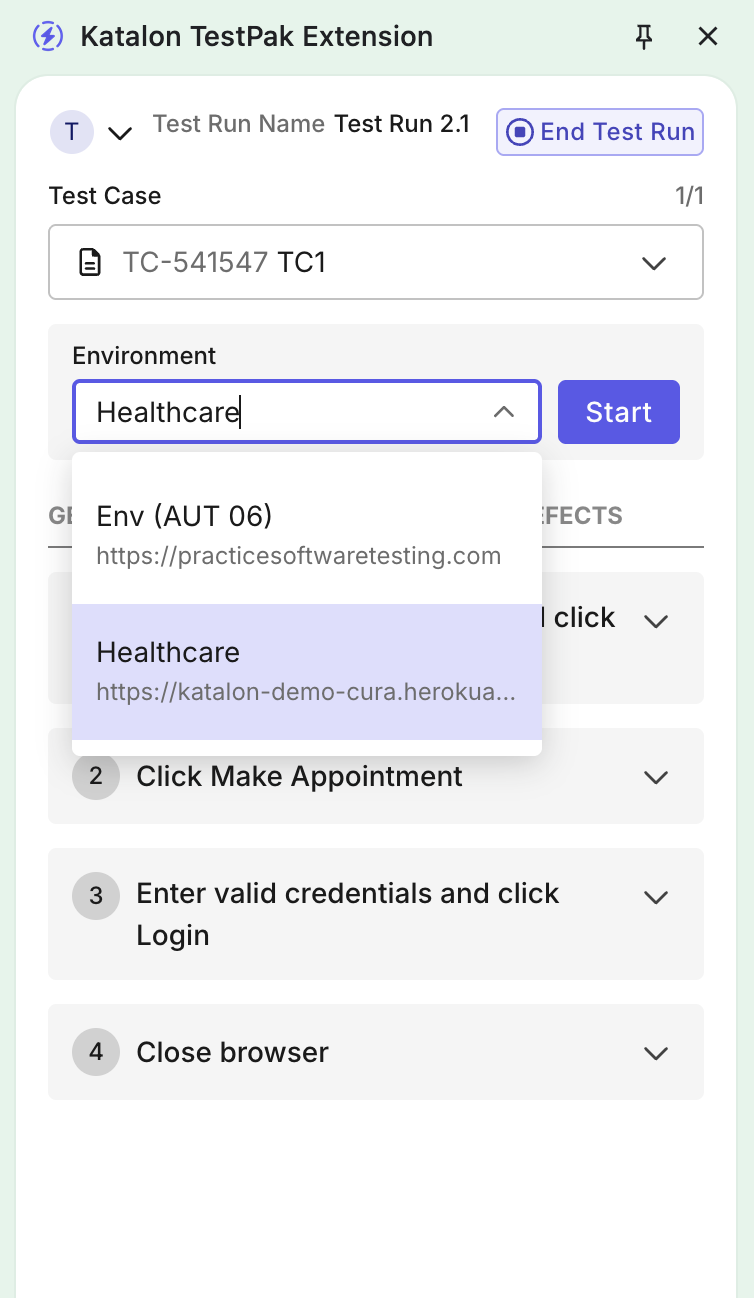
Select an environment, then click Start.
-
Follow the test steps as written.
-
Compare actual behavior with the Expected Results, then mark the Test Case Result as
PassedorFailedaccordingly. -
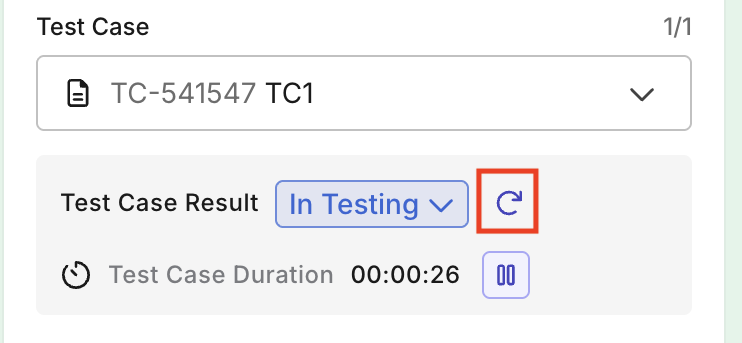
(Optional) You can click Retest to reset the recording of the test cases. This will clear all existing test step results, reset the previous testing duration, and restart the timer for a new execution.
-
Click Next Test Case to continue.
- Any test case that is not assigned a test result will be considered as Skipped.
-
Once all test cases are marked with a result, click End in the the End Test Run dialog to finish the test run.
Generate automated tests
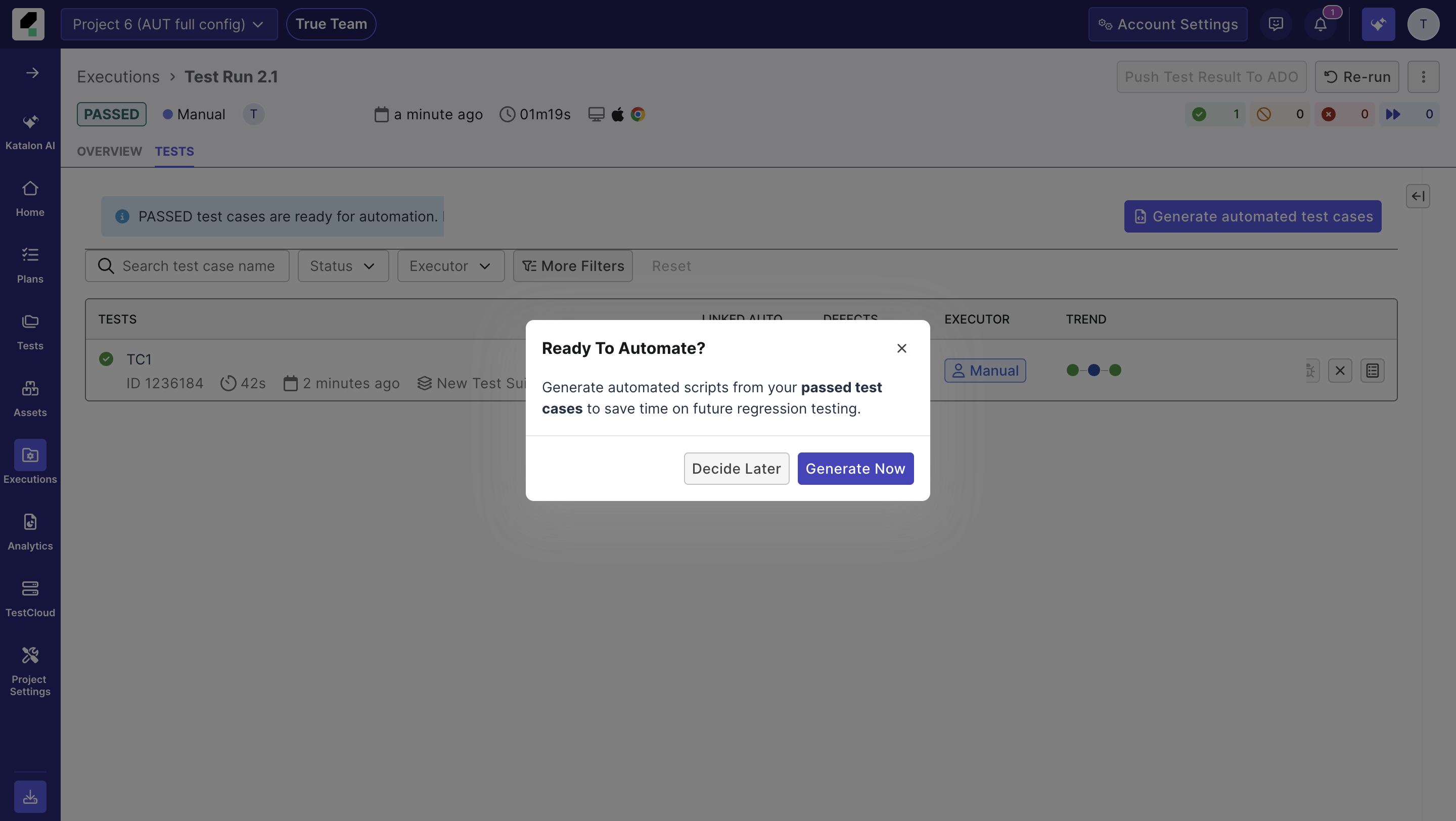
After the test run ends, you are prompted to generate automated test cases from test cases with Passed result and no linked automated tests.
-
When prompted, click Generate Now to proceed. Alternatively, you can manually trigger the process by clicking Generate Automated Test Cases.
-
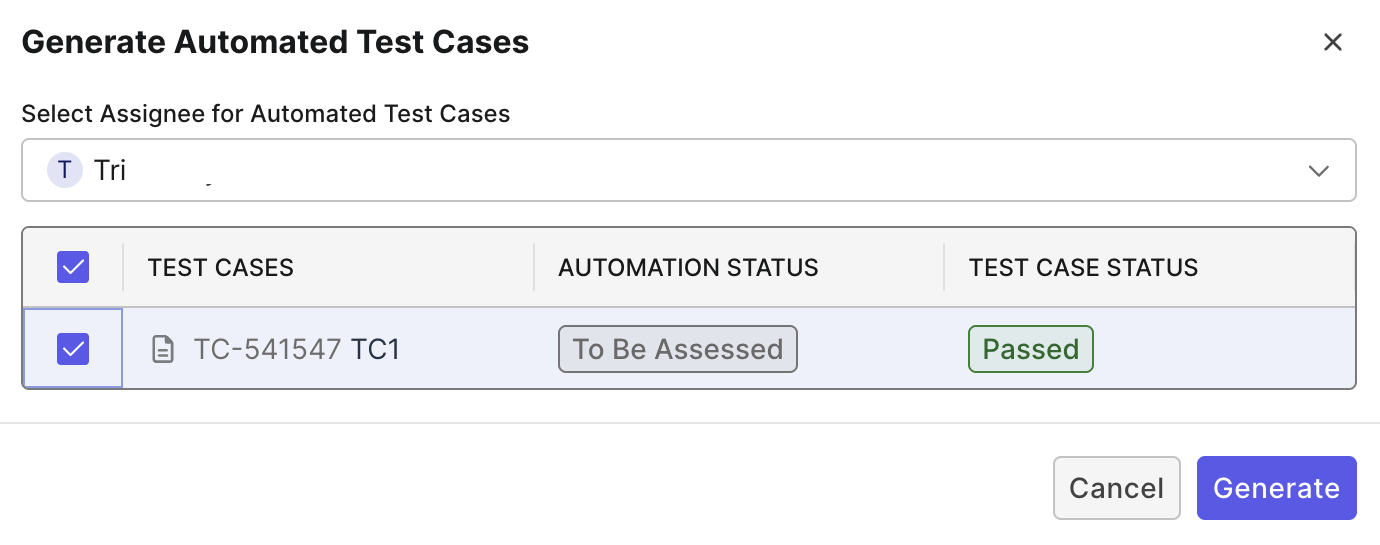
In the Generate Automated Test Cases dialog:
- Select an Assignee: This assignee will receive a notification when the automated tests are ready.
- Select the manual test cases you want to convert to automated, then click Generate.
Result
A notification box will confirm that automation generation has started.
- If the generation succeeds, both the Assignee and the user who triggered the generation will be notified.
- If the generation fails, only the user who triggered the generation will receive a notification.
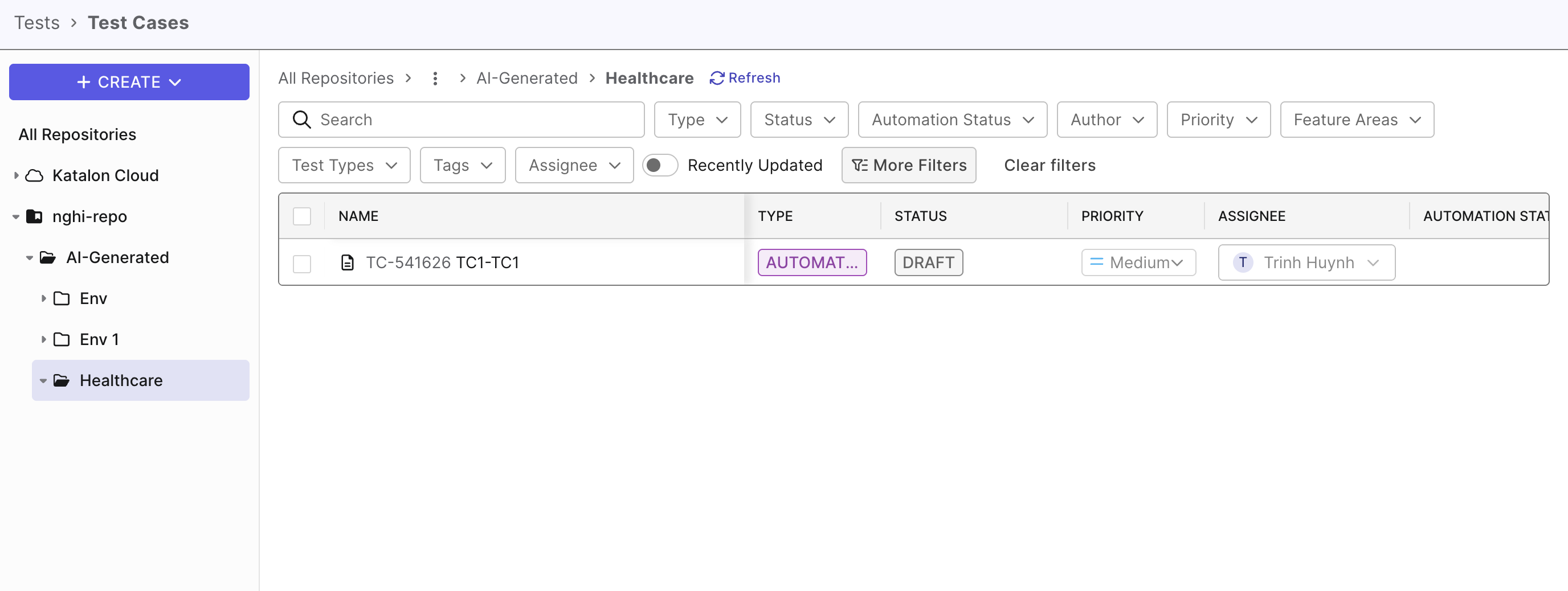
Once it completes, navigate to Tests > Test Cases to view the generated test cases. The generated test cases are stored in the registered script repository.
By default, they have the Draft status. You can download them to review and optionally edit them in Katalon Studio, then publish them as official automated test cases.
Known limitations
The followings are known limitations of TestPak extension.
- Browser configuration: TestPak currently supports Chrome. Make sure Chrome is selected when configuring manual test runs.
- You might need to uninstall the Katalon Recorder extension if it is installed, as it can interfere with TestPak.
- During execution:
- Pop-up windows are not captured during recording.
- Opening multiple browser windows during recording causes session capture to fail.
- Tests that navigate between different domains (for example, from
example.comtocheckout.example-payments.com) cannot be captured. Instead, record each domain a in separate run.
- Automated test cases stored in Git repositories cannot have their status updated in TestOps.
- Manual test cases that are already linked to automated tests cannot be converted again.
- Workaround: Delete the existing automated test → Execute the manual test with the TestPak extension → Re-generate the automated test.